A cab company does not sell anything off a shelf. It sells trips: a car and a driver for a guest, from one time and odometer reading to another, priced by a package. A hotel or a company that books twenty of those in a month wants one invoice at the end of it, not twenty, and its accounts team reads every line of the one it gets.
Layerdots ERP has a trade for this, Taxi and travel. Pick it when you set up the business and the app keeps duty slips where a shop keeps stock, puts SAC 996601 on new services, and prints a consolidated invoice in the same designs as every other bill. Here is how each part works.
One duty slip for every trip
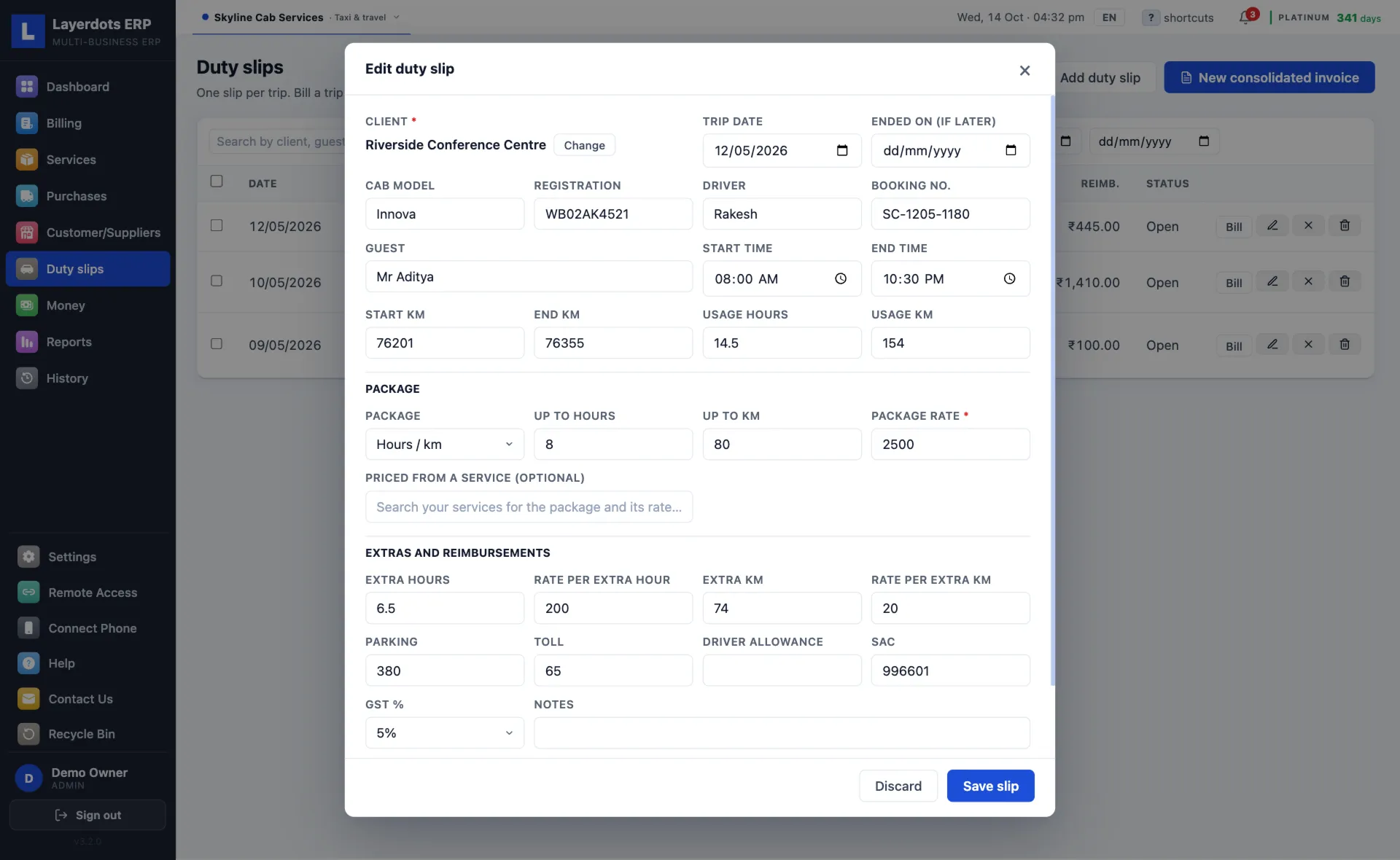
The slip holds what the driver brings back: the date, the cab model and registration, the driver, the guest and the booking number, the start and end times, the start and end kilometres. The app works out the hours and kilometres used, including a trip that runs past midnight or ends on a later day.
Then the package. Up to 8 hours and 80 km at a rate; or 300 km a day, for so many days, at a rate a day; or one fixed rate; or the hours used at a rate an hour. Hours and kilometres beyond the package go on as extra hours and extra kilometres, each at its own rate. A package you sell every week can be kept as a service, an Innova for 8 hours or 80 km at its price, and picked on the slip, which brings its rate and SAC with it. Parking, toll and the driver allowance go on the slip as they were paid.
The week's trips on one screen
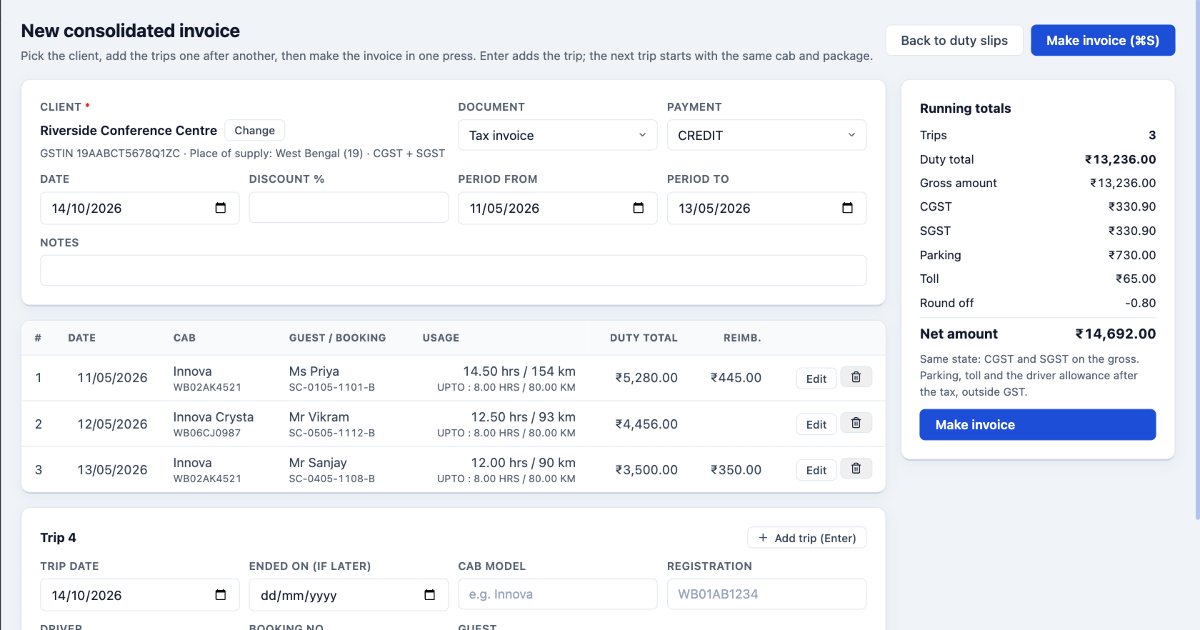
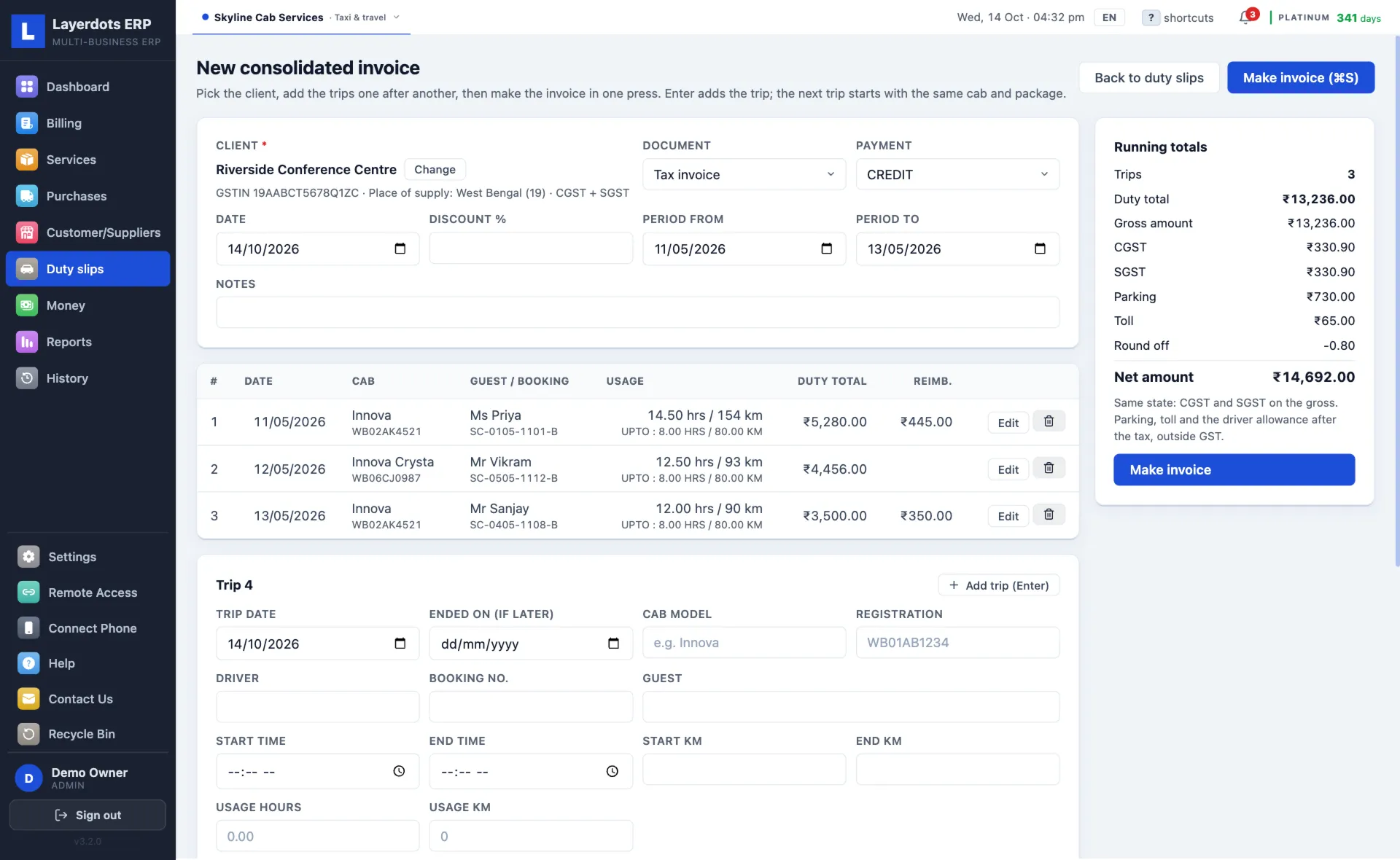
For a client billed once a week or once a month, open New consolidated invoice, pick the client, and type the trips one after another. Enter adds a trip and the next one starts with the same cab and package, so a run of airport pickups goes in quickly. Any trip can be corrected or taken out before the invoice is made, and the running totals beside the list show the duty total, the GST, the reimbursements and the net amount as you type. One press makes the tax invoice, or an estimate if the client wants to see the figure first, and every trip on it is still kept as a duty slip of its own.
It works the other way round too. Save slips as the trips happen; later, on the Duty slips page, tick a client's open slips and make one consolidated invoice for the period, or press Bill to bill a single trip on its own. The list searches by client, guest, booking number, cab or driver, and each slip says whether it is open, quoted, billed or cancelled. Cancel the invoice and its slips open again.
What the consolidated invoice shows
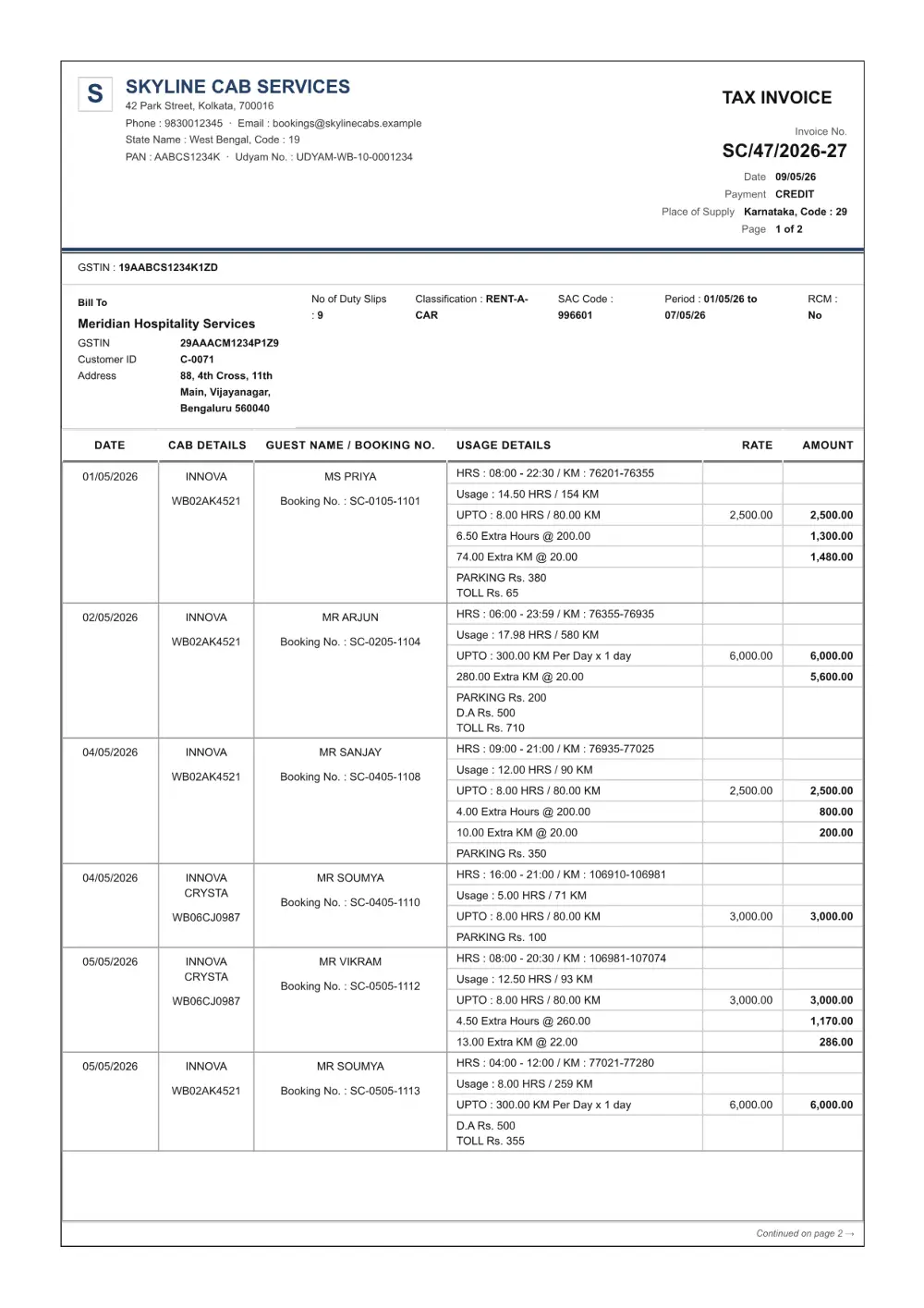
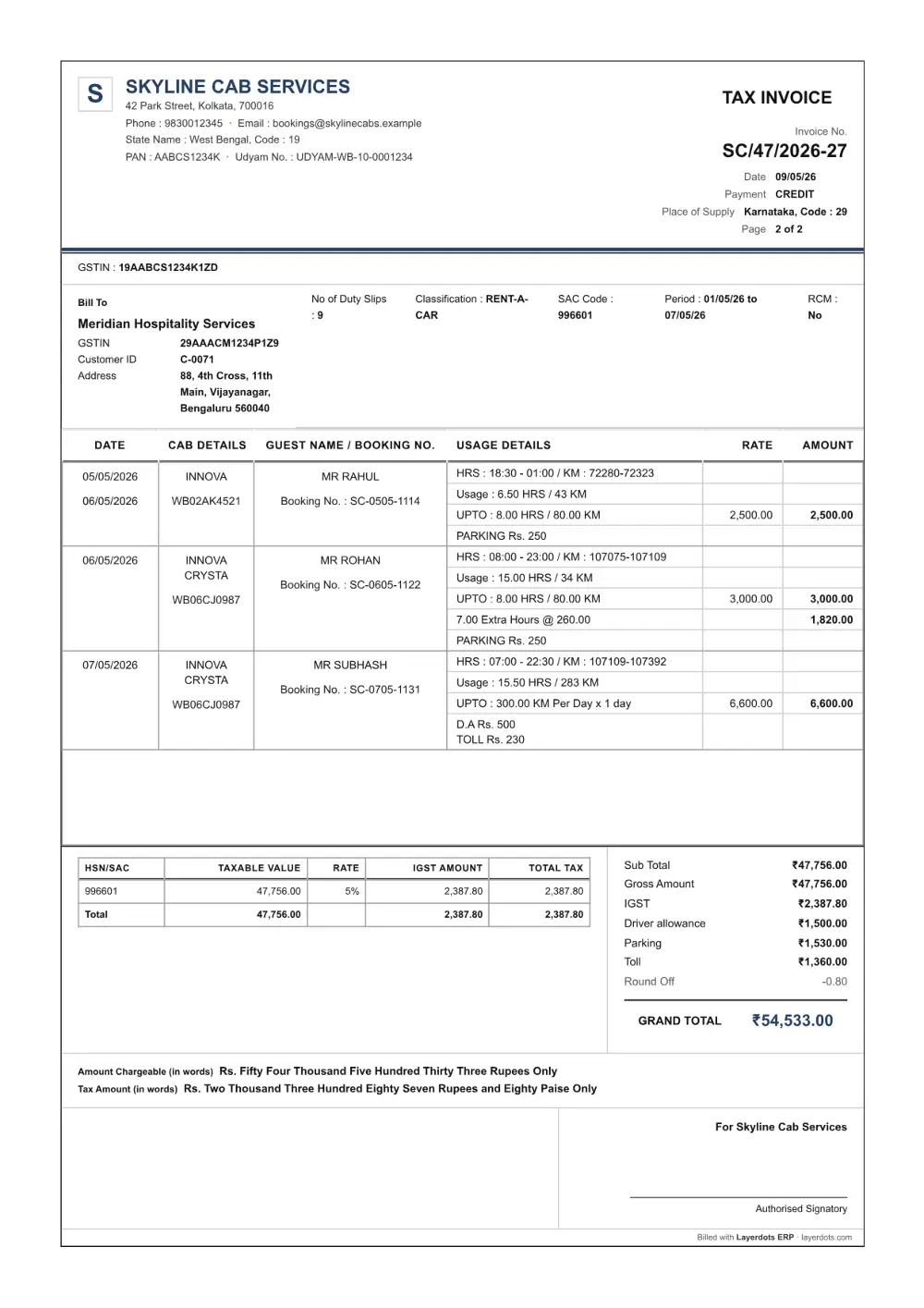
It opens with the client's name, GSTIN and address, then a line with the number of duty slips, the classification you set (RENT-A-CAR, say), the SAC code, the period and whether reverse charge applies. After that comes one block per duty slip: the date, the cab and its number, the guest and the booking number, the times and readings, the usage, the package with its rate, and the extra hours and kilometres with theirs. The trip's parking, toll and driver allowance are written inside its block.
Under the trips: the SAC summary and the totals, that is the duty total, any discount, the gross amount and the GST on the gross, then the driver allowance, parking and toll added after the tax, the round off and the amount in words. The company's PAN and Udyam number print under its address once they are filled in. A long month runs onto as many pages as it needs, and a trip is never split across a page break.
5% or 18%, and what stays outside the tax
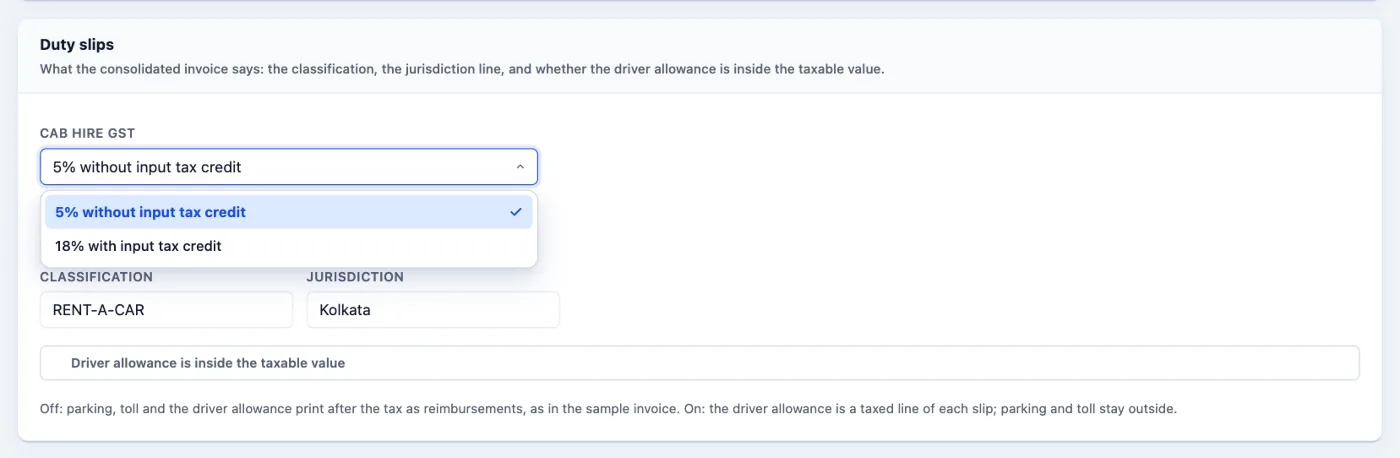
GST on cab hire comes either at 5% without input tax credit or at 18% with it, and the choice is the company's. In Settings, Billing, the Duty slips card has Cab hire GST: 5% without input tax credit, which is where it starts, or 18% with input tax credit. Every trip then takes that rate, and an exempt trip can still be set to 0%. Settle with your CA which one the business uses before the first invoice; the app holds you to it and turns down a trip typed at the other rate.
Parking, toll and the driver allowance are reimbursements, so they print after the tax, outside the taxable value. If your contract counts the driver allowance as part of the hire, one switch makes it a taxed line on each slip; parking and toll stay outside either way. The net amount is rounded down to the rupee, as on every bill the app makes.
A single trip, a passenger without a GSTIN
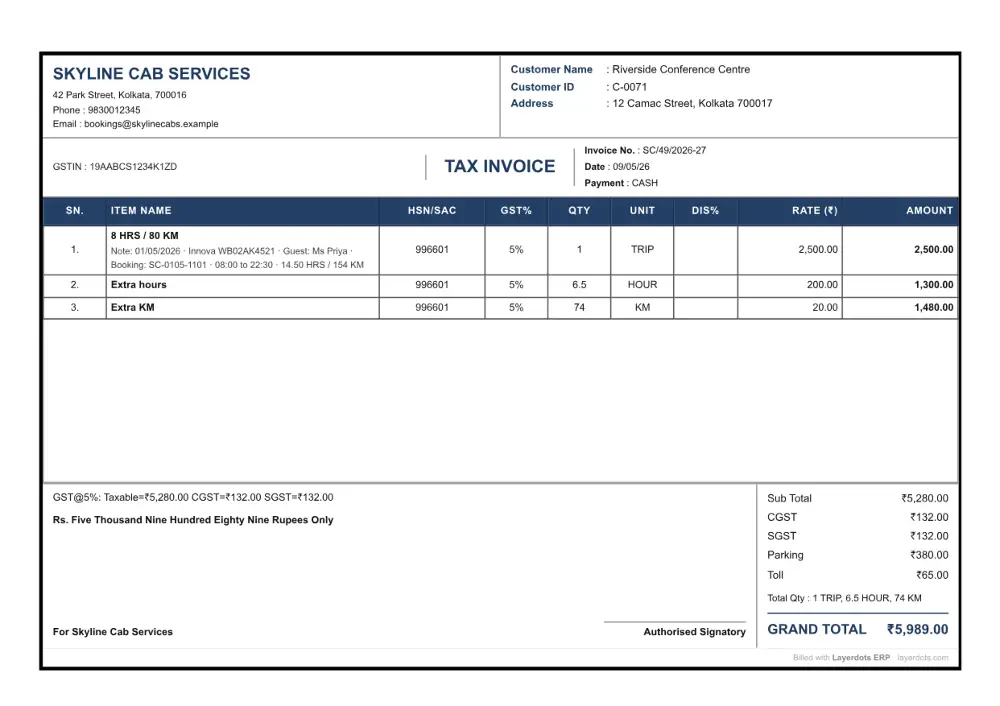
Not every trip waits for the month. A trip billed on its own is an ordinary bill, on A4, A5 or a thermal roll: the package, the extra hours and the extra kilometres as its lines, the trip's date, cab, guest and readings under the first, parking and toll after the tax. When the client has no GSTIN and no state on file, the app asks for the pickup state, because that is the place of supply.
Drivers paid by the day
A driver on a daily wage can go into Field Staff, the register a pharmacy keeps for the people it pays by the day: a month calendar for each driver, the pay worked out from the days marked, and each payment booked as an expense so the profit and loss counts it once. It stays off until you switch it on in Settings.
Questions that come up
Is there a separate taxi edition?
No. Taxi and travel is a trade inside Layerdots ERP, on the same plans as every other business. A cab company and a
shop under one owner can both live in one install on Gold or Platinum, each with its own books.
Do these invoices reach the GST return?
They are sales like any other. The GST reports count them, and the app's GSTR-1 file lists them under B2B for a
registered client, with the SAC code in the HSN summary where a shop's invoice carries its HSN.
What does it cost?
Seven days free with every feature, no online account and no card. After that, Basic is ₹3,800 + GST = ₹4,484 a year,
Gold ₹7,000 + GST = ₹8,260, Platinum ₹11,000 + GST = ₹12,980; the pricing section has what
each plan includes. The same app runs on Windows and on a Mac.