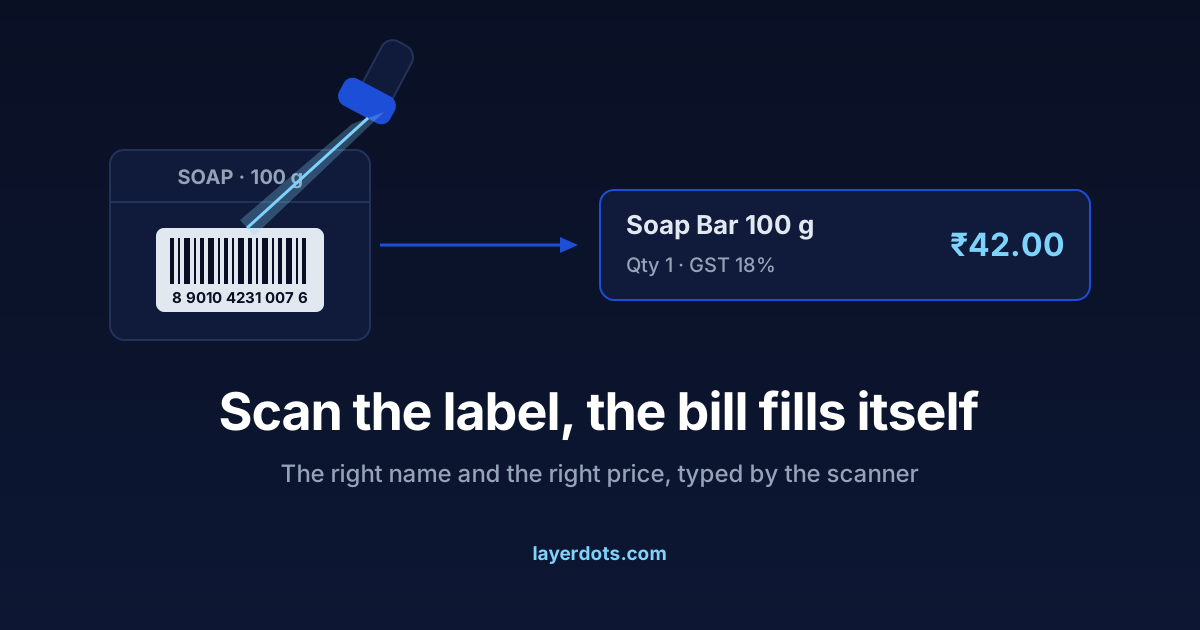
Most small shops bill by typing. The cashier types the first letters of a name, picks from a list, and trusts that the price they remember for the soap is still the price. Barcodes replace that with one movement of the hand, and the setup is smaller than shops expect. You do not have to label every shelf, and you do not have to stop billing for a day to start.
A barcode is a number, and the price is not in it
The stripes on a packet encode a number and nothing more. On most packaged goods sold in India it is an EAN-13, thirteen digits, printed by the manufacturer. A scanner reads the stripes, turns them back into digits and types them into whichever box the cursor is in, usually followed by an Enter. The billing software then looks the number up in its own product list and answers with the name, the price and the GST rate.
So the price is never inside the barcode. It is in your software, where you set it. That is why scanning ends price guessing at the counter: the code says which product it is, and the software replies with the one price you saved for it.
Packaged stock already carries a code; you link it once
Walk the shelves and most branded, packaged stock already has a barcode on it. You print nothing for these. You teach the software, once, which product each number belongs to. In Layerdots ERP that means opening the product, clicking into the barcode field and scanning the packet. The number lands in the field, you save, and every later scan of that packet brings up that product. If a distributor can give you a stock list with barcodes in it, a bulk import links hundreds of items in one go instead of one packet at a time.
A helper can do the linking in a slow hour, a shelf at a time. Billing carries on as before while it is half done.
Labels for loose and local stock
Some stock arrives without a code: repacked goods, local brands, unbranded items, the small parts a hardware counter sells by the piece. For these you print your own labels. The number on them does not have to come from any authority. Inside your own shop any number works, as long as each product gets its own; the software generates it, prints the label and remembers the link. Layerdots ERP prints barcode labels for this. A label printer is a separate purchase from the printer that prints your bills, and that second decision has its own trade-offs, which we have set out in thermal against A4 invoice printing.
Registered barcodes from GS1 India matter only if your product will be sold in someone else's store, or listed on a marketplace that demands them. A label that never leaves your shop needs no registration.
A USB scanner behaves like a keyboard
Shopkeepers expect the scanner to be the complicated part. Nearly every USB barcode scanner presents itself to the computer as a keyboard. Plug it in, put the cursor in the billing search box, scan, and the number appears as if someone had typed it very fast. There is no driver disc and no program from the scanner company, which is why almost any scanner works with almost any billing software, ours included.
Two choices matter when you buy. A 1D scanner reads striped barcodes only; a 2D scanner also reads QR codes and reads well off a phone screen. A basic wired 1D scanner is the cheapest device on the counter and is enough for retail packets; a 2D scanner costs more and keeps options open. The other choice is wired or wireless. Wired never runs out of charge and never loses its pairing; wireless helps when you scan large items where they sit. For a fixed counter, wired is the right answer.
What changes at the counter, and what does not
Speed is the first change. A scan takes under a second. Typing three letters, reading a dropdown and picking a line takes several, and the difference multiplies across every item on every bill of the day. The second change matters more. The scanned product is the right product, not the similarly named one below it in the list, and the price is the saved price, not the remembered one. New staff bill correctly on their first morning, because the knowledge is in the software rather than in the head of whoever has worked there longest. And because the right product goes on the bill, the right stock is reduced, so the stock and expiry reports stay accurate too.
What does not change is the loose trade. A barcode identifies a fixed thing, so it suits stock that is identical every time. Loose dal by the kilo, open oil, vegetables, a cut length of pipe, fasteners counted out of a bin: none of these has anything fixed to label. A kirana counter keeps name search and practised shortcuts for these, and a mixed counter is normal. Scan the packets, type the loose goods. Weighing scales that print a barcode with the weight encoded in it exist, but they are supermarket equipment, and you get almost all of the benefit without them.
Start with the fifty items that cross the counter most
Do not begin by labelling the whole shop. Begin where the queue is. Pull a sales report, or write the list from memory: the fifty items that cross the counter most often. In most shops a small share of the catalogue accounts for most of the scans you would ever make. Link the packaged ones to their printed codes, one scan into each product's barcode field. Print labels for the few fast movers that have none. Plug in the scanner and bill as usual, scanning whatever carries a code.
That is one afternoon, and from the next morning it covers most of the day's billing. The slower shelves can be added whenever a helper has an idle hour. There is no switchover day, and nothing breaks if half the shop is still unlabelled a month later.
When the scanner beeps and nothing appears
It is usually one of two small things. Either the cursor was not in the billing search box, so the number was typed into nowhere; click into the field and scan again. Or the product has not been linked to that code yet, so the search finds no match; look the product up by name, open it, scan the code into its barcode field once, and the next scan will land.
The internet is not one of the causes. In Layerdots ERP the product list, the barcode links and the prices are in a database on your own computer, so the lookup never goes online. Billing in a browser tab depends on the connection; a desktop program does not.