Layerdots ERP runs on the Windows PC or the Mac at the counter. It prints a GST bill while the customer waits, keeps batch-wise stock and the udhaar ledger, prepares GSTR-1 and GSTR-3B for your CA, and reads a supplier's invoice from a photo so nobody types it in.
The trial needs no online account and no card. Windows 7 to 11, macOS 12 or later, and the phone app on Android and iPhone.
A video of the real screens, with sound and a sample shop's data. The same screens on Windows and on a Mac.
Tell it once whether you run a pharmacy, a restaurant, a shoe shop or any other shop, and the invoice, the columns and the reports take that shape. Underneath, the billing and the GST are the same.
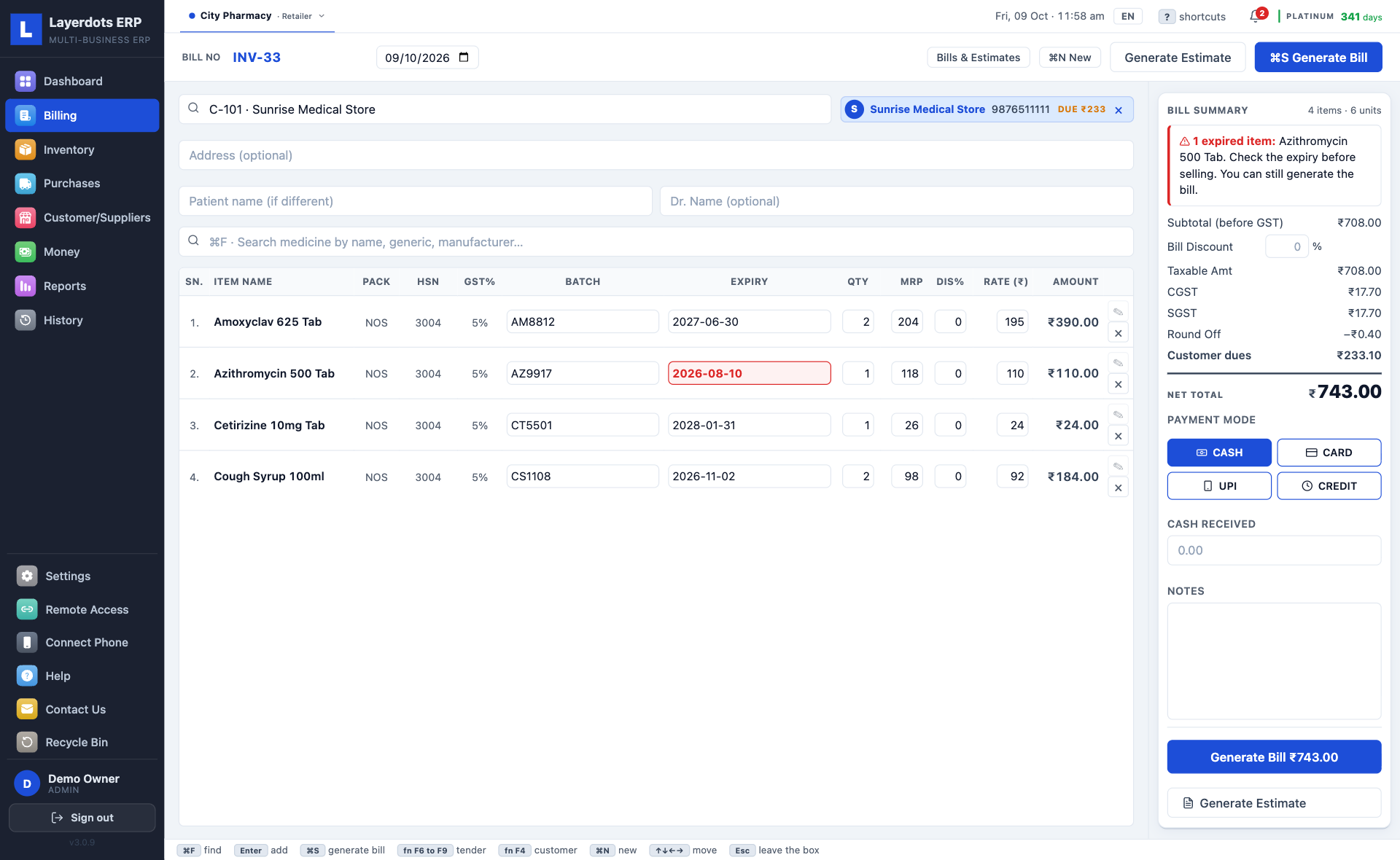
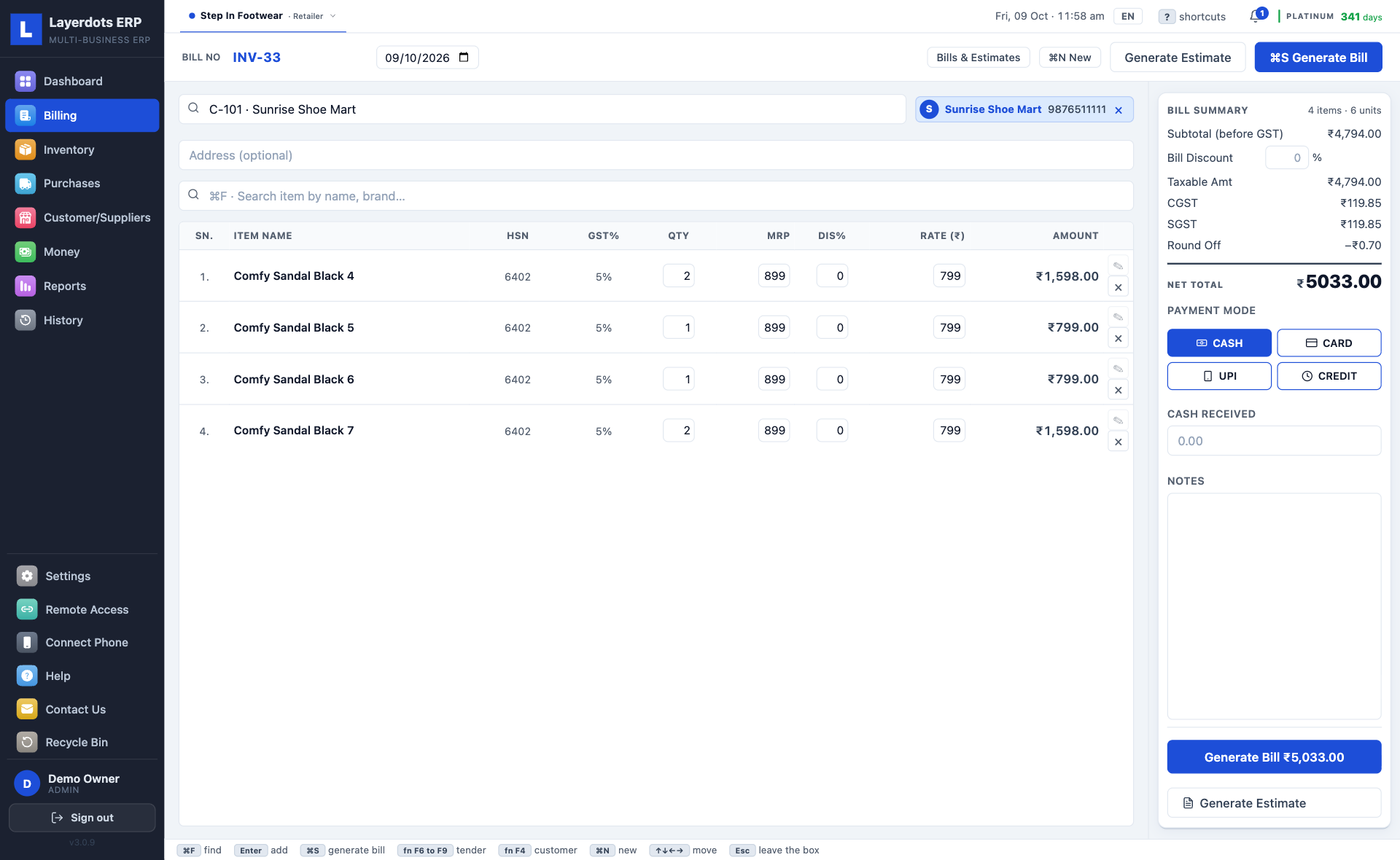
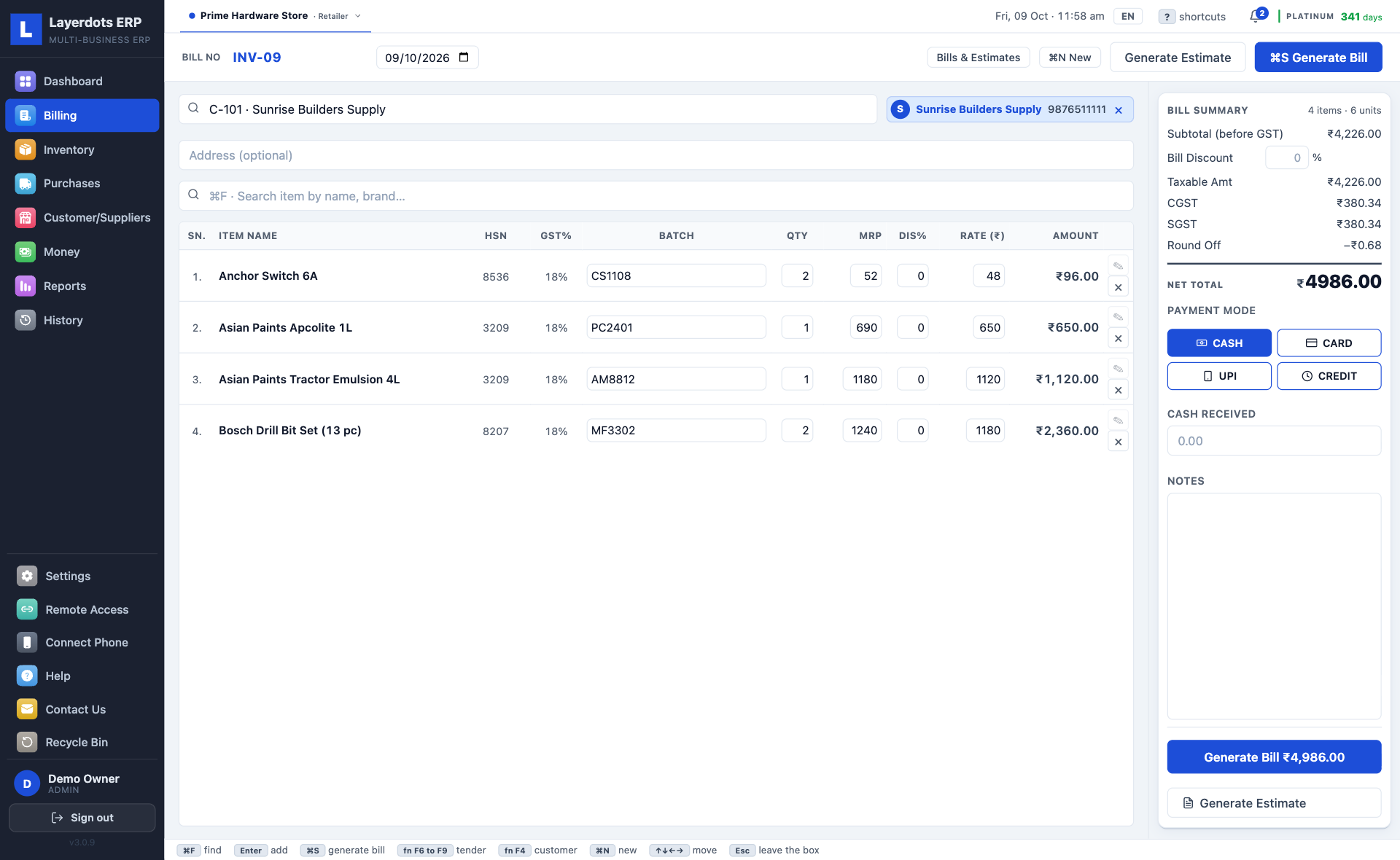
F3 starts a bill and F10 saves it (⌘N and ⌘S on a Mac). Type the first letters of the item or scan its barcode, and the price, the tax and the batch fill in, earliest expiry on top. Take cash, card or UPI, or put it on the customer's account, and print. Every bill is a GST tax invoice with the buyer's GSTIN when they have one; a wholesaler gets the fuller B2B layout. Change, return or cancel a bill later and the stock and the udhaar correct themselves.
Photograph the wholesaler's invoice with the phone app, or pick the PDF on the PC. The lines are read page by page, up to thirty pages in one invoice, and shown for you to check before they go into stock. When a bill never says its rates include GST but its printed total shows they do, the GST is taken out of those rates and the screen says so; one click keeps the printed prices instead. Each page is one scan against the plan's monthly allowance, and a page that could not be read is not charged. A supplier's Excel or CSV file imports directly and costs no scans.
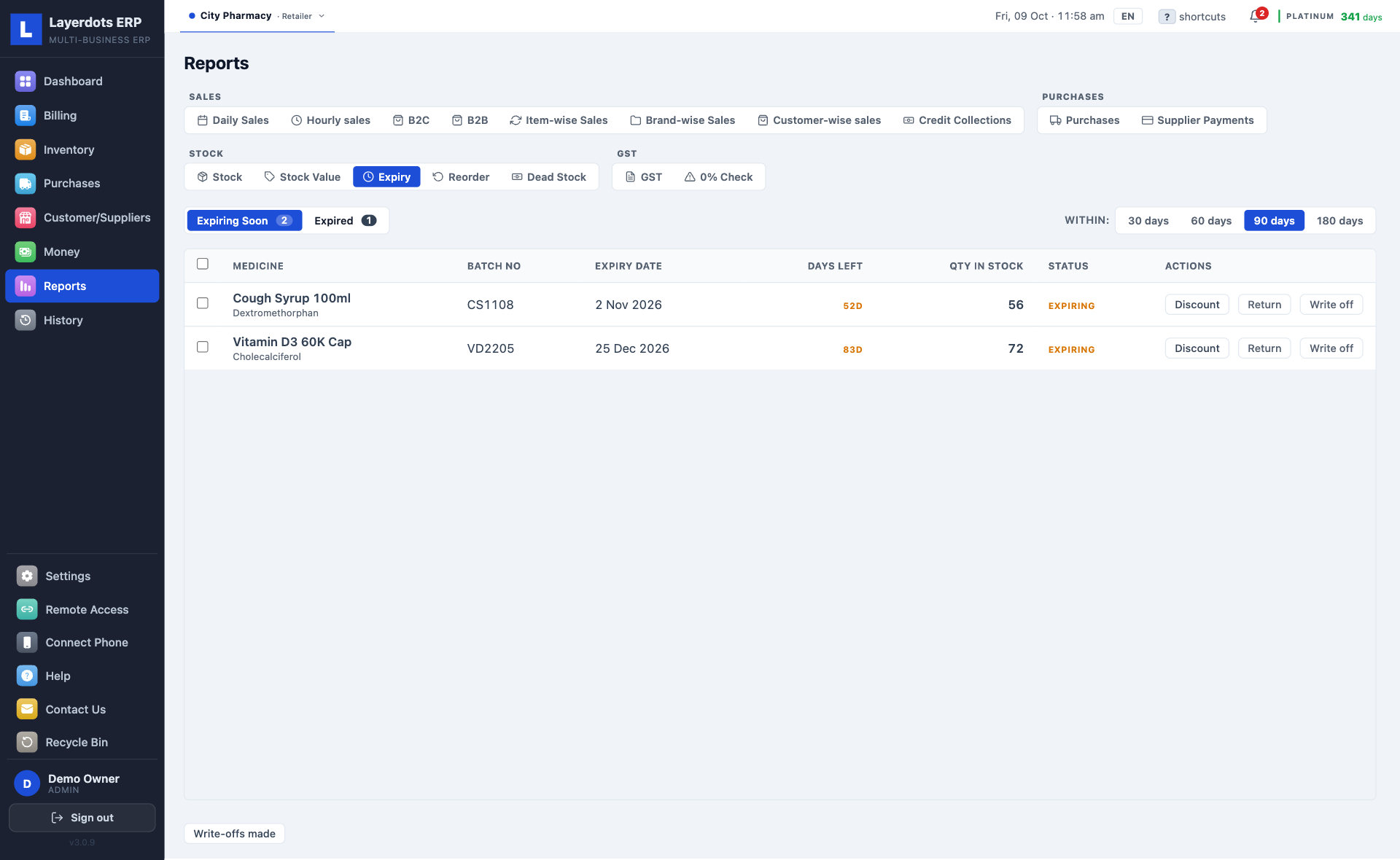
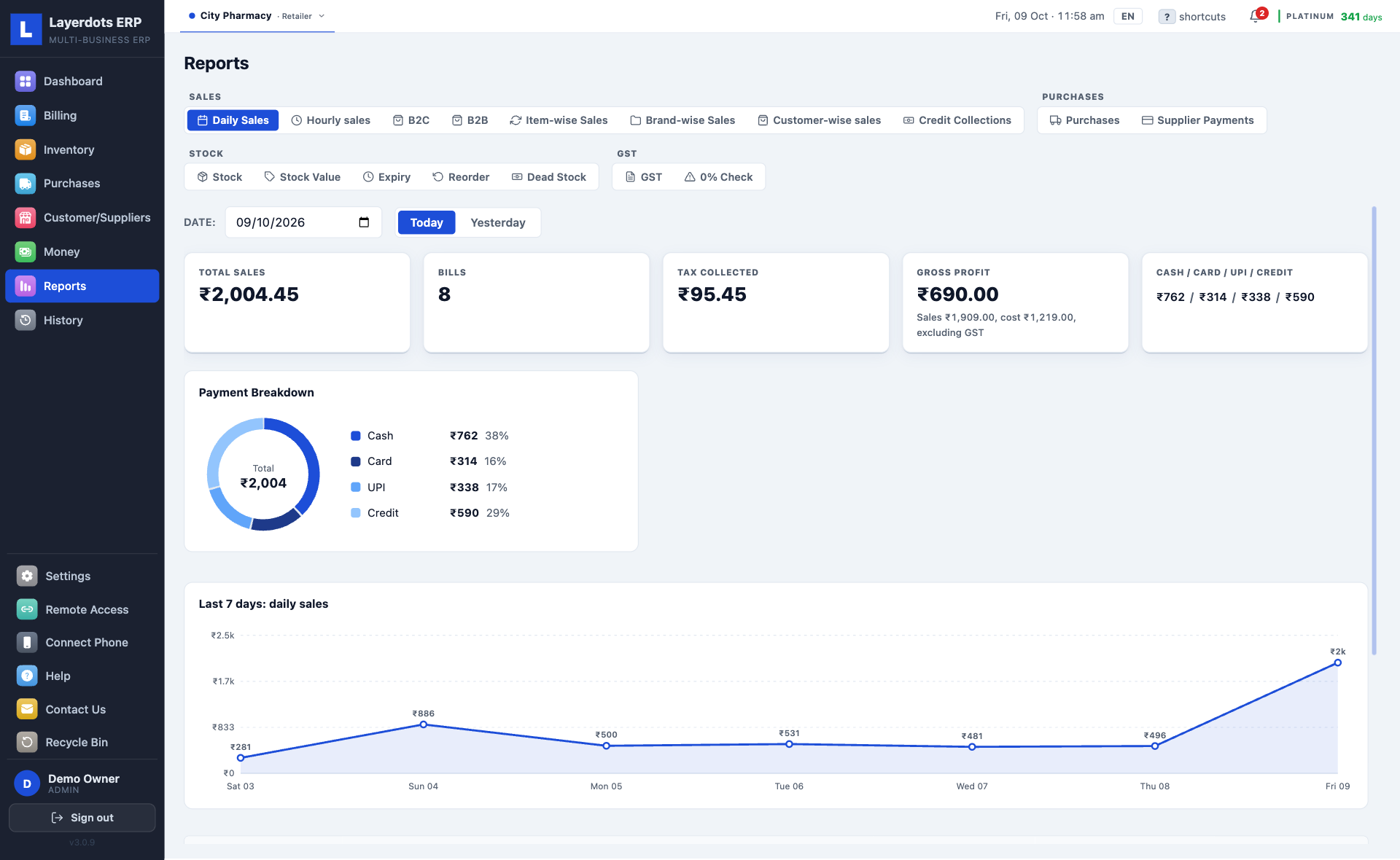
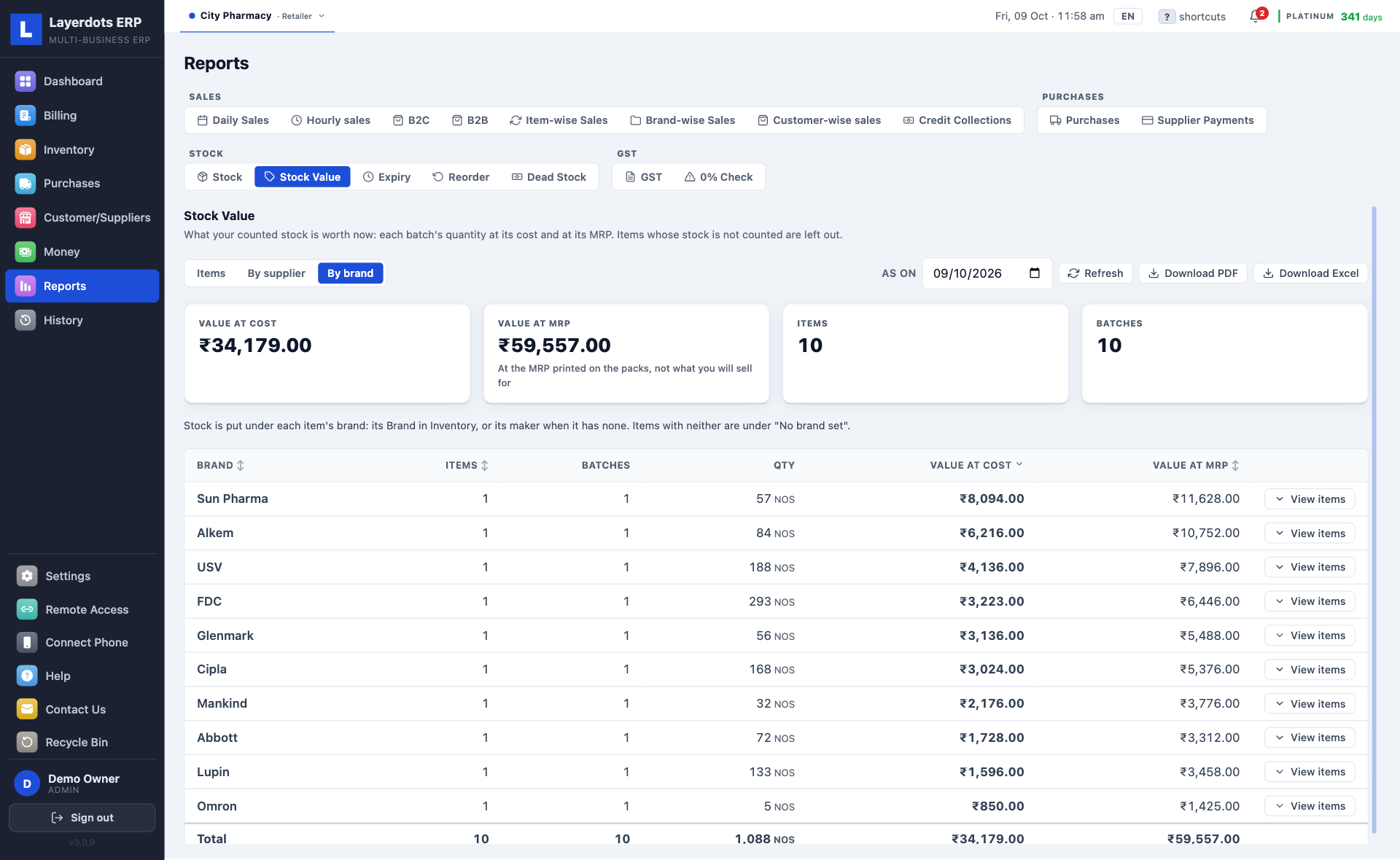
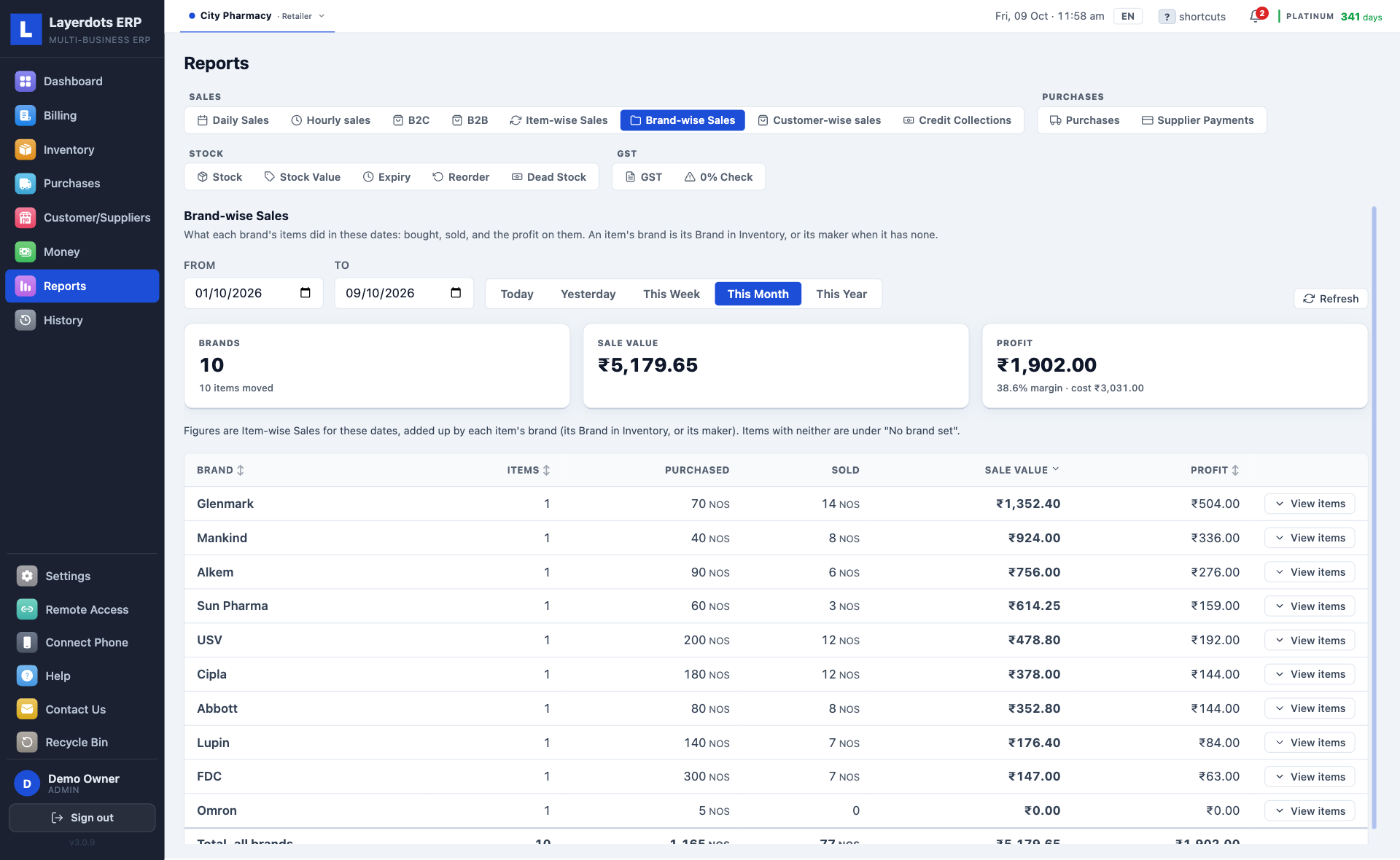
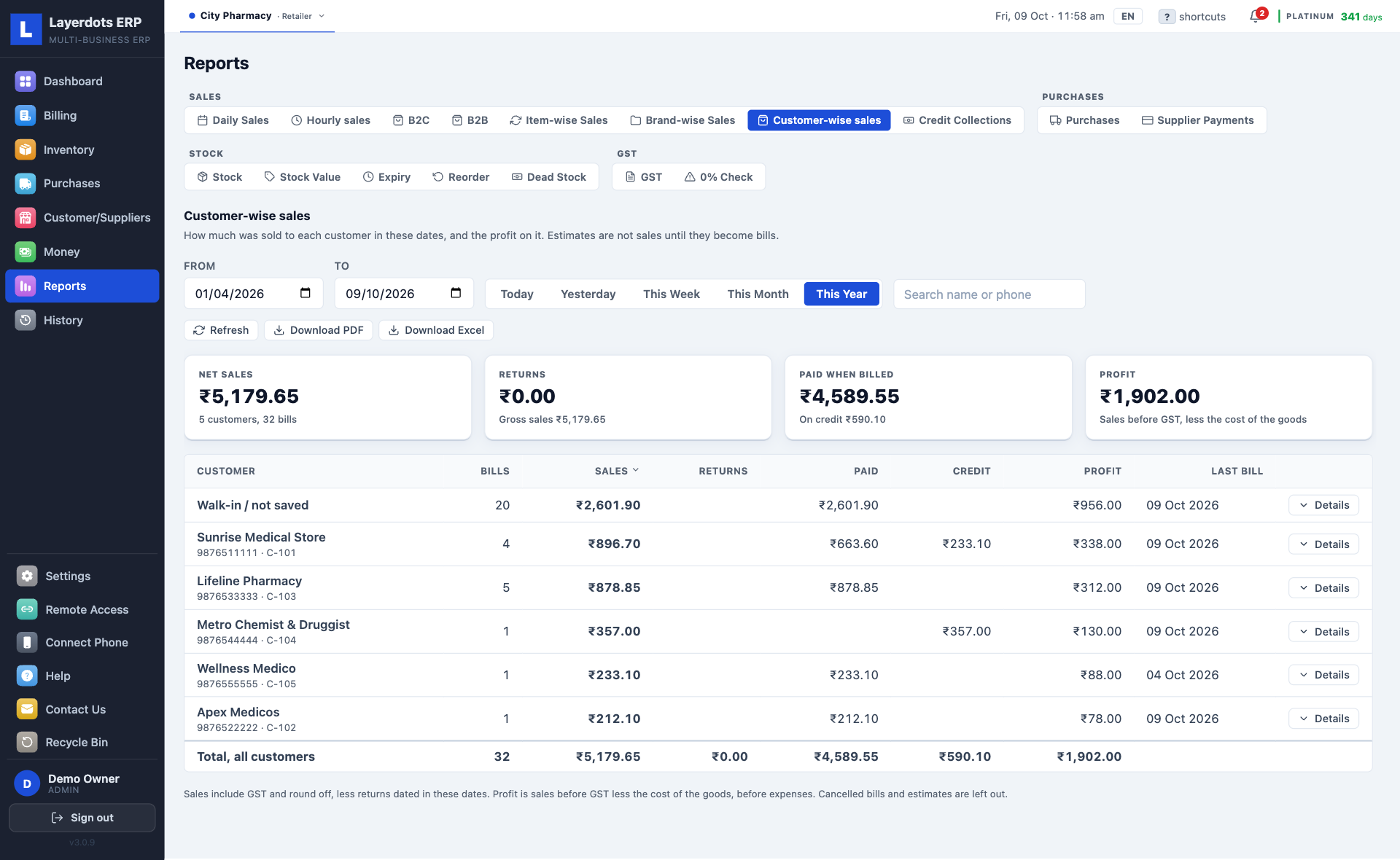
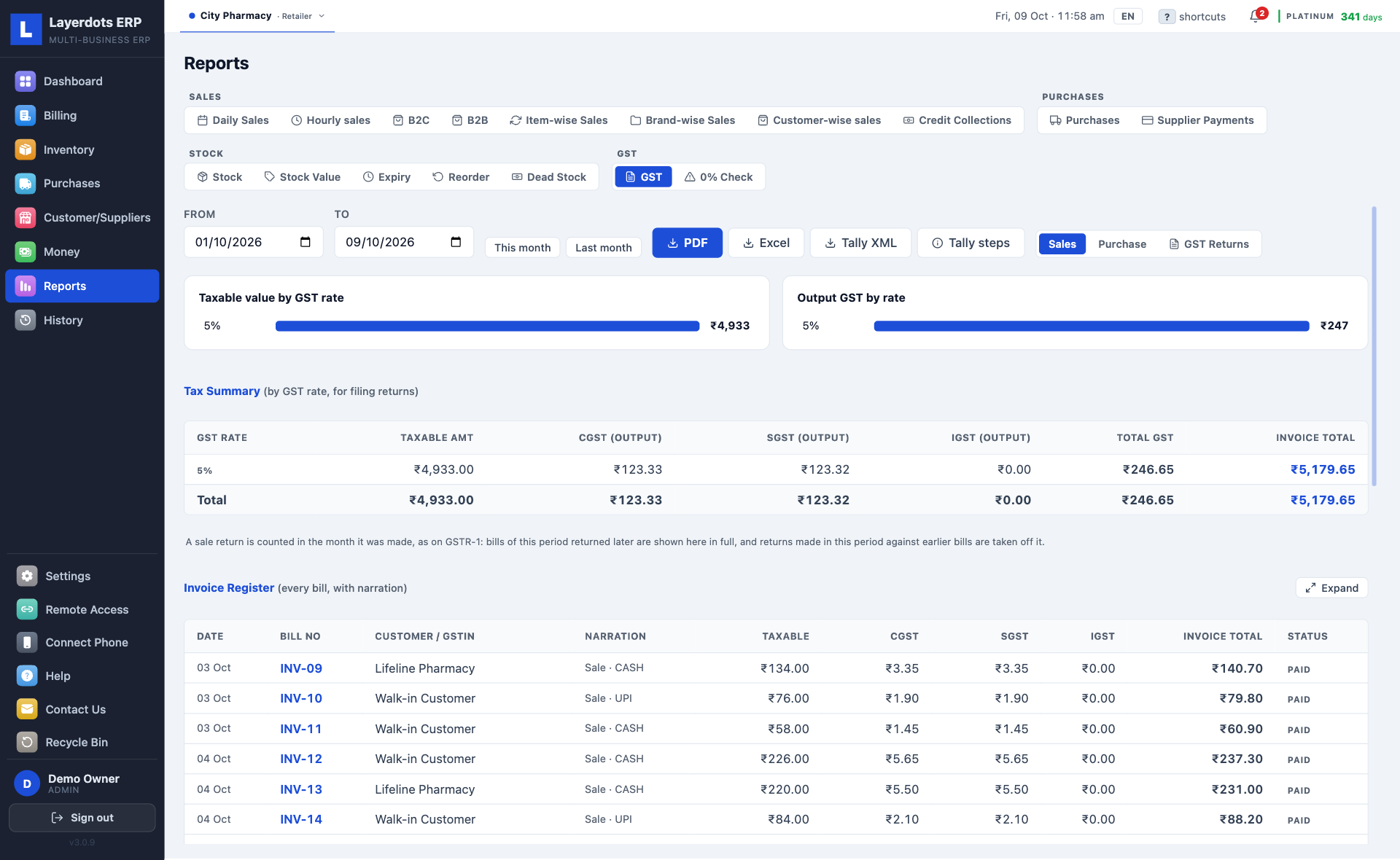
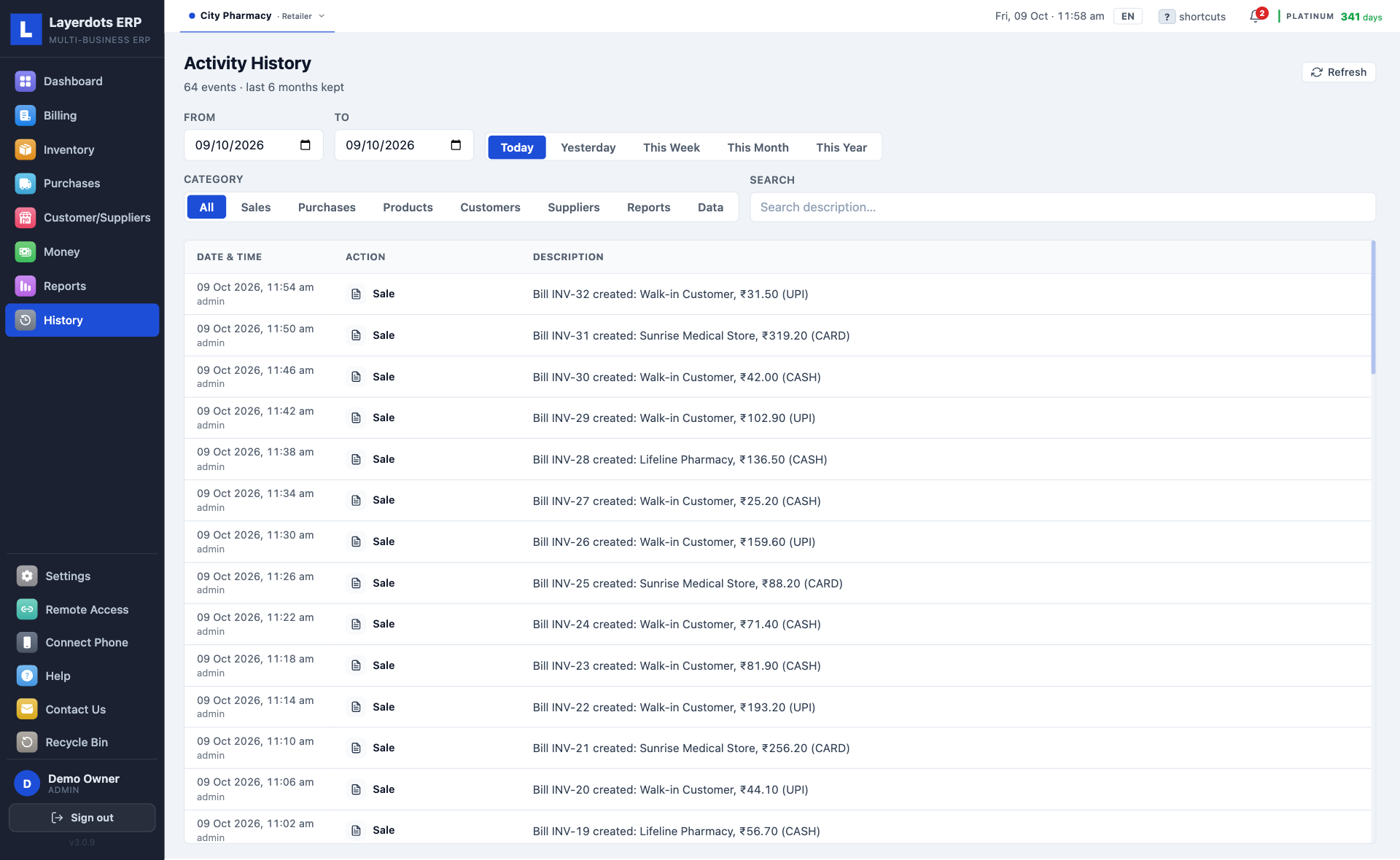
Daily sales, what each item and each brand sold and earned, sales by staff, dead stock, expiry, what to reorder, and who owes you and for how long. For GST: a rate-wise summary, invoice-wise sales and purchase registers, GSTR-1 and GSTR-3B as the JSON the portal takes, and the month's GSTR-2B matched against your purchases. The registers come as PDF or Excel, and your sales, purchases and payments go to the CA as a Tally XML file.
One click reads through the month's bills before anything is uploaded: a GSTIN with a wrong digit, CGST and SGST charged to a buyer in another state, an item with no HSN code. Fix the list, then upload; the same checks run again before every download. A separate 0% check lists every item sold without a GST rate, largest amount first, so an exempt sale is filed as exempt and a missed rate is caught before the return goes in.
Open a saved invoice and generate the e-way bill: the EWB number comes back onto the invoice, and the e-way bill prints with its QR code. For a B2B invoice the IRN and the signed QR code come back the same way and print on the buyer's copy, as the rules require. A reported invoice can be cancelled within 24 hours. Gold and Platinum plans, for any trade that moves goods.
Everything runs from a file on your own PC, so a dead connection does not stop the counter, and there is no website to log into between customers. Internet is used only for invoice scanning, e-way bills and e-invoices, the phone app when the PC is off, and cloud backup, if you turn it on.
Every line below is in every plan. The list is long because a shop's work is long.
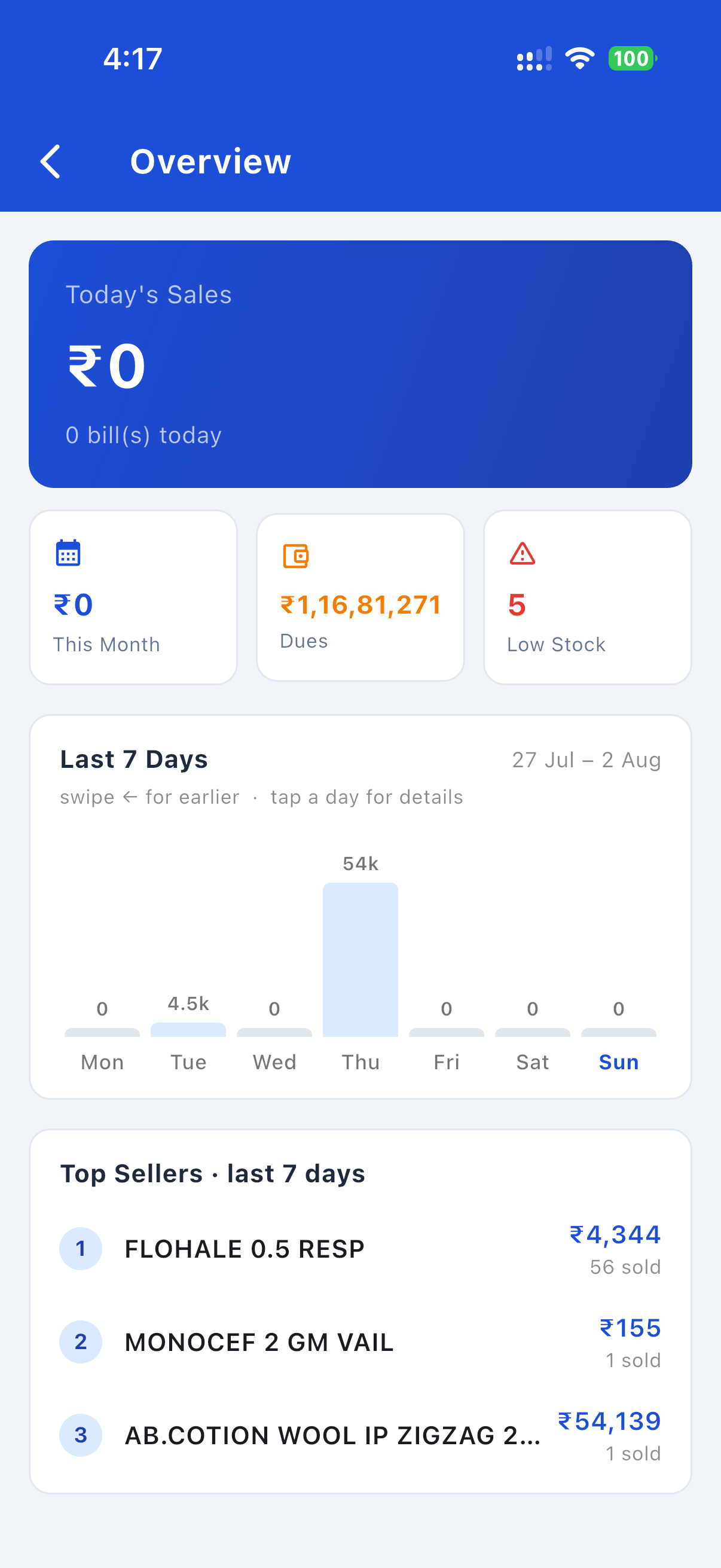
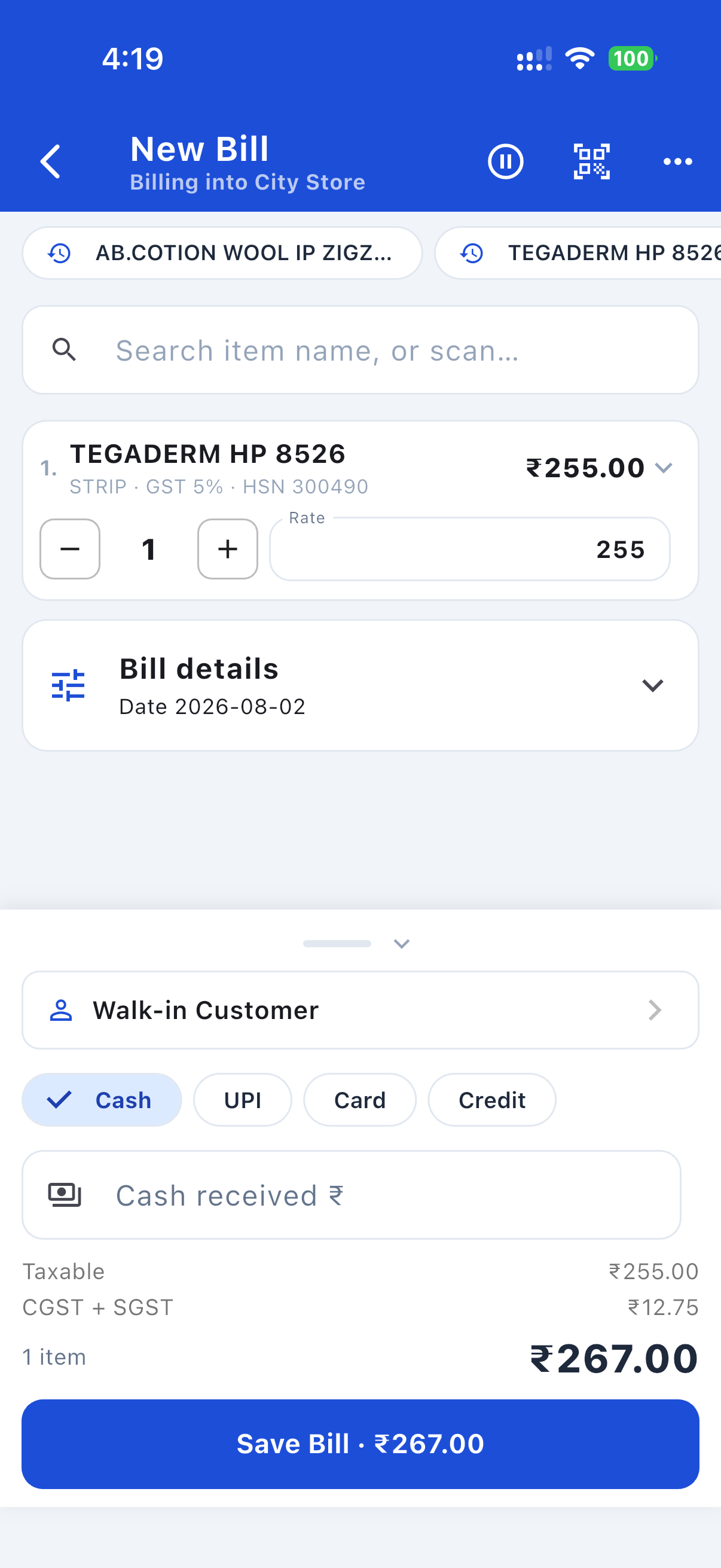
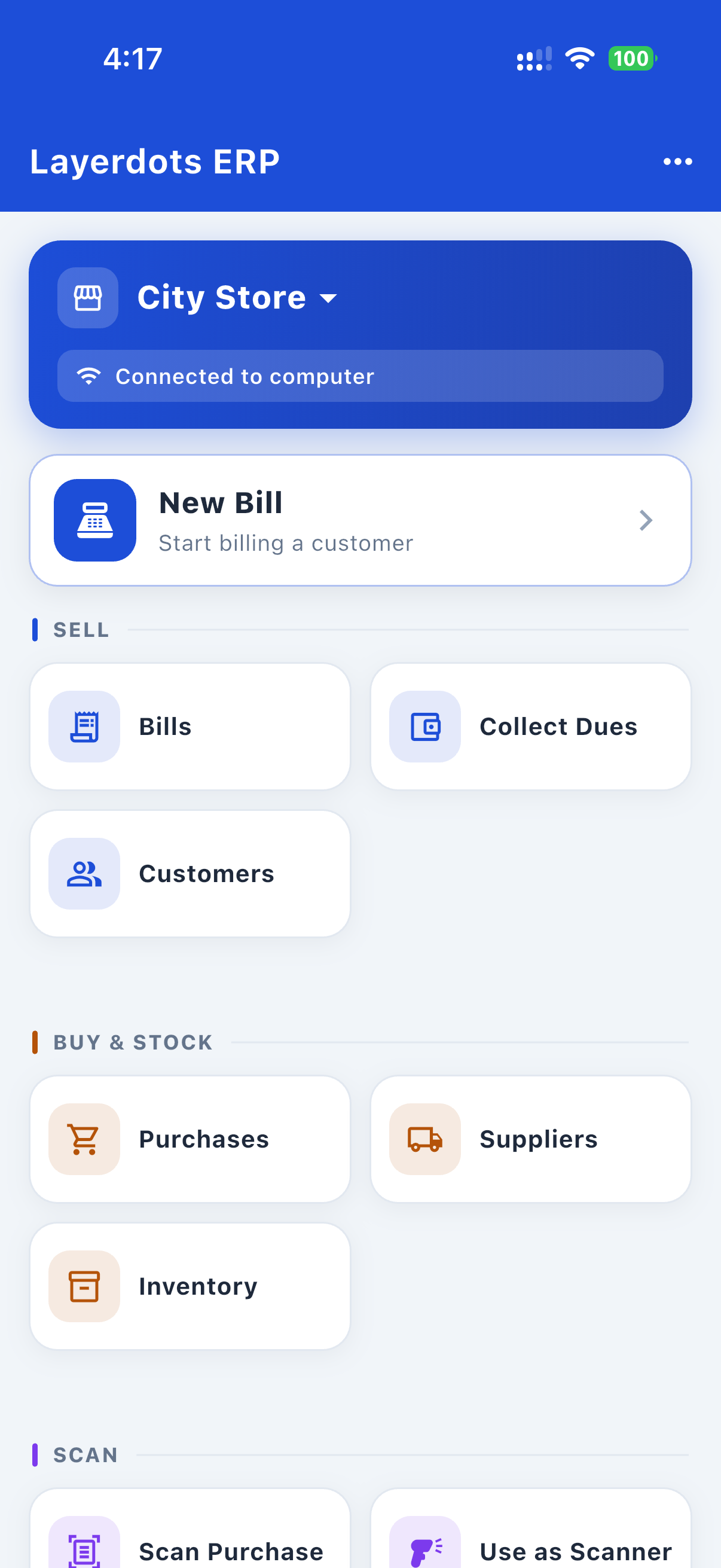
The phone app is free and works with the shop's PC: bills, purchases, dues, stock, reports and profit from the phone. On the shop's Wi-Fi it talks to the PC directly. With the PC off, Cloud Sync on and internet billing switched on for the phone, it bills through the cloud, where the bill gets its real invoice number, and the PC picks it up when it is next switched on. Staff sign in with their own logins with the PC off too, and a delete asks for the shop's delete password, as it does on the PC. With no connection at all, the order waits on the phone and reaches the PC as an estimate, to be made into a bill there.

A bill, made on the phone

The home screen, paired to the shop PC

The week's sales and the top sellers
Pick the trade. The screens change to what that shop gets, because the app does: a chemist's bill carries a patient and a doctor, a café's counter is a floor of tables, a shoe shop's stock is a grid of sizes. Sample shops, made up for the pictures.
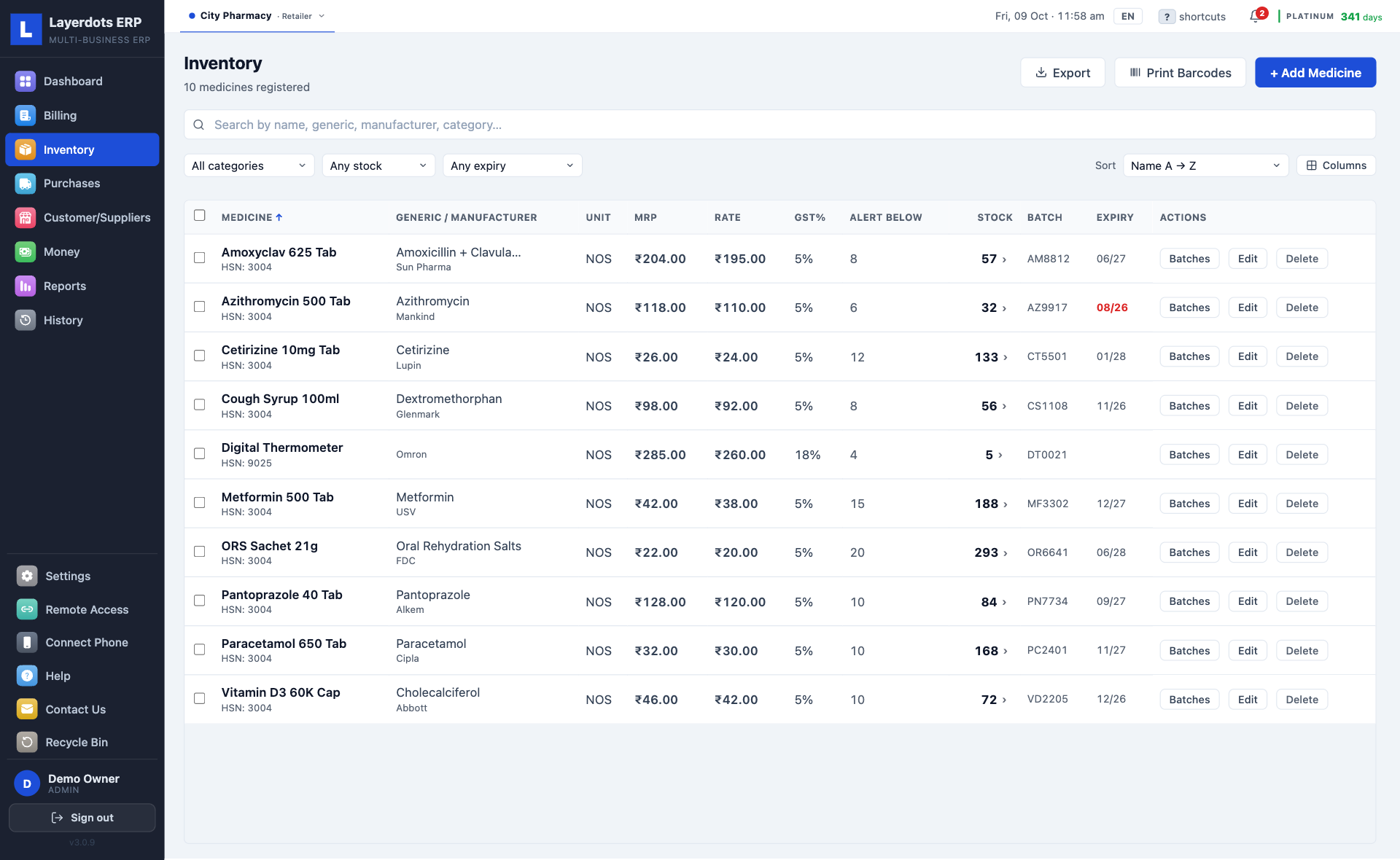
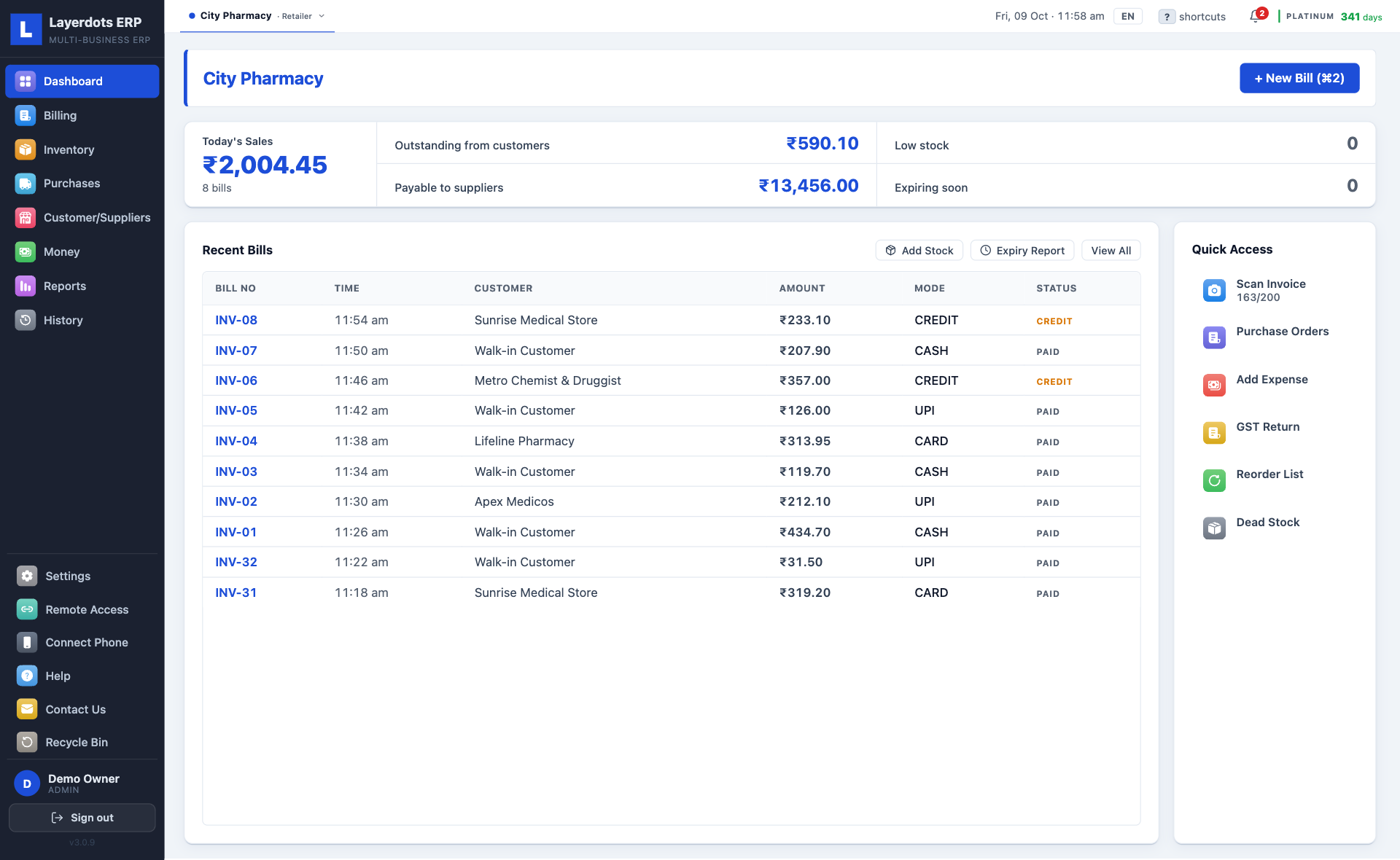
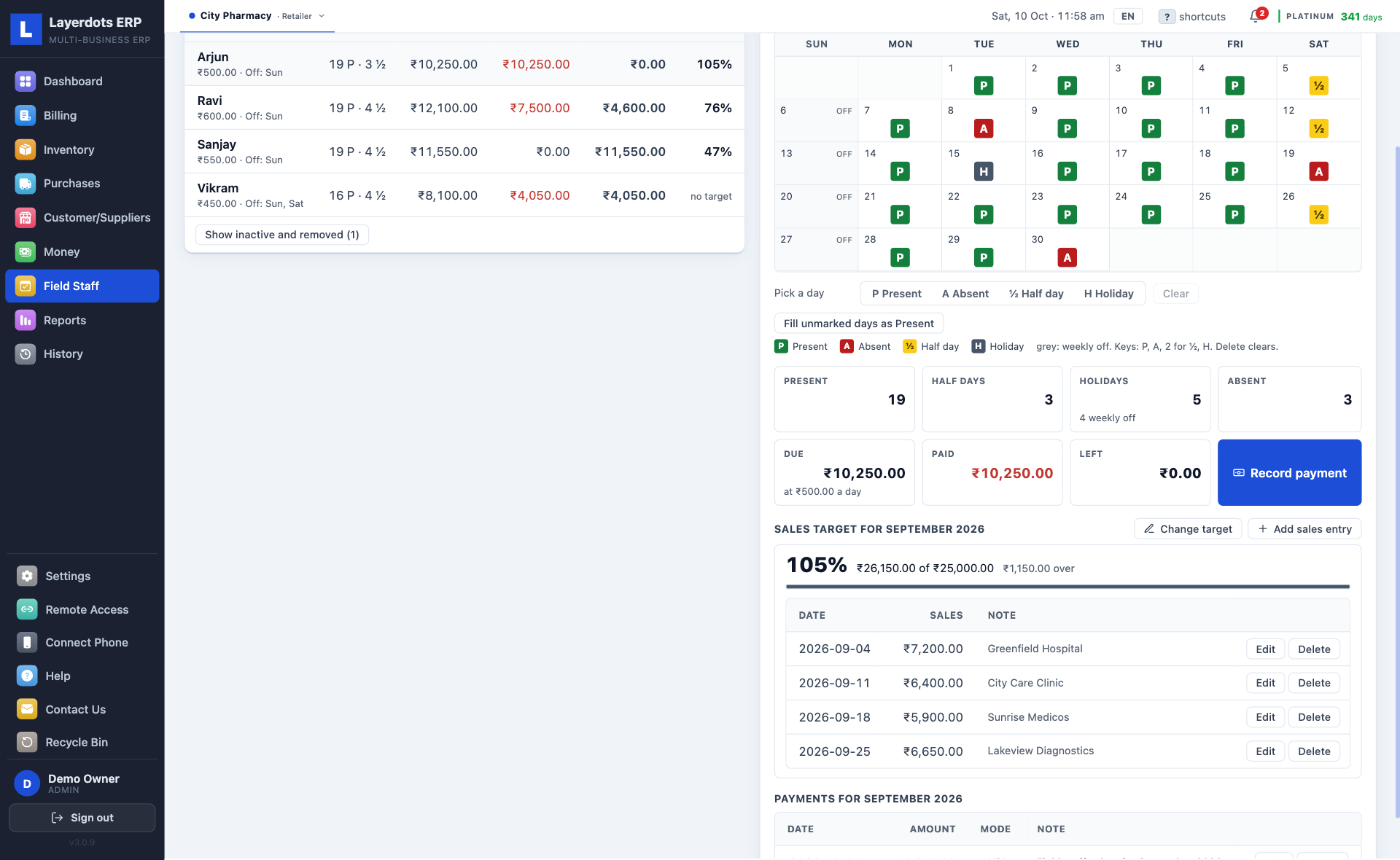
A pharmacy bills by batch and expiry, with the patient's and the doctor's names on the invoice and medicines searched by name, salt or maker. The expiry report says what to clear and what to send back, and the invoice comes out on A5 unless you choose otherwise. For the people a pharmacy pays by the day there is field staff, below.
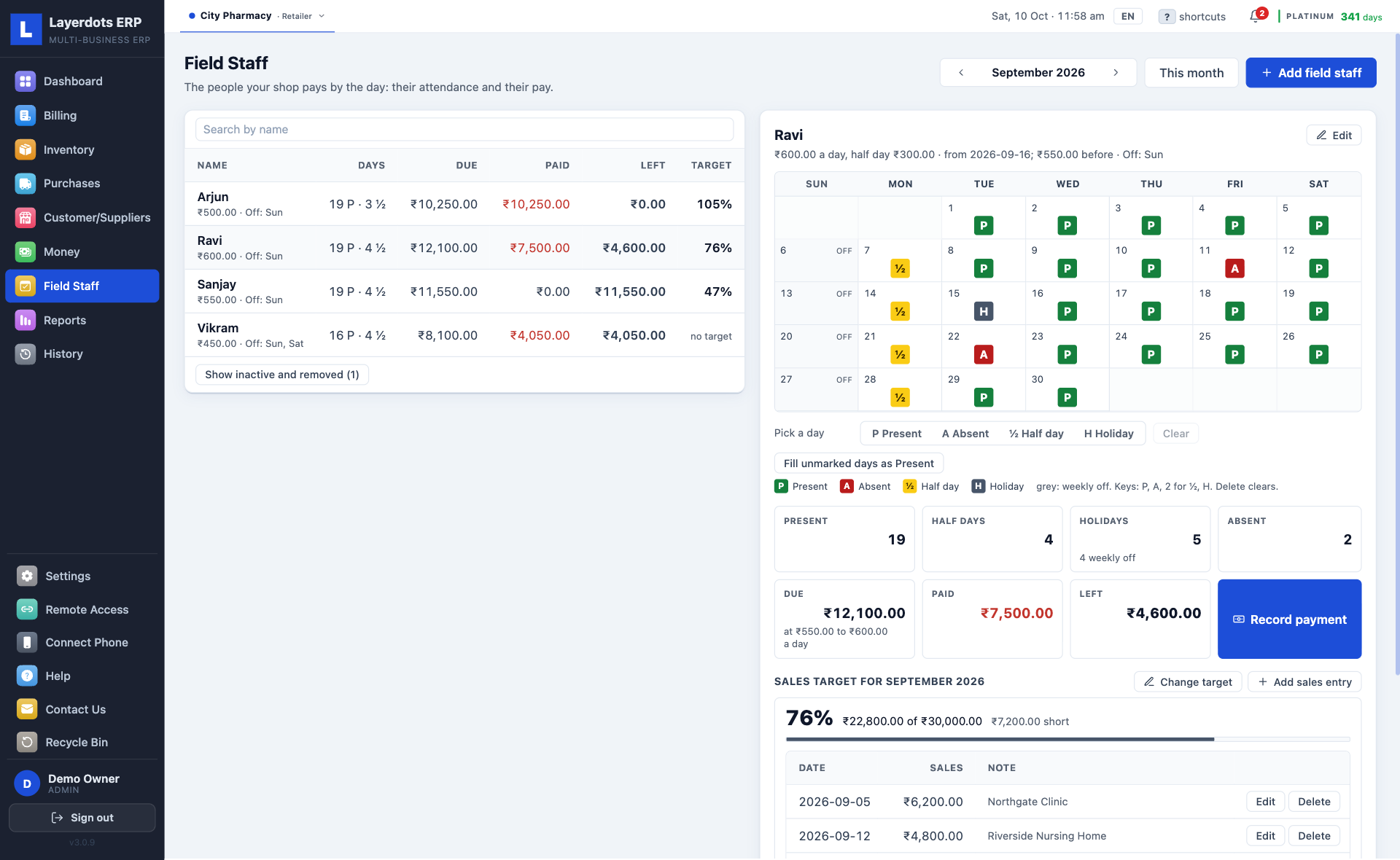
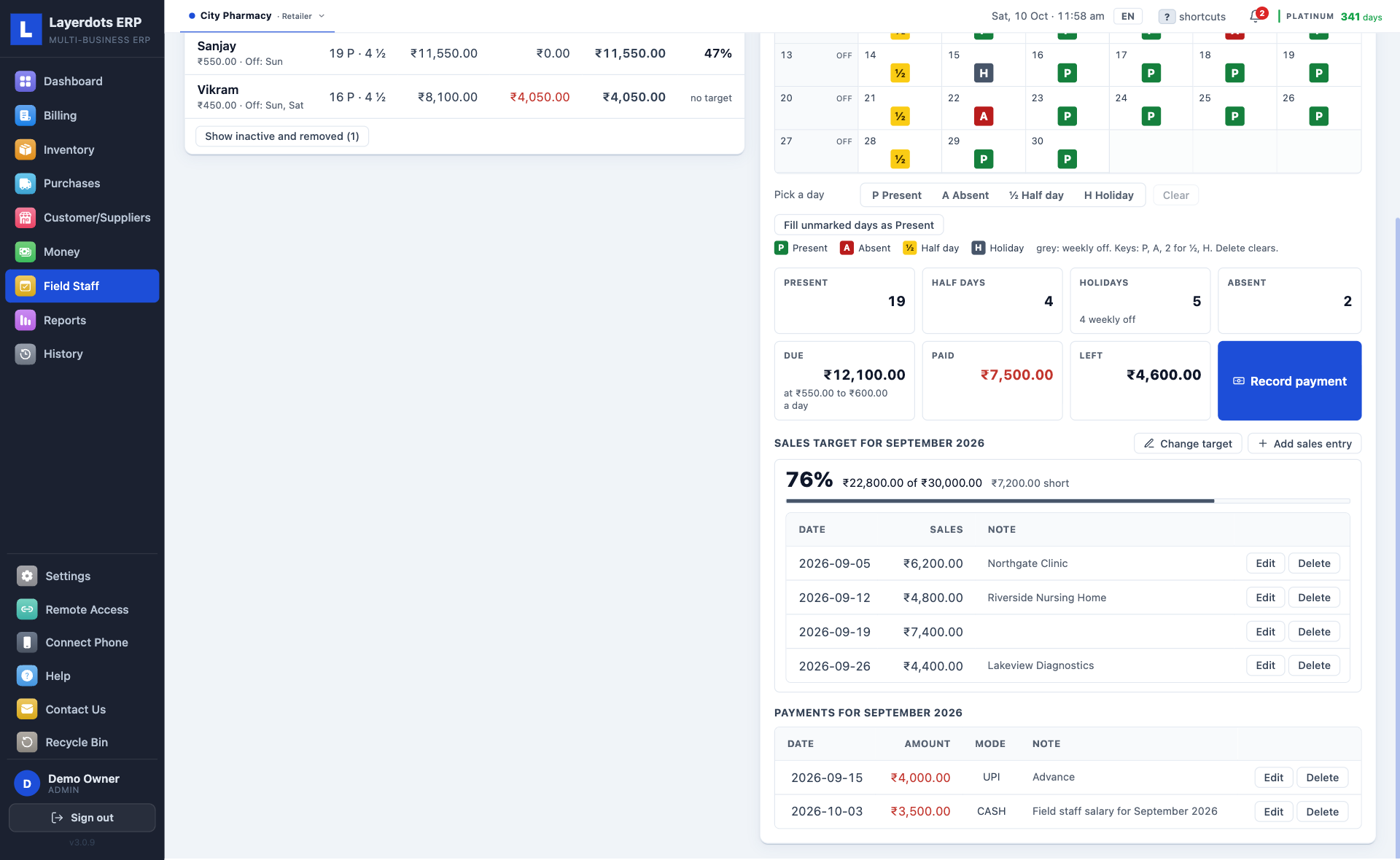
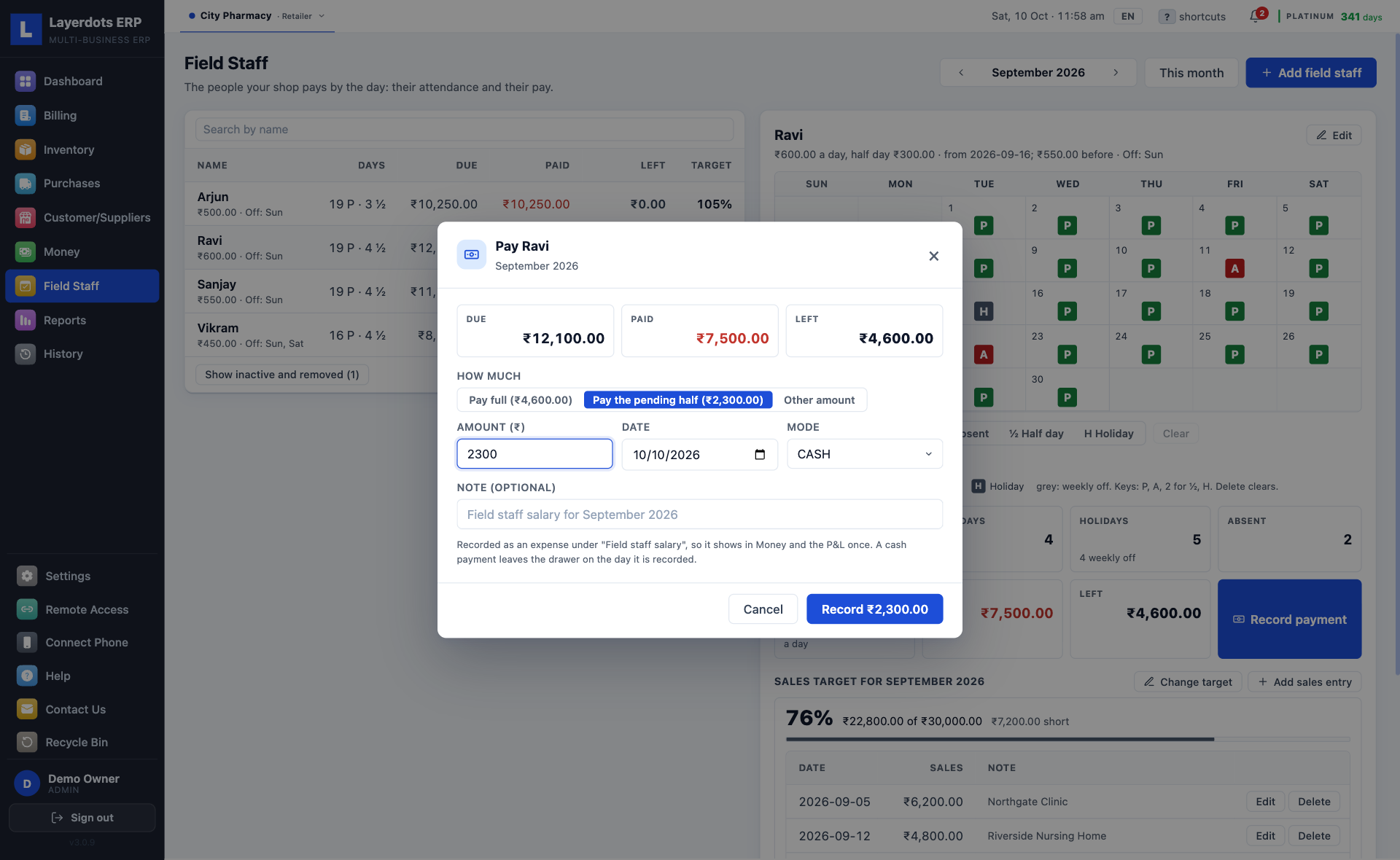
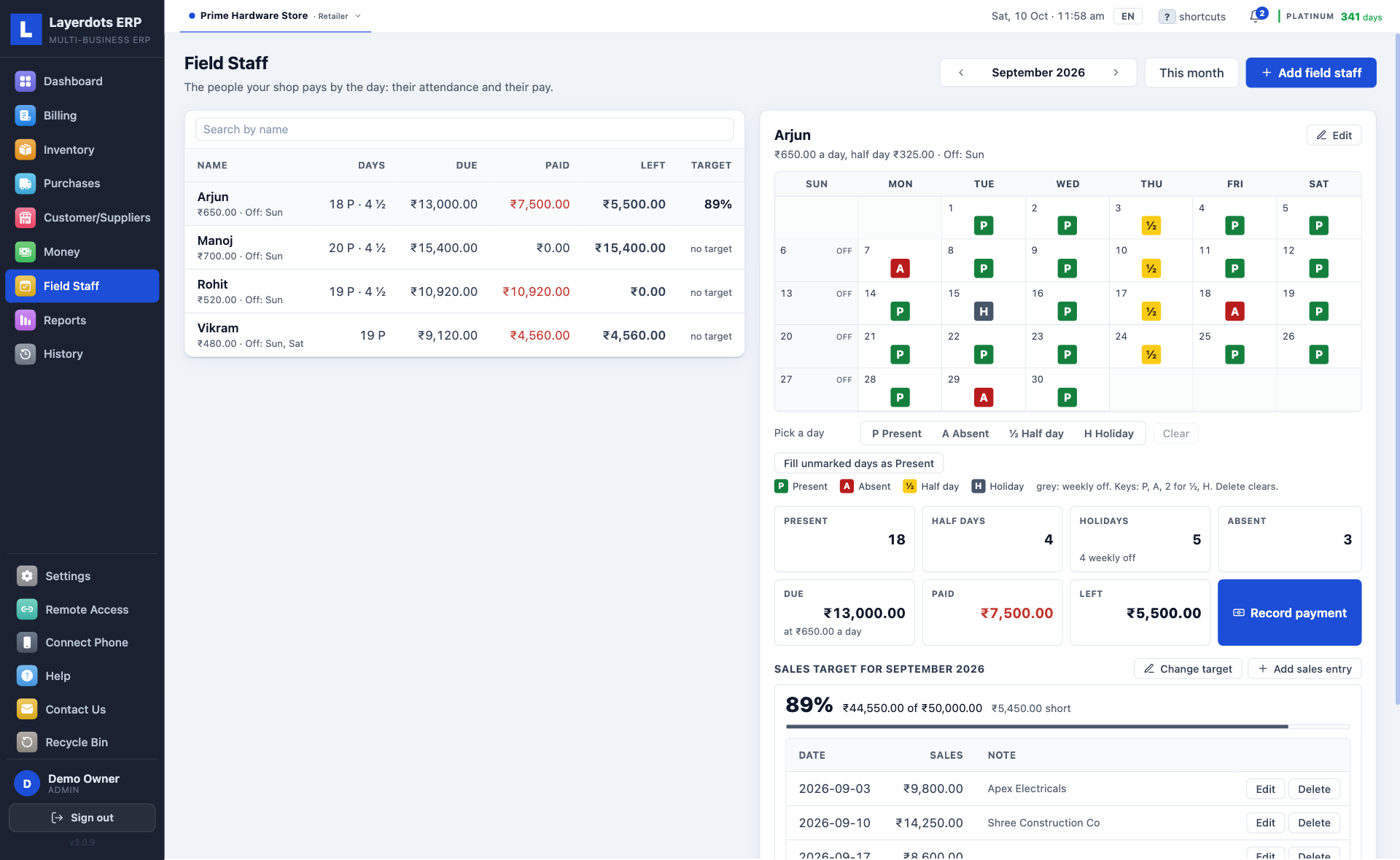
Attendance and pay for the people a pharmacy pays by the day. Off until you switch it on in Settings, under Billing; then it is in the sidebar on the PC and in the phone app.
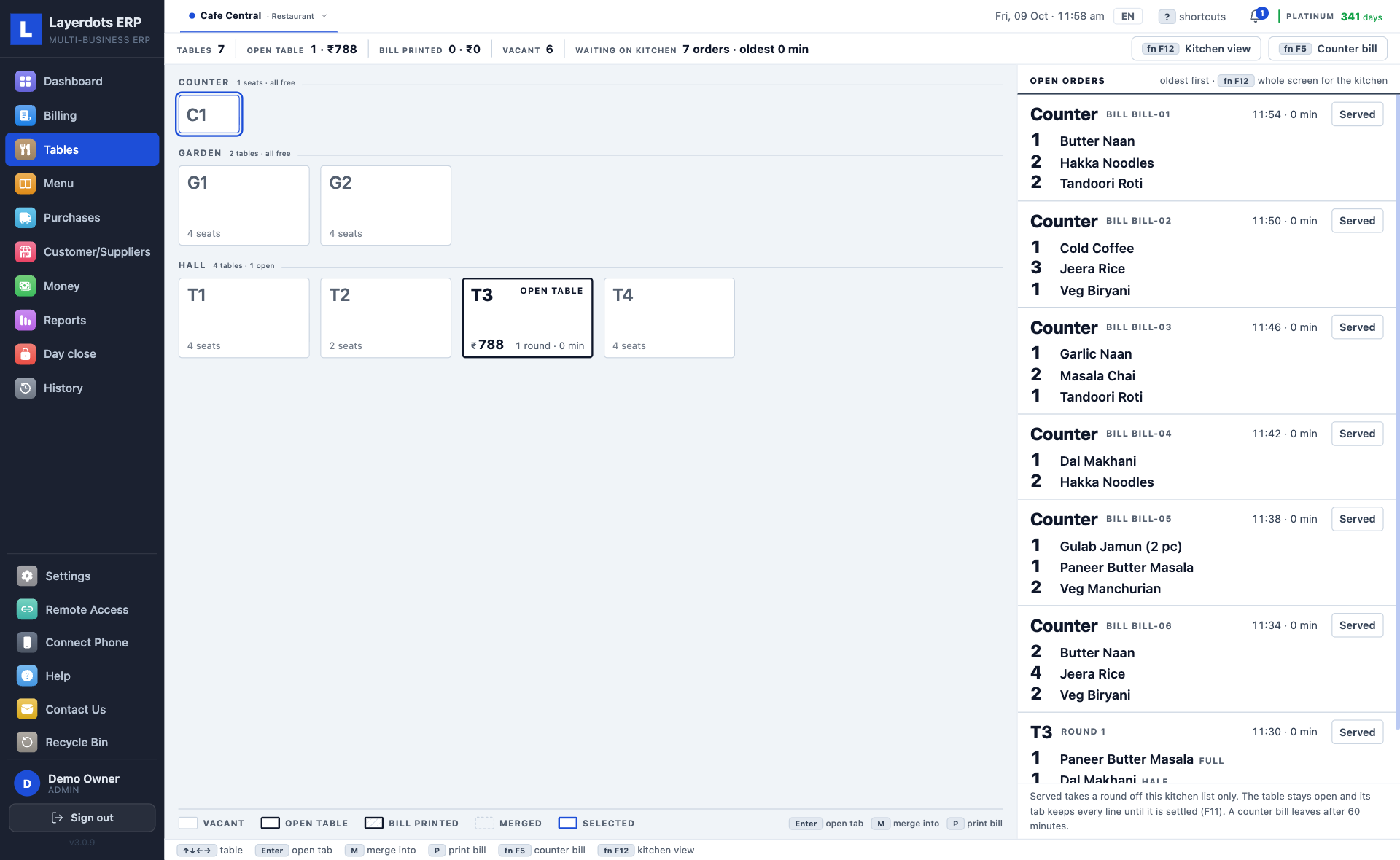
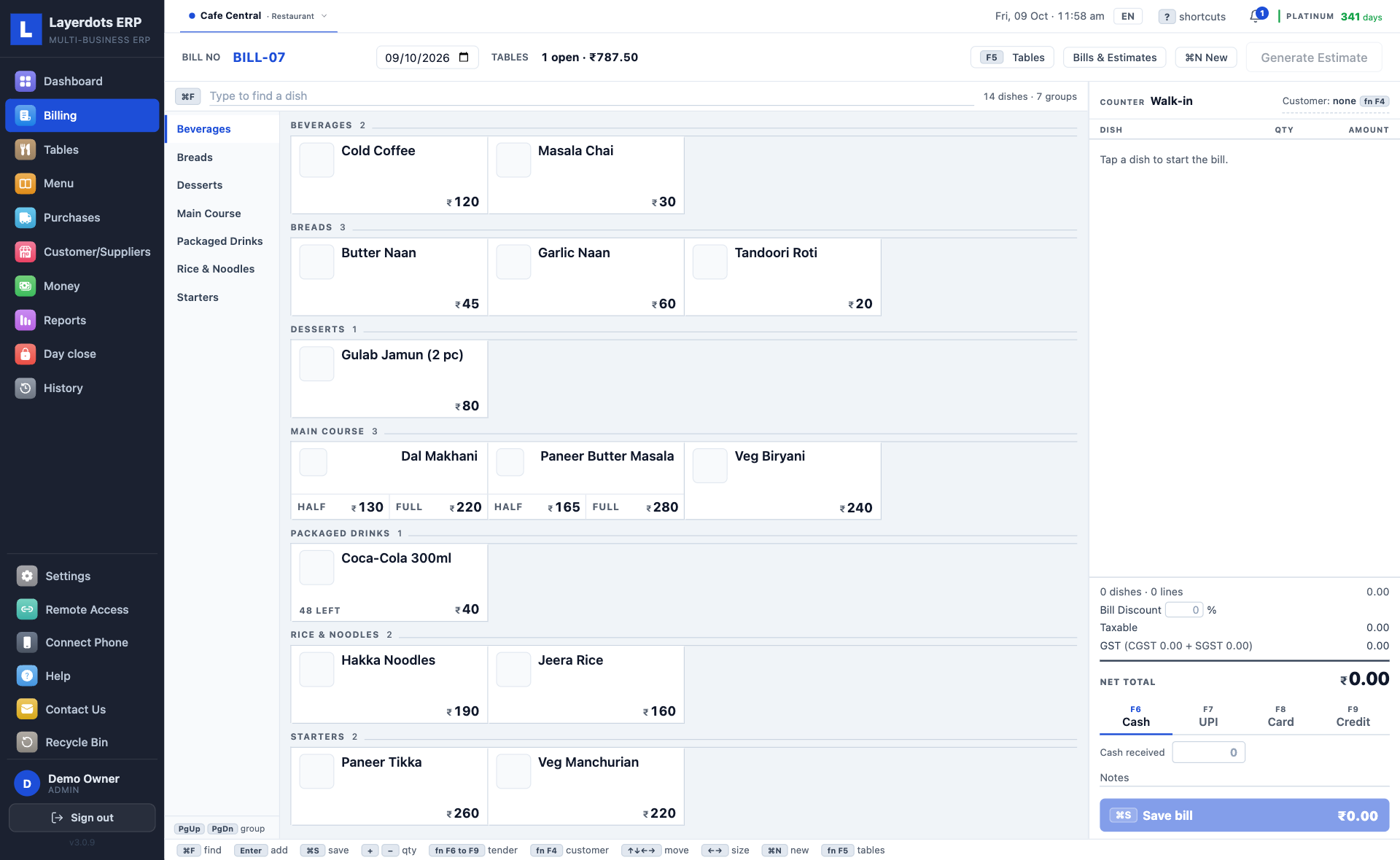
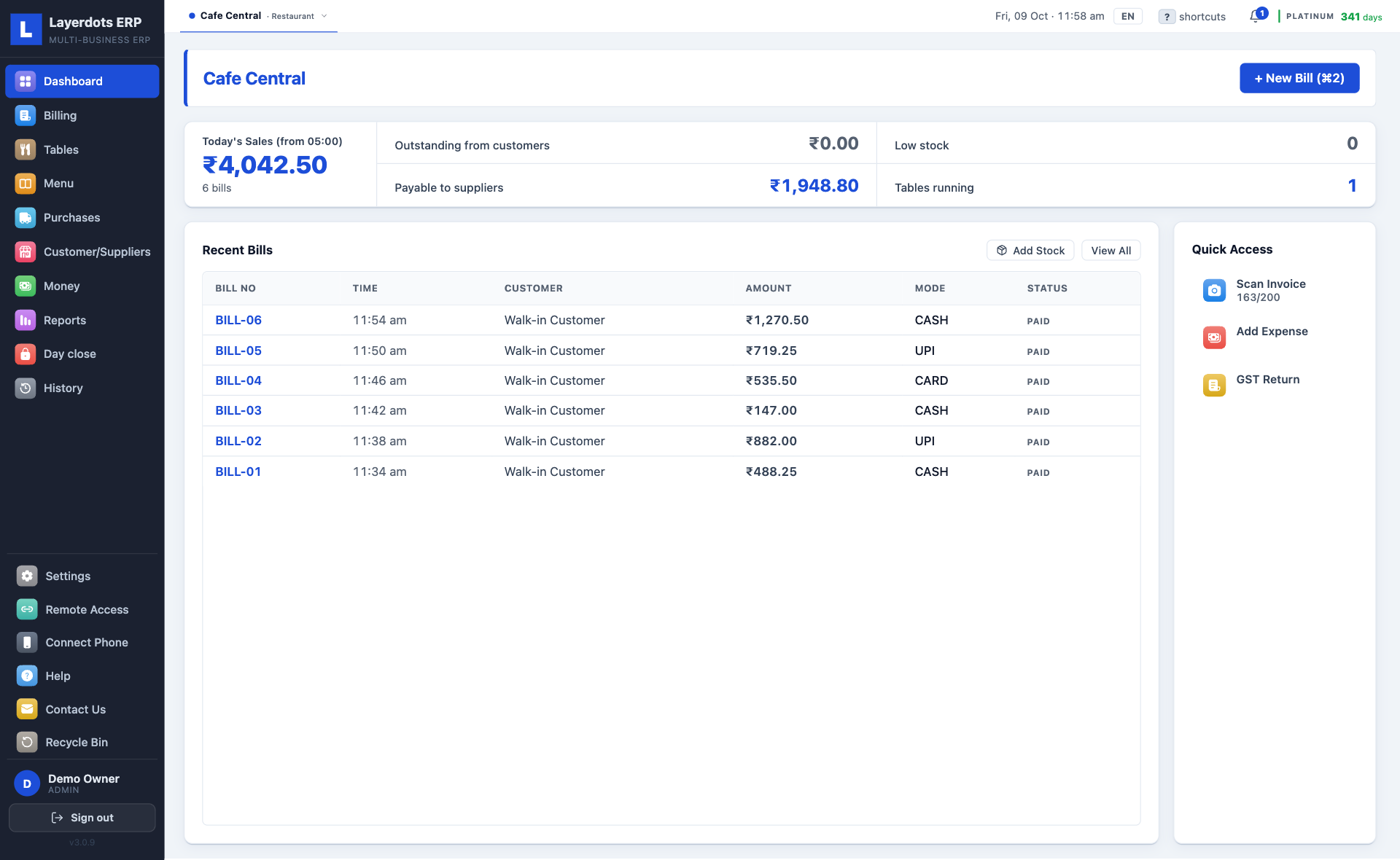
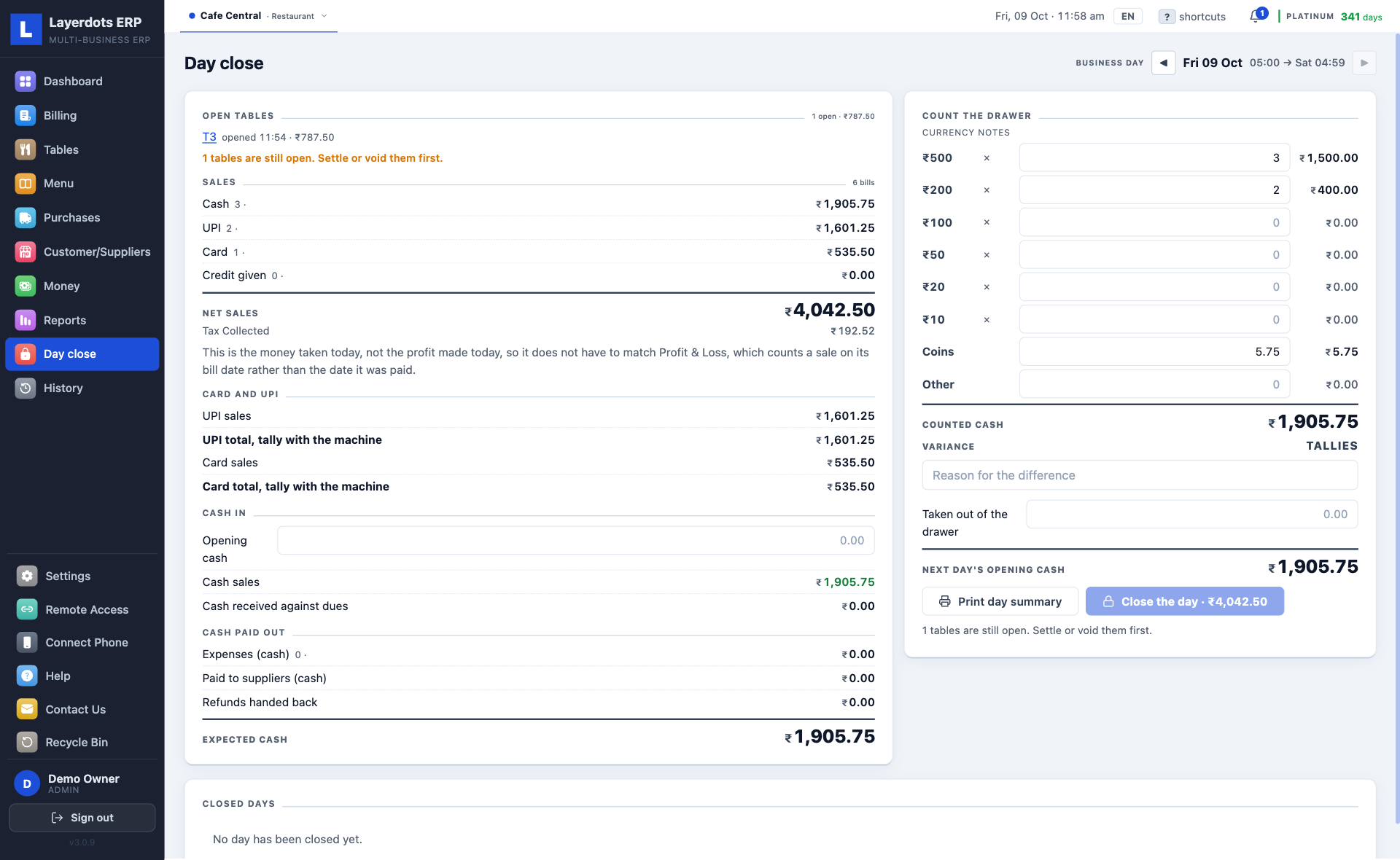
A restaurant gets a floor of tables with a tab running on each, a menu of tiles by category with half and full plates, a kitchen board, a business day that starts at five in the morning, the FSSAI number on the bill, and a day close that counts the drawer.
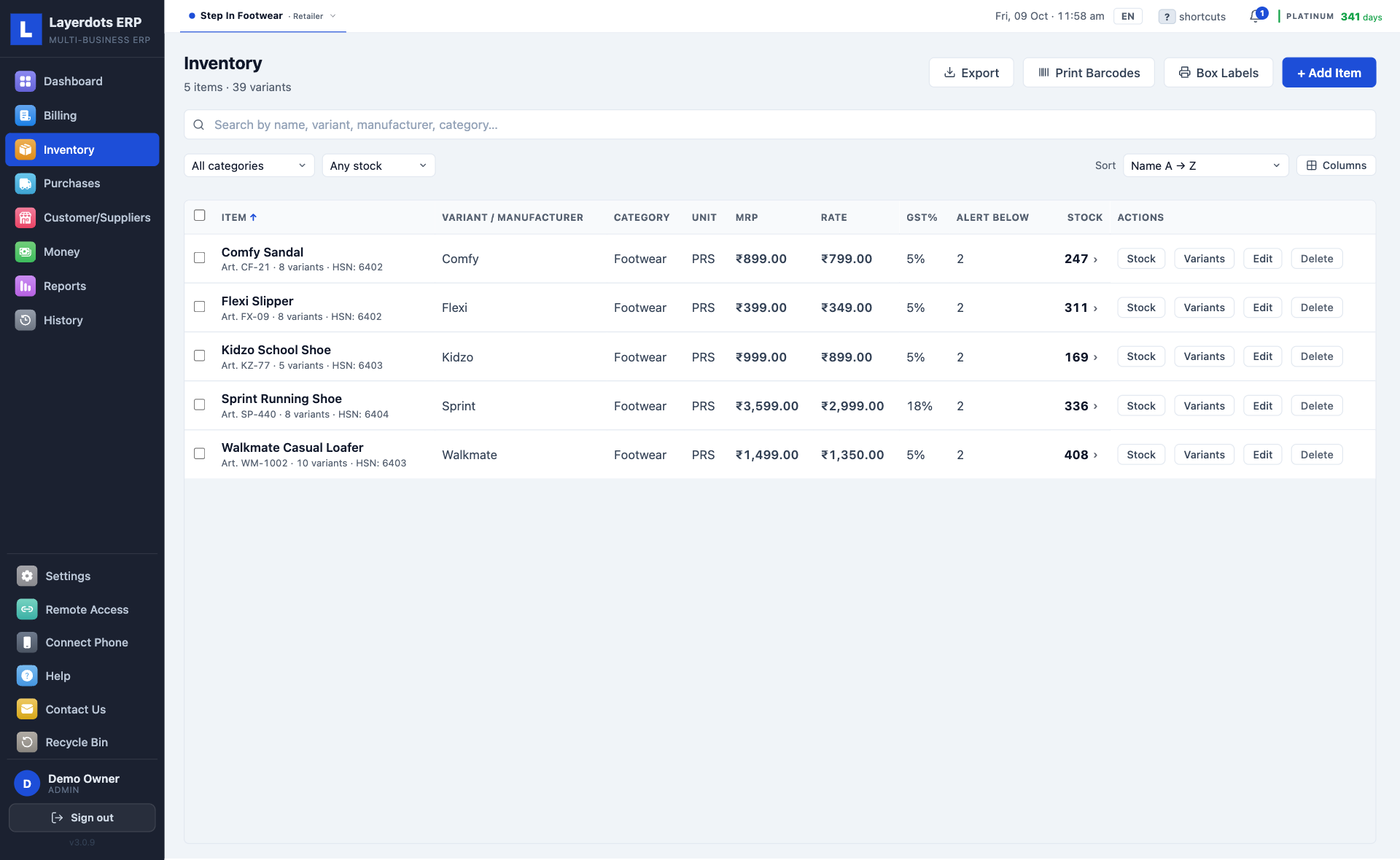
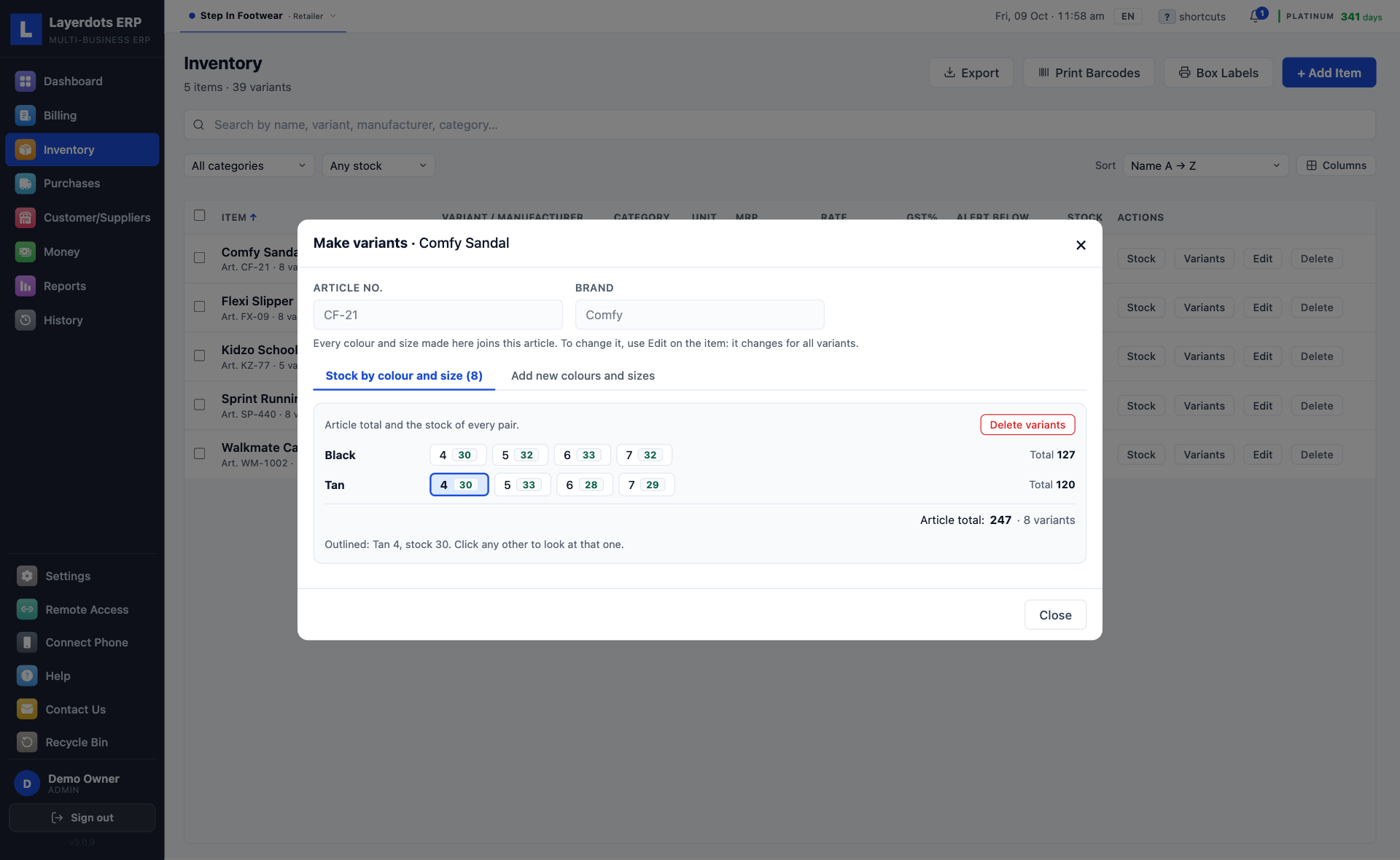
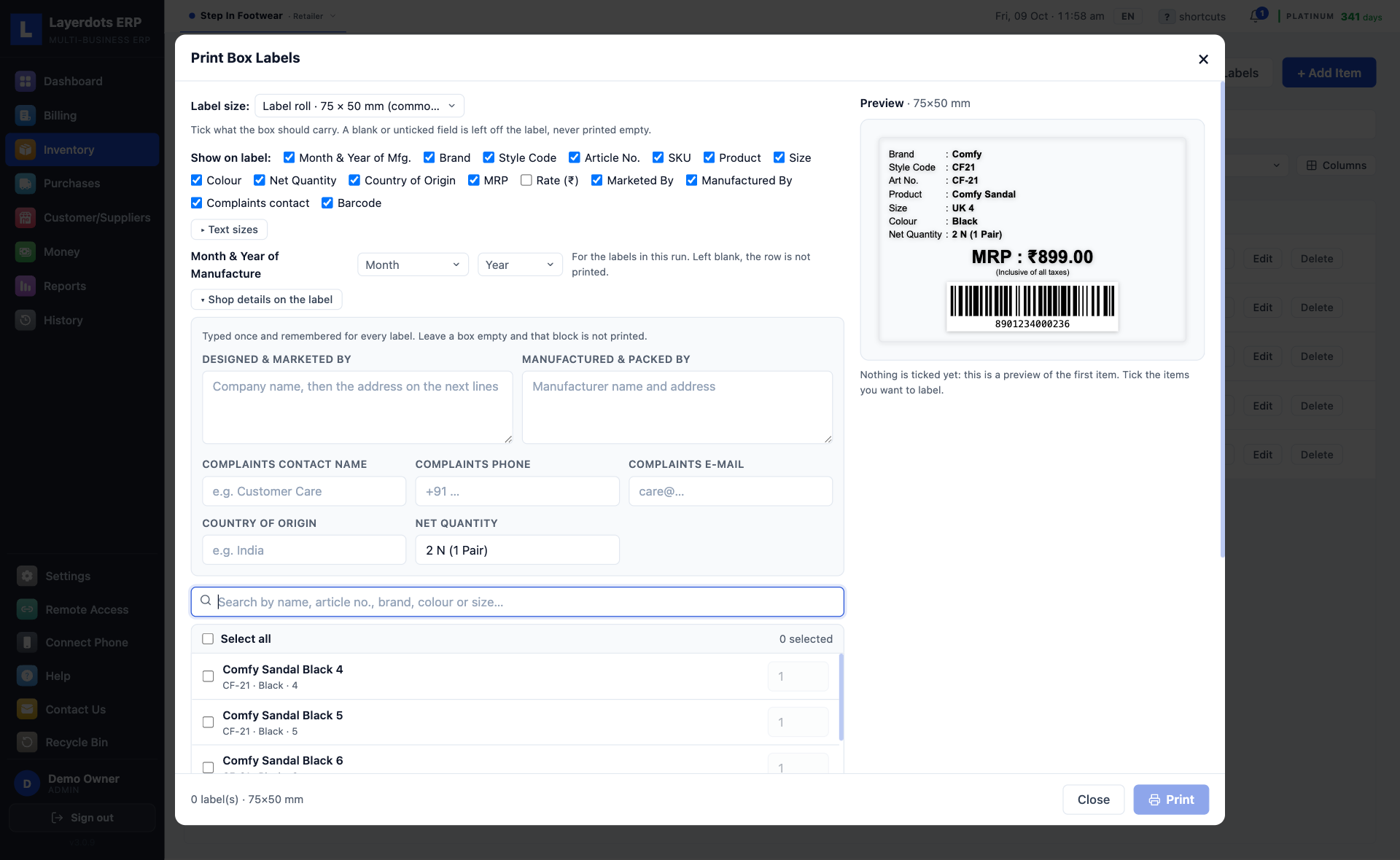
A shoe shop keeps one row per item, with its colours and sizes inside it: tick the pairs you stock on a colour by size grid, read the stock size by size, and print box labels with the article, colour, size and MRP. Prices carry the 5% and 18% rates a shoe shop meets.
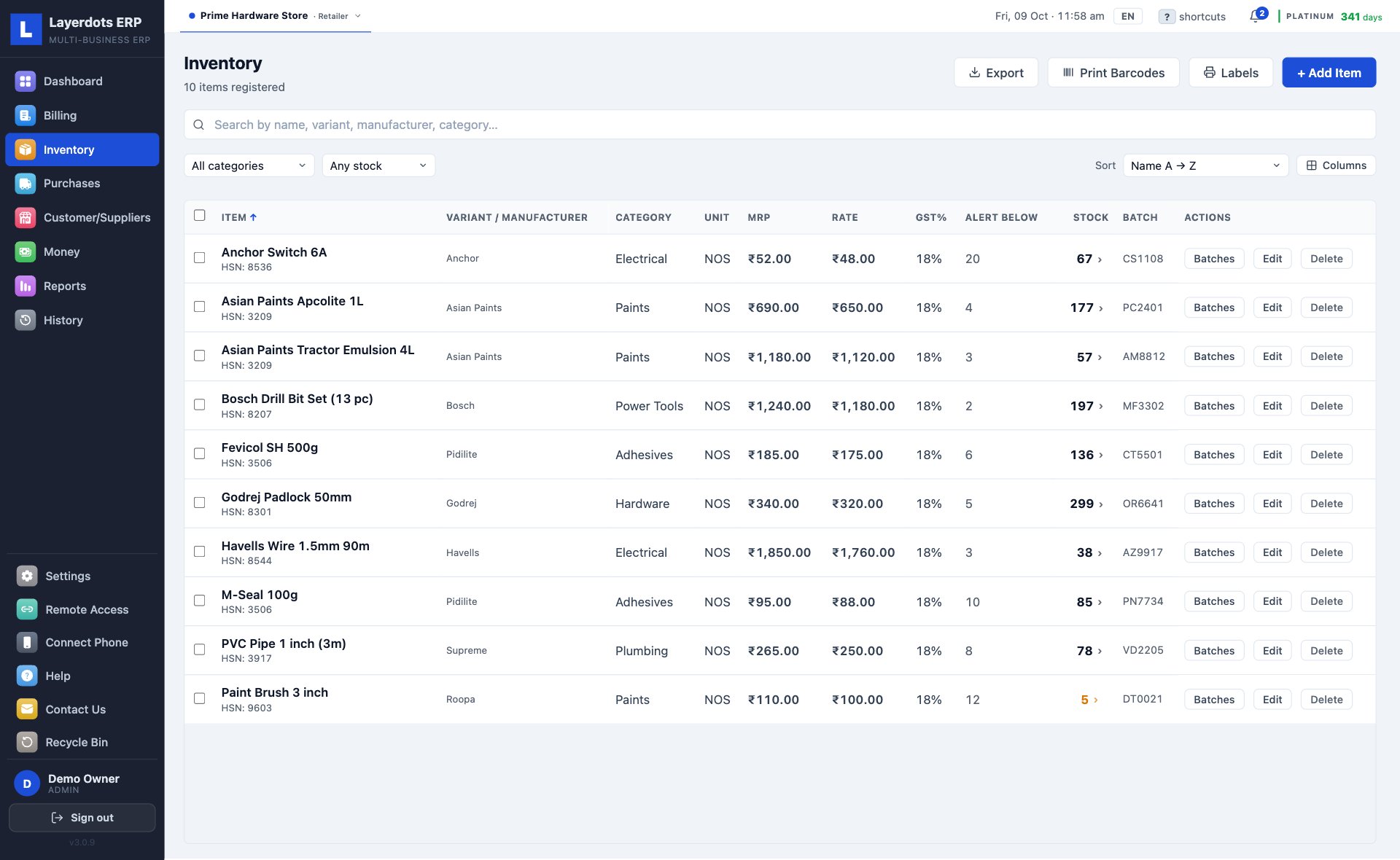
Every other shop, grocery, hardware, paint or a general store, gets the plain counter: rate times quantity, any GST rate from 0 to 40%, and the choice of whether to track batches at all. Field staff, for people paid by the day, and a day close are there to switch on in Settings.
1. Photograph the supplier's invoice with the phone.
2. The same lines appear on the PC as a purchase entry. Check them and save.
There is no setup fee and no server to arrange. The longest of the four steps is deciding your bill prefix.
The trial runs seven days and needs no account or card. The phone app is free on Google Play and the App Store.
Reading this on your phone? Send yourself the link on WhatsApp and open it on the computer.
A full shop system, billing through purchases, stock, GST returns and reports, is a Windows habit in India. The desktop packages most shops know publish Windows-only system requirements, and what they offer a Mac owner is a workaround: a Windows machine rented in the cloud, or a compatibility layer on your own hardware.
Layerdots installs on macOS directly, built for both Apple-chip and Intel Macs, signed by Layerdots and notarised by Apple. No Parallels, no Boot Camp, no rented Windows desktop. It is the same application as the Windows one, with the same data and the same plans.
Billing, stock, purchases, reports and backup are in every plan. The plans differ on AI scans, shops, e-way bills, e-invoices and sharing. The trial has all of it for seven days.
The 7-day trial has all of this, with 10 AI scans (Excel imports are not counted), and without e-way bills and e-invoices.
Need more than the month's allowance? Top up the wallet from inside the app: extra AI scans at ₹1.60 each on every plan; extra e-way bills and e-invoices at ₹2 each on Gold and Platinum. You pay us directly, on a call, WhatsApp or email, with no card, and the credits are added to the wallet.
To buy, message us on WhatsApp or call +91 93682 76704. The licence key activates at once. When the trial ends the data stays on the PC; activate any time and carry on.
The data stays on the PC. Billing pauses until a licence key is activated, and you can buy one on WhatsApp at any time. Activate it and everything carries on where it stopped.
Yes. Billing, stock, reports and backups work with no internet. Internet is needed only for the extras: AI invoice scanning, e-way bills and e-invoices, Cloud Sync and app updates.
Yes. Take a backup from Settings, copy it to the new PC and restore it there, or, if cloud backup was on, restore the newest cloud copy there with your licence key. On Gold and Platinum with Cloud Sync on, activate the new PC with the same key, connect it to the shop, and the data comes down on its own.
Yes. Export items, customers and suppliers from the old software as Excel, CSV or DBF and import the file. The columns are matched for you, and you can correct them before saving.
Basic runs one shop, Gold up to two and Platinum up to six, from one install, switched in a click.
Yes. A real e-way bill with its EWB number, from a saved invoice, after a one-time connection to your e-way portal account. Any trade that moves goods can use it; one is needed whenever goods worth more than ₹50,000 travel. Gold and Platinum; not in Basic or the trial.
Yes. The app reports a B2B invoice to the government portal and prints the IRN and the signed QR code it sends back on the invoice, as the rules require on the buyer's copy. It can make the e-way bill in the same step, and cancel a reported invoice within 24 hours. You need this once your turnover crosses the government's limit. Gold and Platinum; not in Basic or the trial.
You send a one-time code to your CA or to our support. They enter it in their own Layerdots ERP and get that one shop over the internet, read-only or with editing, as you chose. Nothing starts until you approve it, and you can revoke it at any time. Cloud Sync has to be on for that shop. Gold shares with one person, Platinum with as many as you like.
Yes, on Gold and Platinum. Activate the same licence key on both PCs and join the second one to the shop; the app offers this right after activation. Both then work on one shop, in sync both ways, with one invoice number series, so two bills can never get the same number. Both need internet to bill.
Message us on WhatsApp or call +91 93682 76704. After payment we send the licence key, and you activate it inside the app. It takes under a minute.
Sales, customers and stock live in a file on your own computer, in the Documents folder. There is no server of ours holding them. We cannot read them, and we have nothing to sell.
Cloud Sync exists, and it is off until you switch it on. On, that shop is copied to a private account only you can reach, on servers in Mumbai, so a second PC or the phone app can work on it. Off, the copying stops.
We filled a test shop with 25 lakh products, 20 lakh invoices and 60 lakh sale lines, then fixed whatever was slow. These are measurements on that shop, not estimates.
| What was measured | Result |
|---|---|
| Finding an item by name among 25 lakh products | 8 msby barcode, 0.2 ms |
| Saving a bill while a heavy report runs | 0.9 msthe counter does not wait for the report |
| The dead-stock report over 25 lakh items | 2.4 sit took over three minutes before the fix; the outstanding-balance check went from hours to 7 s |
Seven days, no account, no card. If it does not suit the shop, uninstall it; the data folder is yours to delete.
Download for Windows or MacLast updated: 4 August 2026
Layerdots ERP is a billing and shop-management system for shops and businesses. This policy covers all of our apps:
In short: your business data stays on your own computer by default, and only leaves it if you choose to switch on the optional Cloud Sync feature. Where a section applies to only one of the apps, it says so.
Everything you create in the app, sales and bills, estimates, inventory, purchases, customers, suppliers, payments, reports and activity history, is stored on your own computer, inside your Documents folder. Unless you turn on Cloud Sync, we do not upload it, we do not run a server for it, and we cannot see it. Any backups you make are saved to the location you choose, on your own drives.
The phone app does not keep a second copy of your shop's records. It reads them from your computer as you use it, and stores only what it needs to work: which computer it is paired with, its pairing credentials and signed-in staff user, your shop name, and any bill you made while the computer was switched off (kept on the phone until it can be sent). Invoice PDFs it creates for sharing are written to the phone's temporary storage. Uninstalling the phone app removes all of it.
The app includes an optional Cloud Sync feature, found in Settings → Data & Backup. It is switched OFF by default; until you enable it, nothing in this section applies and your data never leaves your computer. If you enable it for a shop you have activated with a licence:
The app has an optional invoice-scanning feature. Only when you choose to use it, and only if the file you pick is an image or a PDF, that file is sent to Google's Gemini AI service to read the items for you; Google's handling of it is governed by their own privacy terms. Excel and CSV files are not sent anywhere: they are read on your own computer, which is also why they never count against your monthly scan limit. If you never use invoice scanning, nothing leaves your computer for this feature.
The phone app is optional. If you never pair a phone, none of this section applies and nothing about it affects the desktop app.
What it does. You pair it with your shop's computer using a code shown on the computer. Once paired you can make and view bills, look up stock and batches, manage customers and dues, record returns, see reports, and photograph a purchase invoice for scanning. It is a window onto the shop's records, not a separate copy of them.
How it reaches your data, two routes:
Invoice scanning from the phone uses the same optional AI feature described in section 3, and the same terms apply.
The phone app collects nothing for us. It sends us no usage ping, no analytics and no error reports. There is no advertising software in it, it does not use an advertising identifier, and it does not track you across other apps or websites. Your shop's records go nowhere except your own computer or, on the fallback route above, your own shop's isolated cloud records.
Barcode scanning on Android. The Android app reads barcodes and QR codes using Google's ML Kit, a Google component that runs on the phone itself. It works offline, and we give it nothing but the camera view it needs to find a code. That component also carries Google's own diagnostics channel, which can report to Google how their scanner is running. It is Google's, governed by their privacy terms; it is not something we can switch off, and we never see it. It carries none of your bills, stock, customers or other shop records. The iPhone app contains no Google component and scans using Apple's built-in scanner.
Permissions are asked for only when the feature needs them: the camera for scanning invoices and barcodes, photos if you pick an existing invoice image, and local-network access so the phone can find your computer on your Wi-Fi.
This section is about the desktop app only. The phone app sends us no ping and no error reports. See section 4.
The desktop app sends one launch ping per day: a random install id, the app version, which operating system it is running on (Windows or macOS), a device identifier (a one-way code derived from your computer, used to recognise this installation and, if ever needed, deactivate a specific computer; it can't be reversed to identify your hardware), and, once you've set up your shop, your shop name and phone number, and your license status (trial or paid plan, which plan, and its expiry date), so we can recognise you and help you with your account and renewals. It contains no customer data, no sales or other business data, no actual license key and no IP address, and it is readable only by us. If the app hits an unexpected technical error it also sends a small error report (the error message and technical trace with your computer's username removed, app version, OS name and the same install id: never any business data, capped per day) so we can fix problems quickly. The app also checks for updates. This website uses Google Ads conversion measurement, Microsoft Clarity (to see how the page is used) and an anonymous download counter. We never sell or share data, and we do not sign you in to any online account unless you enable Cloud Sync.
When you save a customer's details for billing or credit, that information is stored in your local database. If you enable Cloud Sync, those details are included in what is synced. The same customer details can be viewed and edited from the paired phone app, which reads them from your computer over your Wi-Fi (or, if Cloud Sync is on and the computer is off, from your shop's own cloud records; see section 4). In all cases you remain responsible for your customers' personal data under the laws that apply to your business.
Some of these details can be sensitive: if you record a customer's PAN or Aadhaar number for GST purposes, it is handled exactly like the rest of that customer's record: stored with your shop's data, included in Cloud Sync if you have enabled it, and never sold, shared or used for advertising.
Your on-device data's safety depends on your computer's security and your backups; we recommend regular backups and a delete-protection password in Settings. When Cloud Sync is on, the cloud copy is protected by your account credentials and the provider's security, so keep your licence and device secure. A paired phone can reach your shop's data, so keep the phone locked with a passcode and unpair it in Settings if you lose it or give it away.
The app is a business tool and is not intended for use by children.
We may update this policy if the way the app handles information changes. The date at the top will always show the latest version.
Layerdots ERP · Email: contact@layerdots.com · WhatsApp or phone: +91 93682 76704
Last updated: 4 August 2026
This page explains how to delete data from Layerdots ERP, on the desktop app (Windows and macOS) and the phone app (Android and iPhone).
Almost all of it is on your own computer, in your Documents folder, not with us. We cannot delete that for you, and we cannot see it. You delete it by deleting the records in the app, or by removing the data folder yourself. The phone app keeps no second copy of your shop's records; it reads them from your computer.
A cloud copy exists only if you switched on Cloud Sync, which is off by default. Everything below about our servers applies only in that case.
To have your shop's cloud data and account deleted by us, send us the request. The button fills in the message for you, you only add your shop name:
Or write to contact@layerdots.com yourself, or call +91 93682 76704.
Please send it from the email address or phone number registered with your shop, and include your shop name so we can identify the right account. We may ask one question to confirm it is really you. This protects you, since anyone who could ask for your deletion could otherwise destroy your books.
What we delete: your shop's synced business records (sales, estimates, inventory, purchases, customers, suppliers, payments), your cloud account and the install record described in the Privacy Policy. Timeline: within 30 days of us confirming the request.
What we cannot delete: the copy on your own computer, and any backups you made to your own drives. Those are yours and always were. Delete them yourself. Bear in mind your business may be legally required to keep sales and tax records for a period, so consider exporting or backing up before you ask.
Uninstalling removes what is on that device. If Cloud Sync was on, ask us using the details above.
Layerdots ERP · Email: contact@layerdots.com · WhatsApp or phone: +91 93682 76704
Last updated: 4 August 2026
By downloading, installing or using Layerdots ERP ("the App"), you agree to these Terms. If you do not agree, do not install or use the App.
The App is licensed, not sold. On purchase you receive a licence key that activates the App for your business for the agreed subscription period and number of shops. The licence is non-exclusive and non-transferable, and may not be resold, shared or sub-licensed.
The App is offered on annual subscription plans (Basic, Gold, Platinum) plus a free 7-day trial. Each plan includes a monthly limit on AI invoice scans and a maximum number of shops, as shown on our Pricing page. Prices shown are exclusive of GST; 18% GST applies.
Subscription fees are payable in advance and your access continues until the end of the paid period. Except where the law requires otherwise, fees are non-refundable. We will tell you the price before each renewal.
The optional invoice-scanning feature sends the images and PDFs you choose to a third-party AI service (Google Gemini) for reading; your use of it is also subject to that provider's terms. Excel and CSV files are read on your own computer and are not sent to that service. Scan counts are limited per plan and reset monthly. Always review scanned results before saving; we do not guarantee the accuracy of automated reading.
The App is local-first: your business data is stored on your own computer. You are responsible for the accuracy of your data, for complying with the laws that apply to your business (including tax, GST and customer-data laws), and for keeping your own backups. We are not liable for any loss of data on your device.
You must not reverse-engineer, decompile or modify the App, tamper with or circumvent the licensing or scan limits, or use the App for any unlawful purpose. One business category applies per device; running a different business type requires a separate licence.
The App and any optional cloud features are provided "as is" and "as available", without warranties of any kind, express or implied. We do not warrant that operation will be uninterrupted or error-free.
To the maximum extent permitted by law, we are not liable for any indirect, incidental or consequential damages, or for loss of profits, data, business or goodwill. Our total liability for any claim is limited to the amount you paid for the App in the twelve months before the claim.
We may suspend or end your licence if you breach these Terms. On termination your right to use the App stops; any data on your own device remains yours.
We may update these Terms; the date above shows the latest version. Continuing to use the App after a change means you accept the updated Terms.
These Terms are governed by the laws of India, and the courts of India have exclusive jurisdiction over any dispute.
Layerdots ERP · Email: contact@layerdots.com · WhatsApp or phone: +91 93682 76704