GST billing and stock software that keeps the books on your own PC.

Layerdots ERP runs on the Windows PC or the Mac at the counter. It prints a GST bill while the customer waits, keeps batch-wise stock and the udhaar ledger, prepares GSTR-1 and GSTR-3B for your CA, and reads a supplier's invoice from a photo so nobody types it in.

The trial needs no online account and no card. Windows 7 to 11, macOS 12 or later, and the phone app on Android and iPhone.

A video of the real screens, with sound and a sample shop's data. The same screens on Windows and on a Mac.

Six things it does every day

Tell it once whether you run a pharmacy, a restaurant, a shoe shop or any other shop, and the invoice, the columns and the reports take that shape. Underneath, the billing and the GST are the same.

Billing from the keyboard

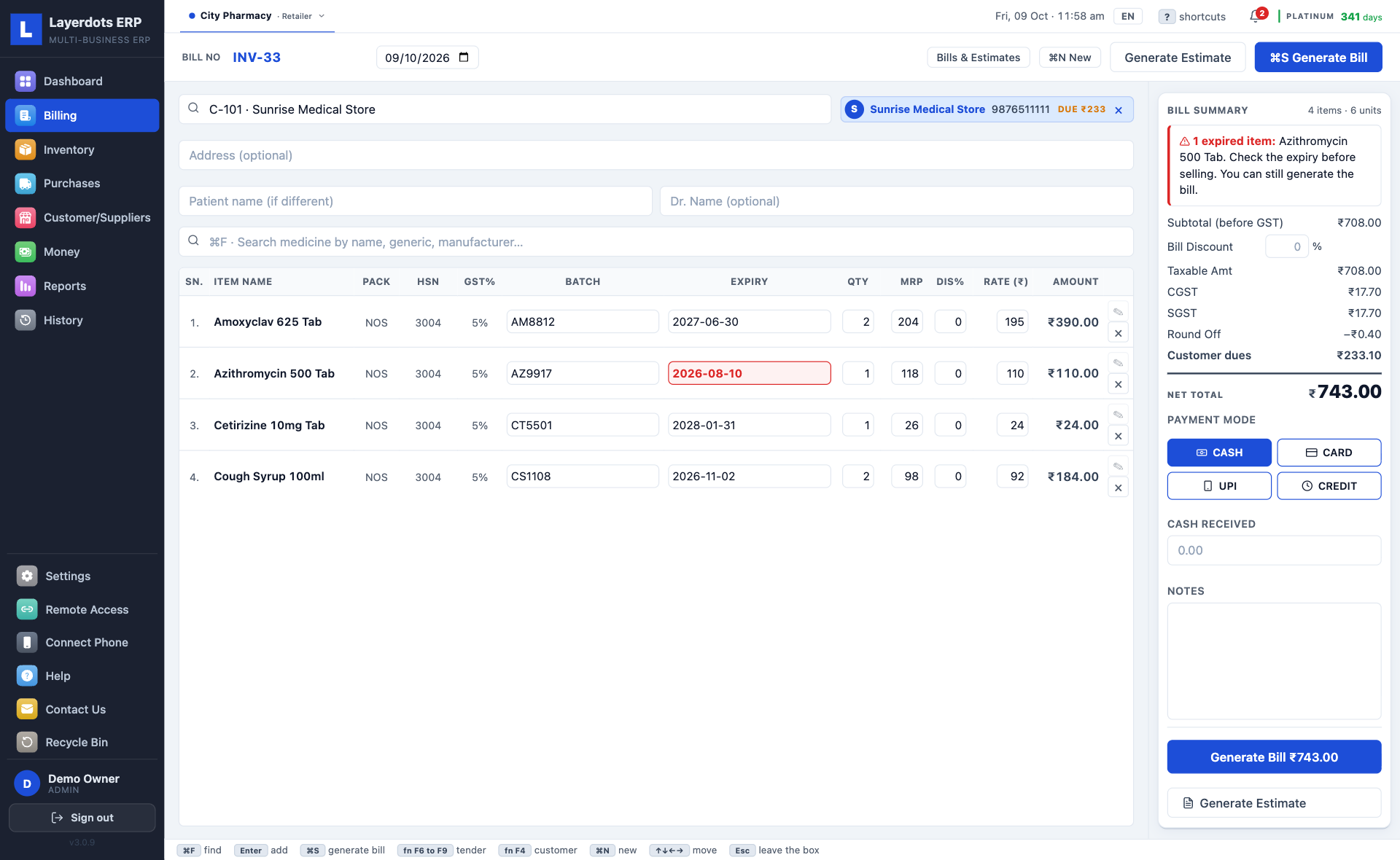
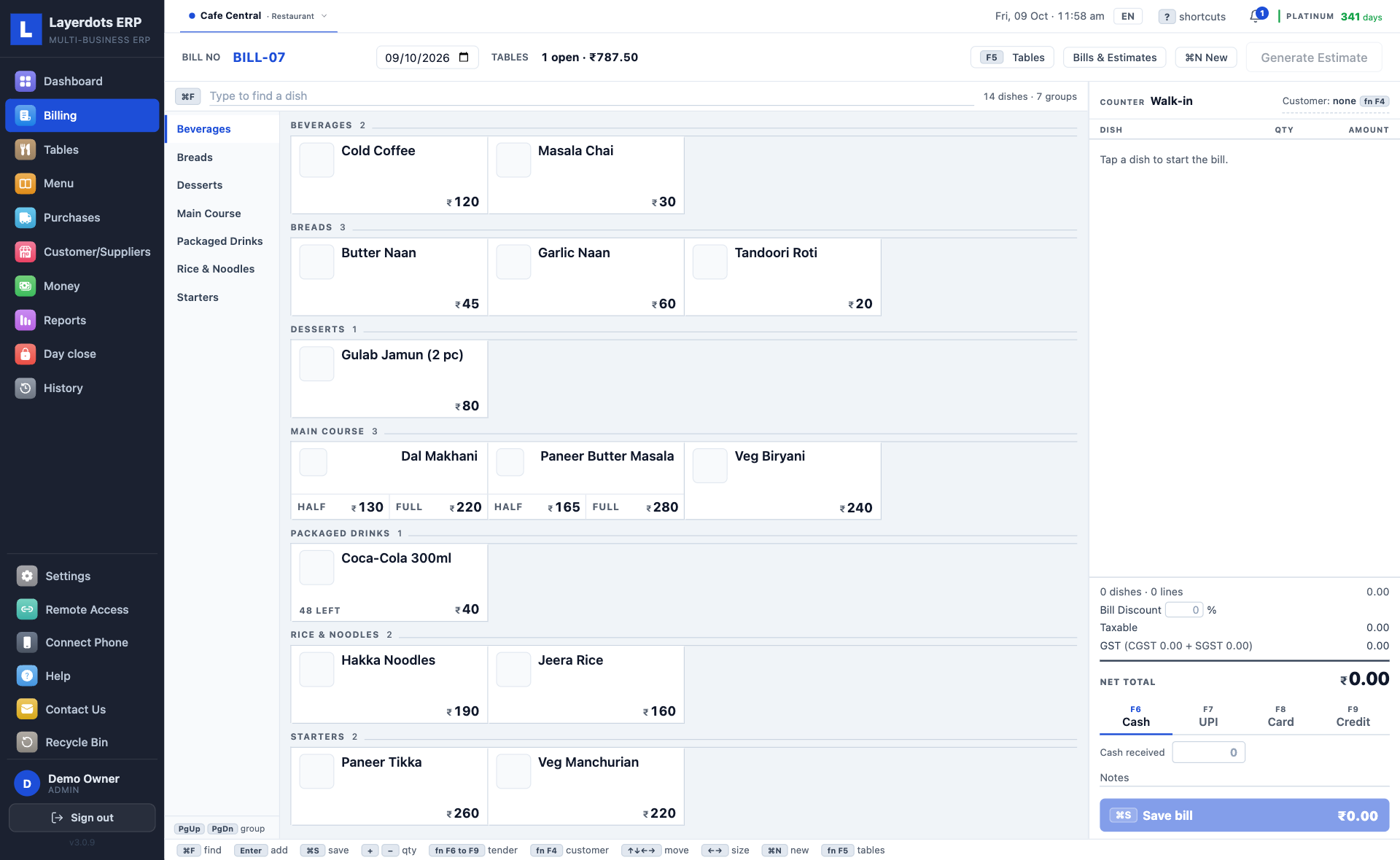
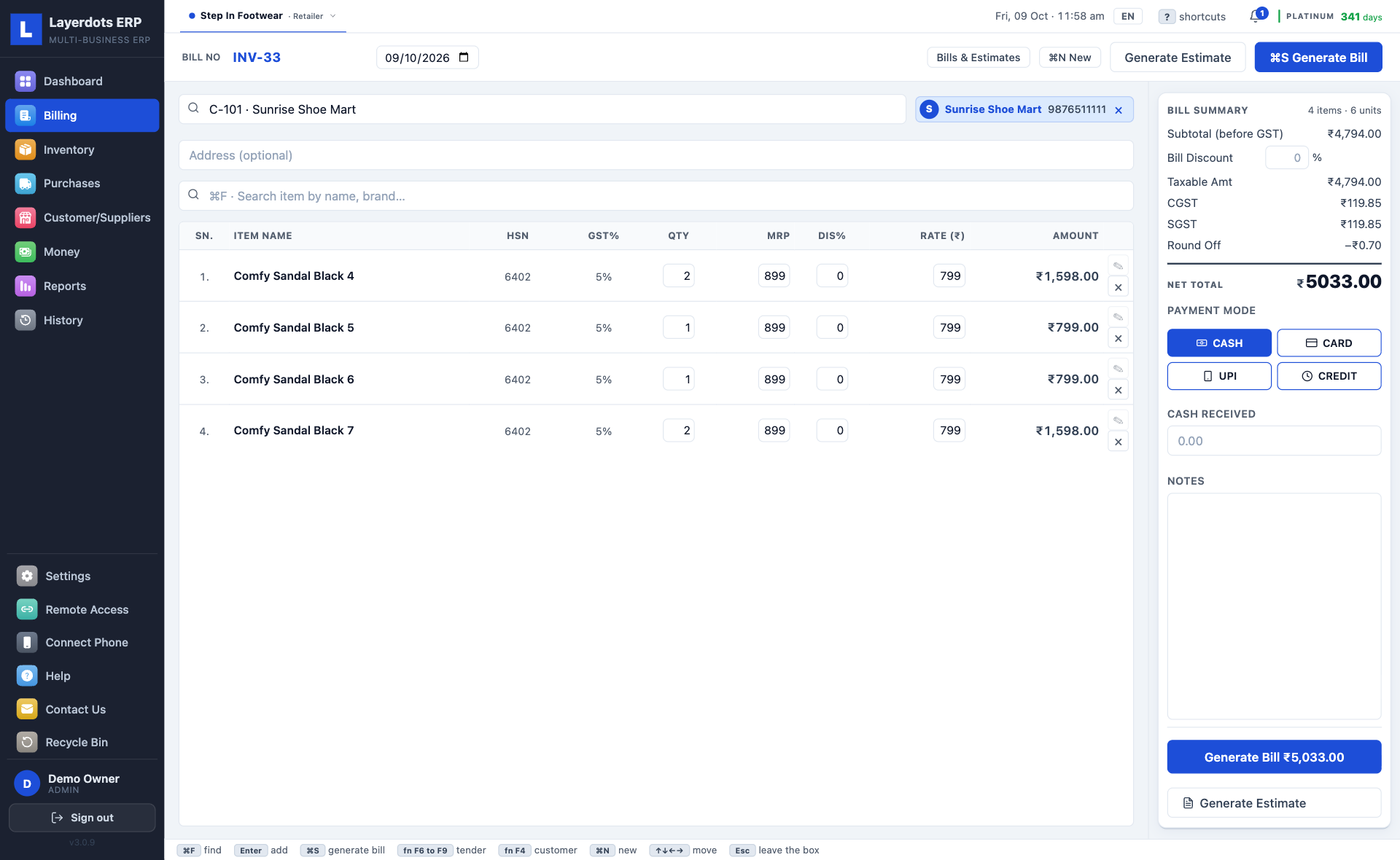
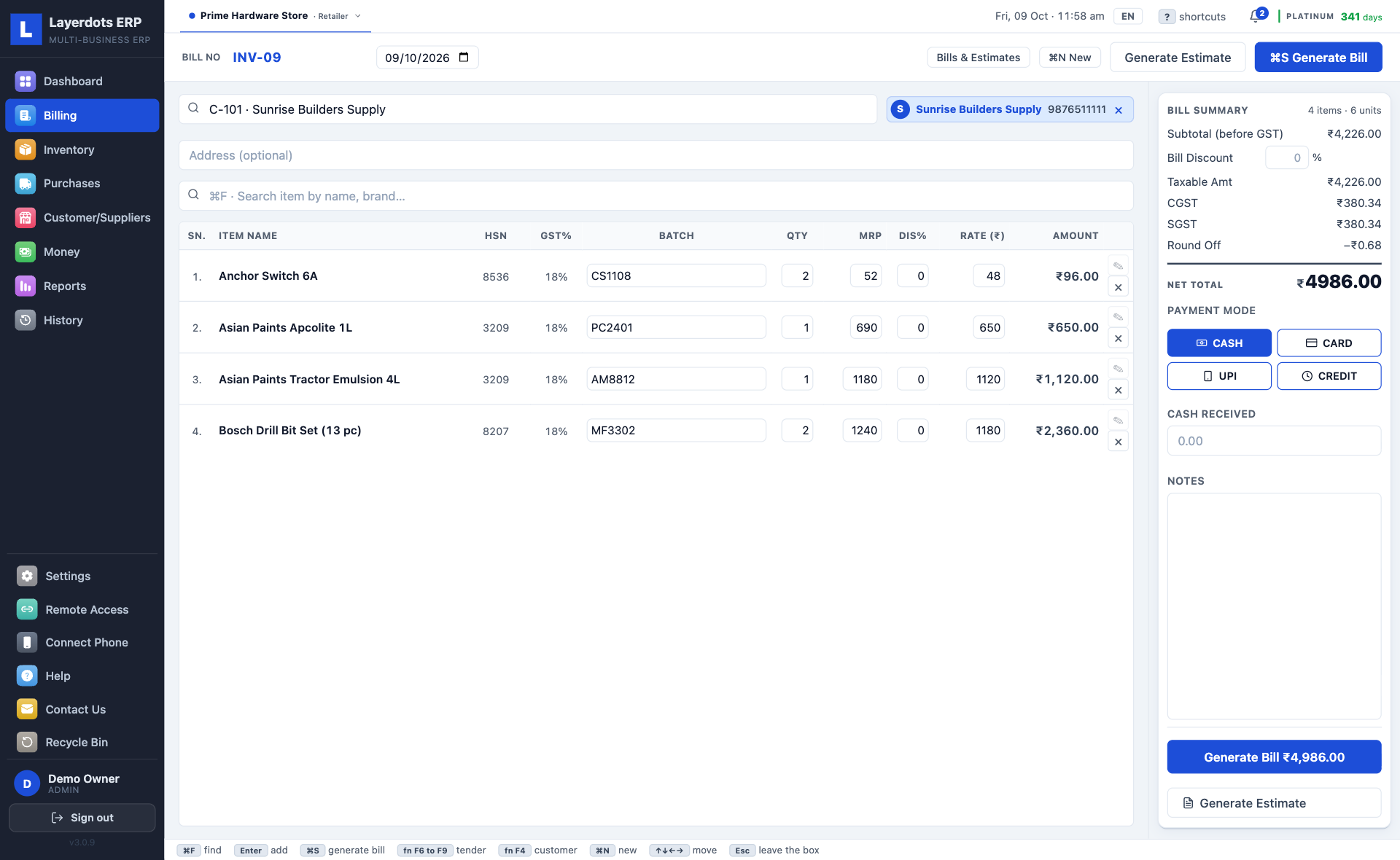
F3 starts a bill and F10 saves it (⌘N and ⌘S on a Mac). Type the first letters of the item or scan its barcode, and the price, the tax and the batch fill in, earliest expiry on top. Take cash, card or UPI, or put it on the customer's account, and print. Every bill is a GST tax invoice with the buyer's GSTIN when they have one; a wholesaler gets the fuller B2B layout. Change, return or cancel a bill later and the stock and the udhaar correct themselves.

The purchase entry comes from a photo of the invoice

Photograph the wholesaler's invoice with the phone app, or pick the PDF on the PC. The lines are read page by page, up to thirty pages in one invoice, and shown for you to check before they go into stock. When a bill never says its rates include GST but its printed total shows they do, the GST is taken out of those rates and the screen says so; one click keeps the printed prices instead. Each page is one scan against the plan's monthly allowance, and a page that could not be read is not charged. A supplier's Excel or CSV file imports directly and costs no scans.

The daily reports, and the GST returns for your CA

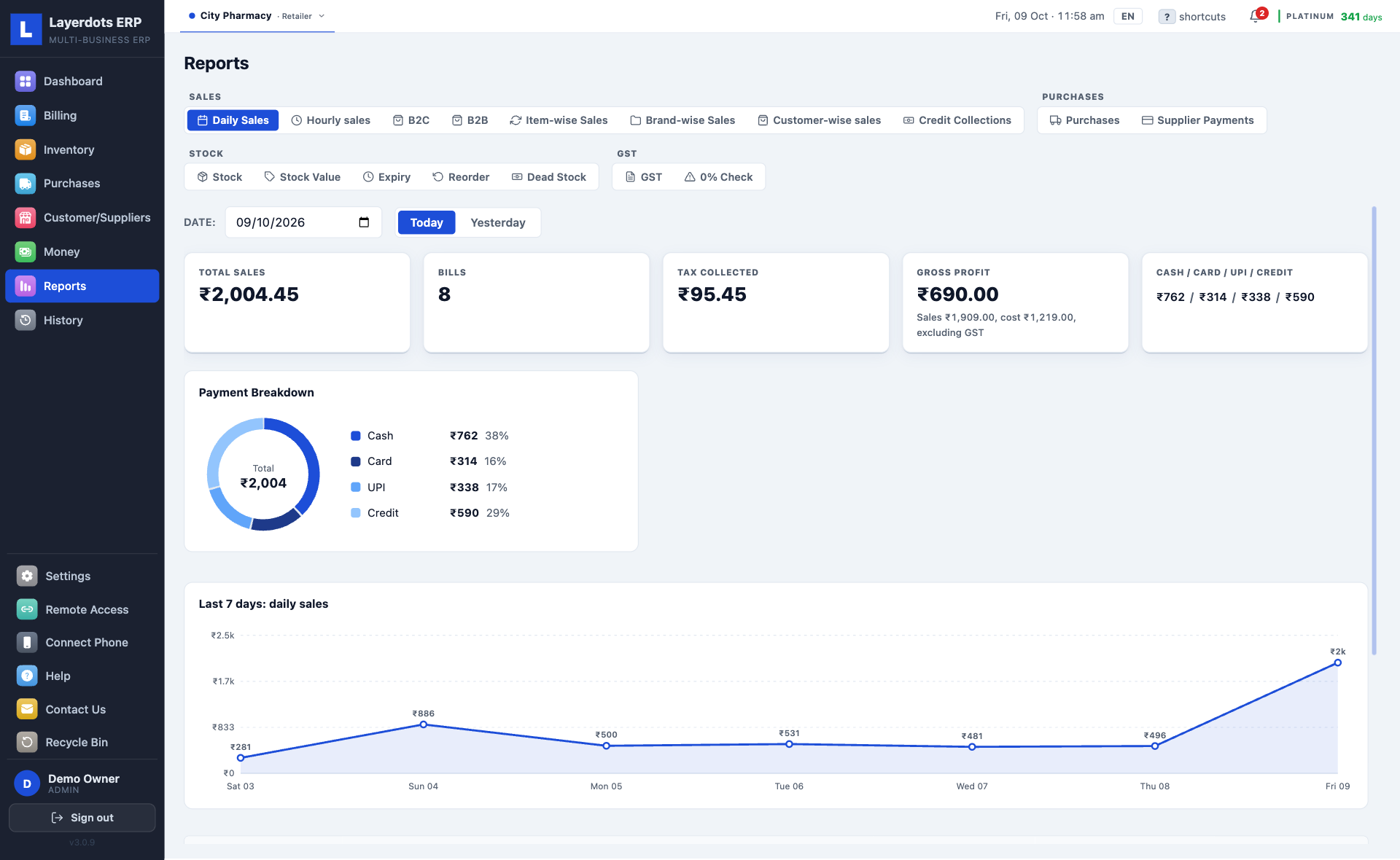
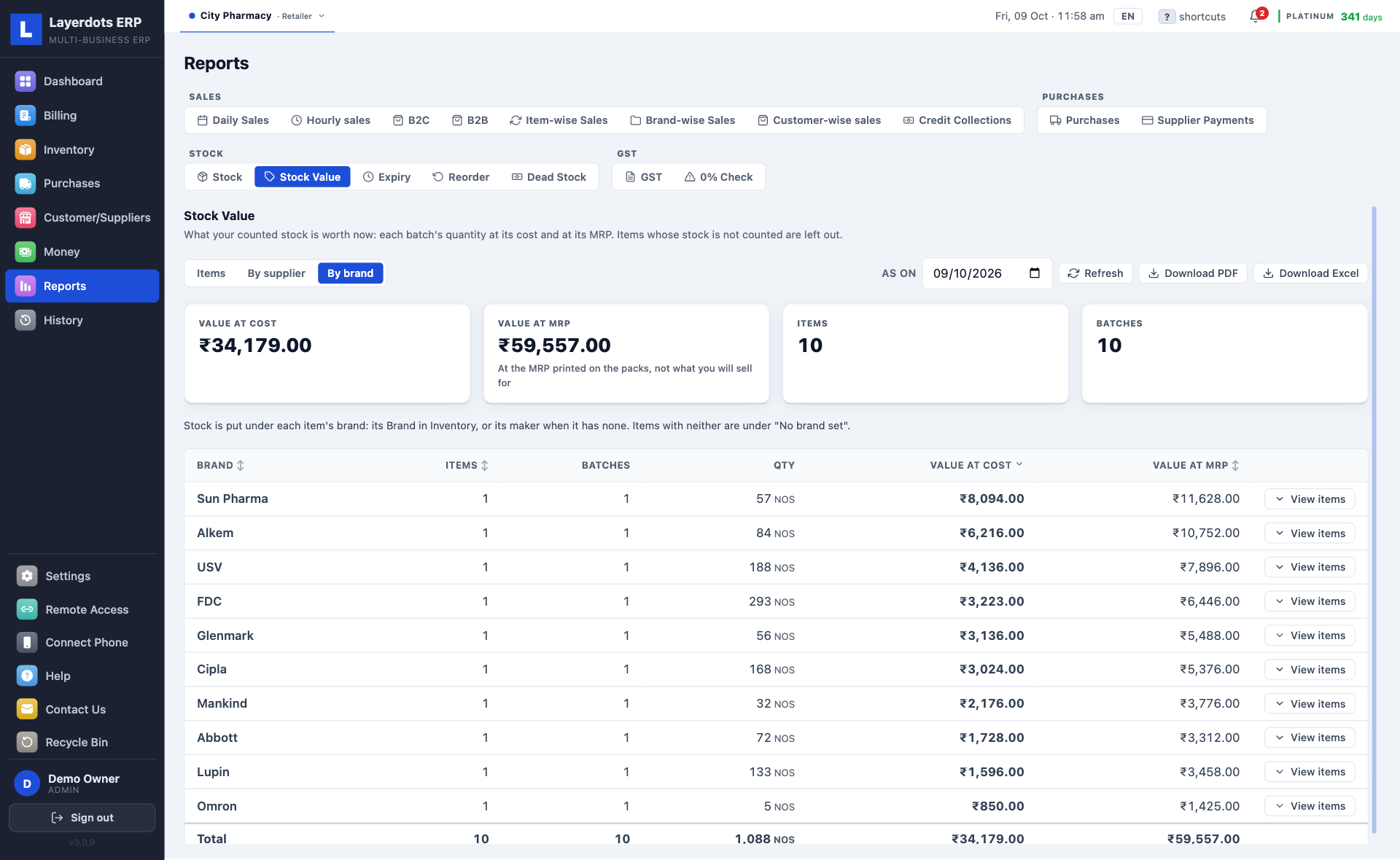
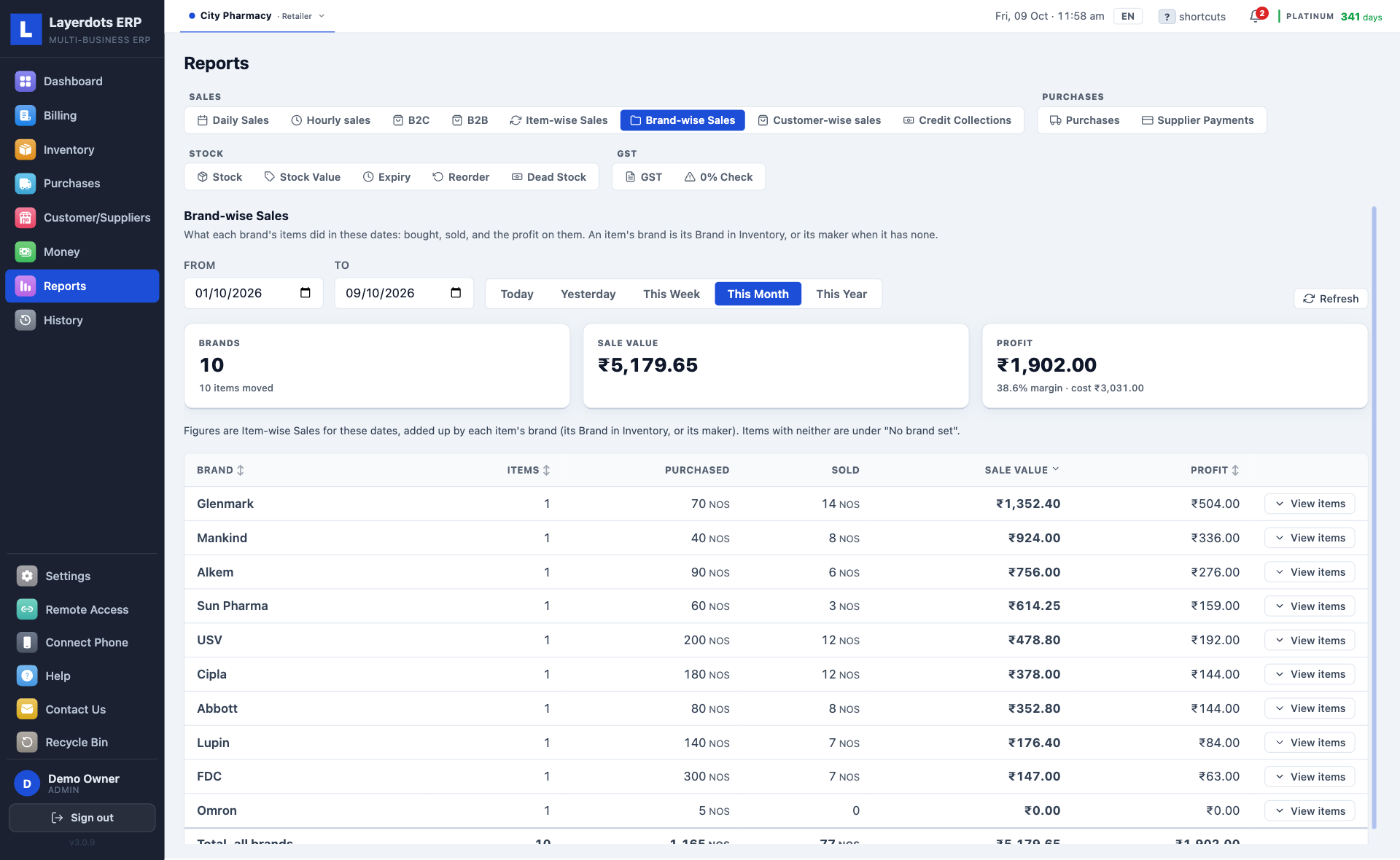
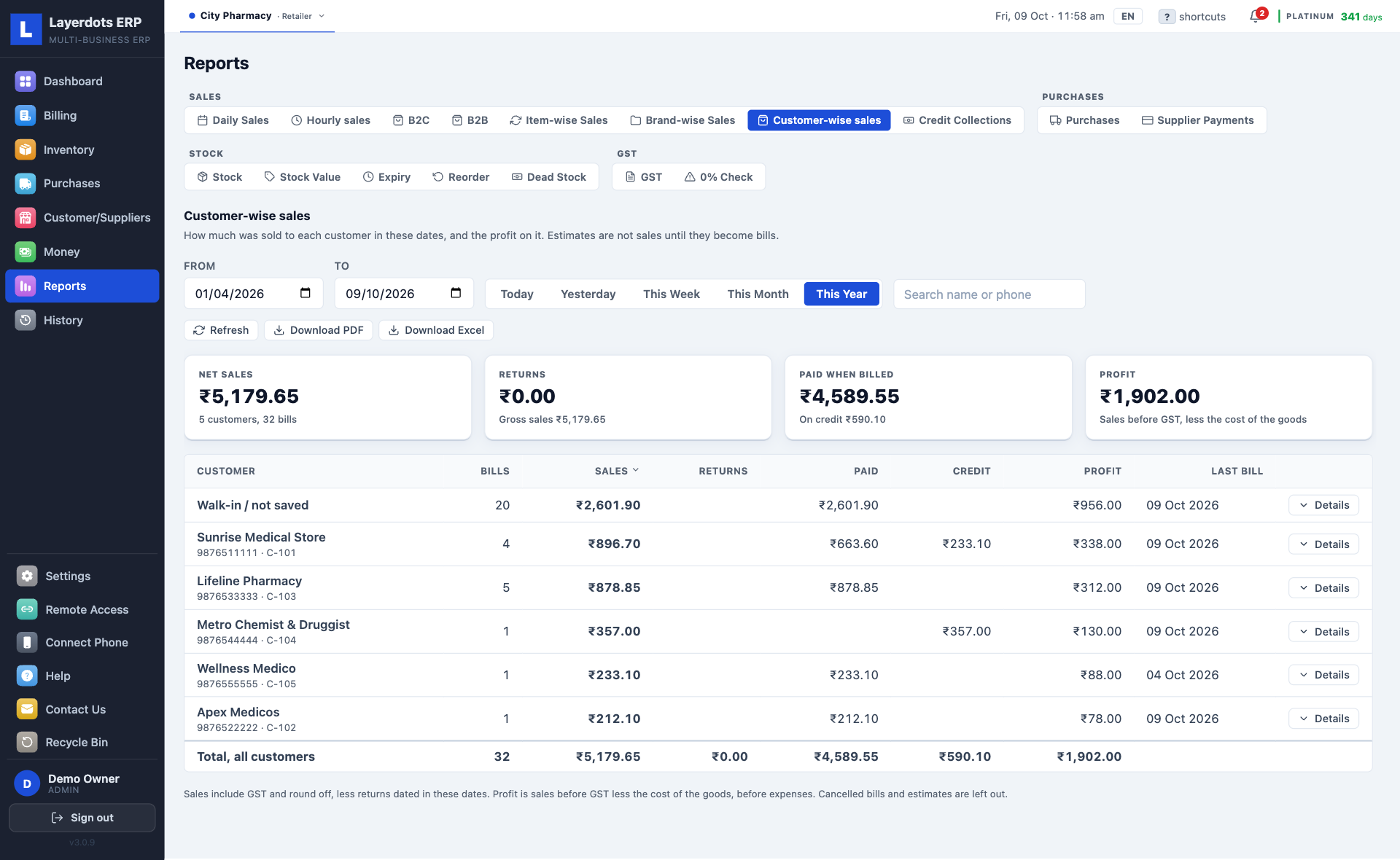
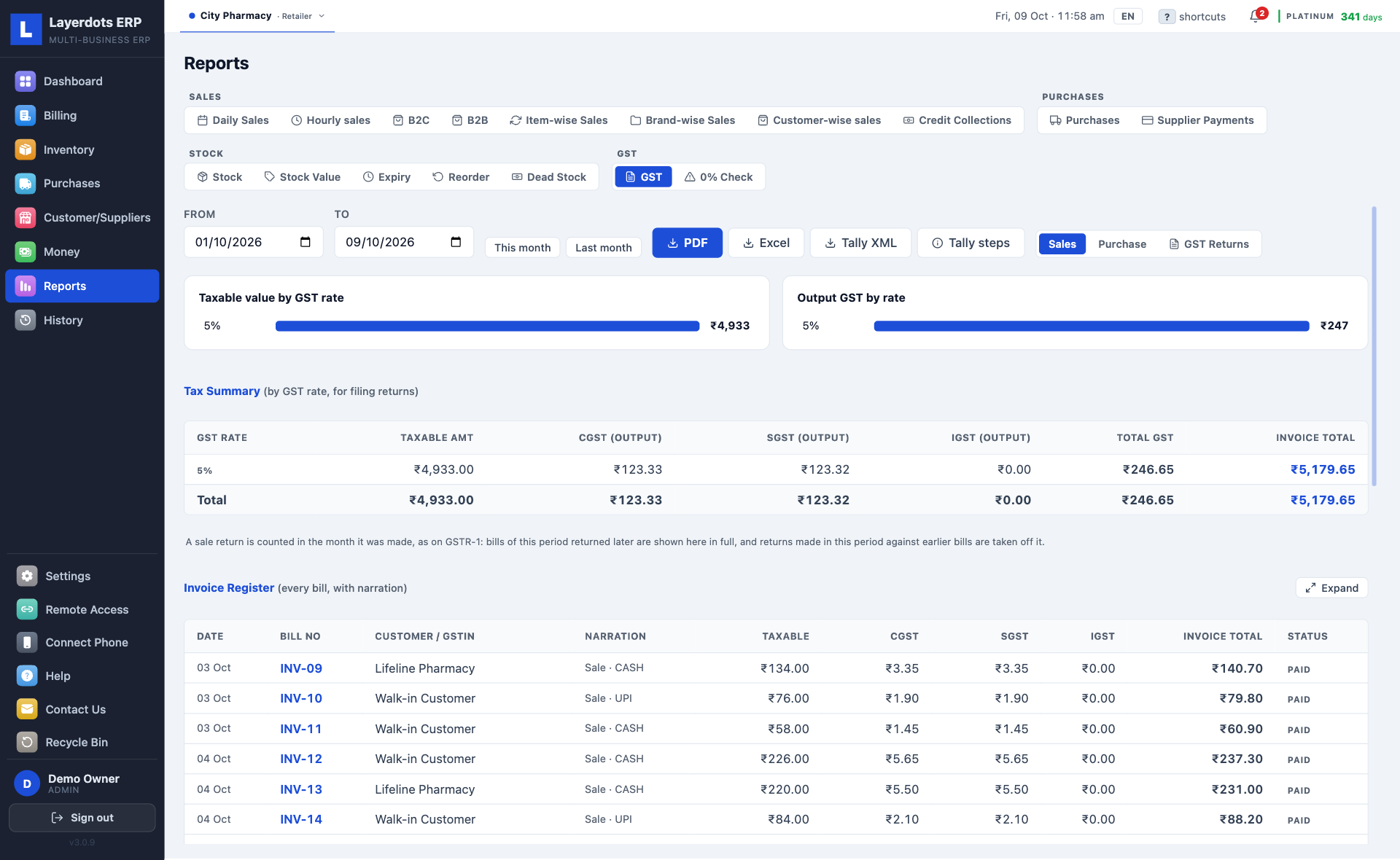
Daily sales, what each item and each brand sold and earned, sales by staff, dead stock, expiry, what to reorder, and who owes you and for how long. For GST: a rate-wise summary, invoice-wise sales and purchase registers, GSTR-1 and GSTR-3B as the JSON the portal takes, and the month's GSTR-2B matched against your purchases. The registers come as PDF or Excel, and your sales, purchases and payments go to the CA as a Tally XML file.

It checks the GSTR-1 before the portal does

One click reads through the month's bills before anything is uploaded: a GSTIN with a wrong digit, CGST and SGST charged to a buyer in another state, an item with no HSN code. Fix the list, then upload; the same checks run again before every download. A separate 0% check lists every item sold without a GST rate, largest amount first, so an exempt sale is filed as exempt and a missed rate is caught before the return goes in.

E-way bills and e-invoices from the saved bill

Open a saved invoice and generate the e-way bill: the EWB number comes back onto the invoice, and the e-way bill prints with its QR code. For a B2B invoice the IRN and the signed QR code come back the same way and print on the buyer's copy, as the rules require. A reported invoice can be cancelled within 24 hours. Gold and Platinum plans, for any trade that moves goods.

The internet can go. Billing does not stop.

Everything runs from a file on your own PC, so a dead connection does not stop the counter, and there is no website to log into between customers. Internet is used only for invoice scanning, e-way bills and e-invoices, the phone app when the PC is off, and cloud backup, if you turn it on.

The rest of it

Every line below is in every plan. The list is long because a shop's work is long.

At the counter

  • UPI QR on the bill. The exact amount is in the code, on A4, thermal and phone bills. You set the UPI ID once.
  • Estimates. A quotation that touches neither stock nor dues, turned into an invoice when the customer says yes.
  • A customer's own price. Switch it on, and each customer's items come in at what they paid last time, never above MRP, with a warning if it is below cost.
  • Loose quantities. 1.3 kg, 7.8 metres or half a packet bill correctly, and the stock stays exact.
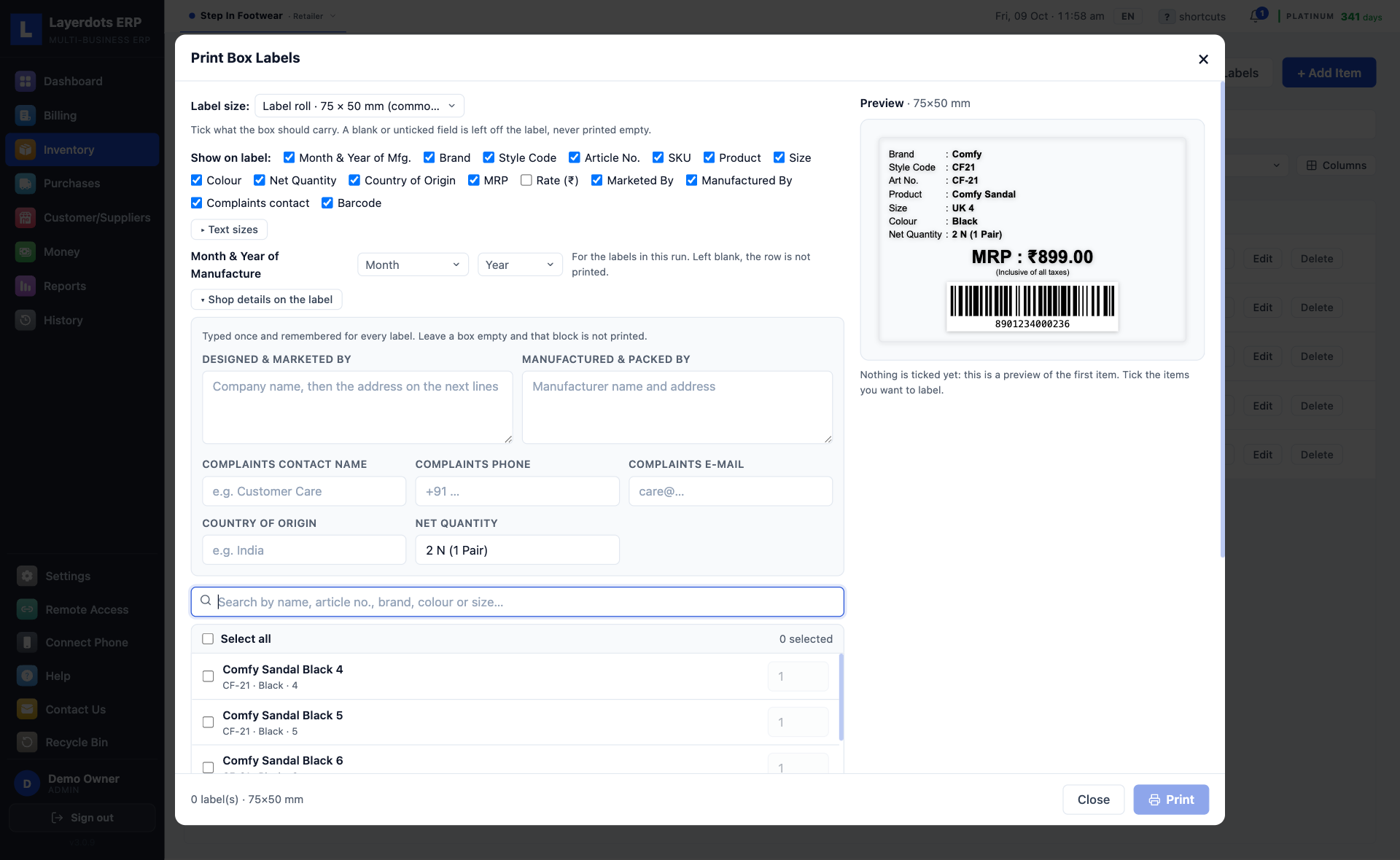
  • Barcodes and labels. Print label sheets for your own items. Scan with a USB scanner or with the phone's camera.
  • Drug interactions. In a pharmacy, a warning when two medicines in the cart should not go together, before the bill is made. Switched on in Settings.

Stock & purchases

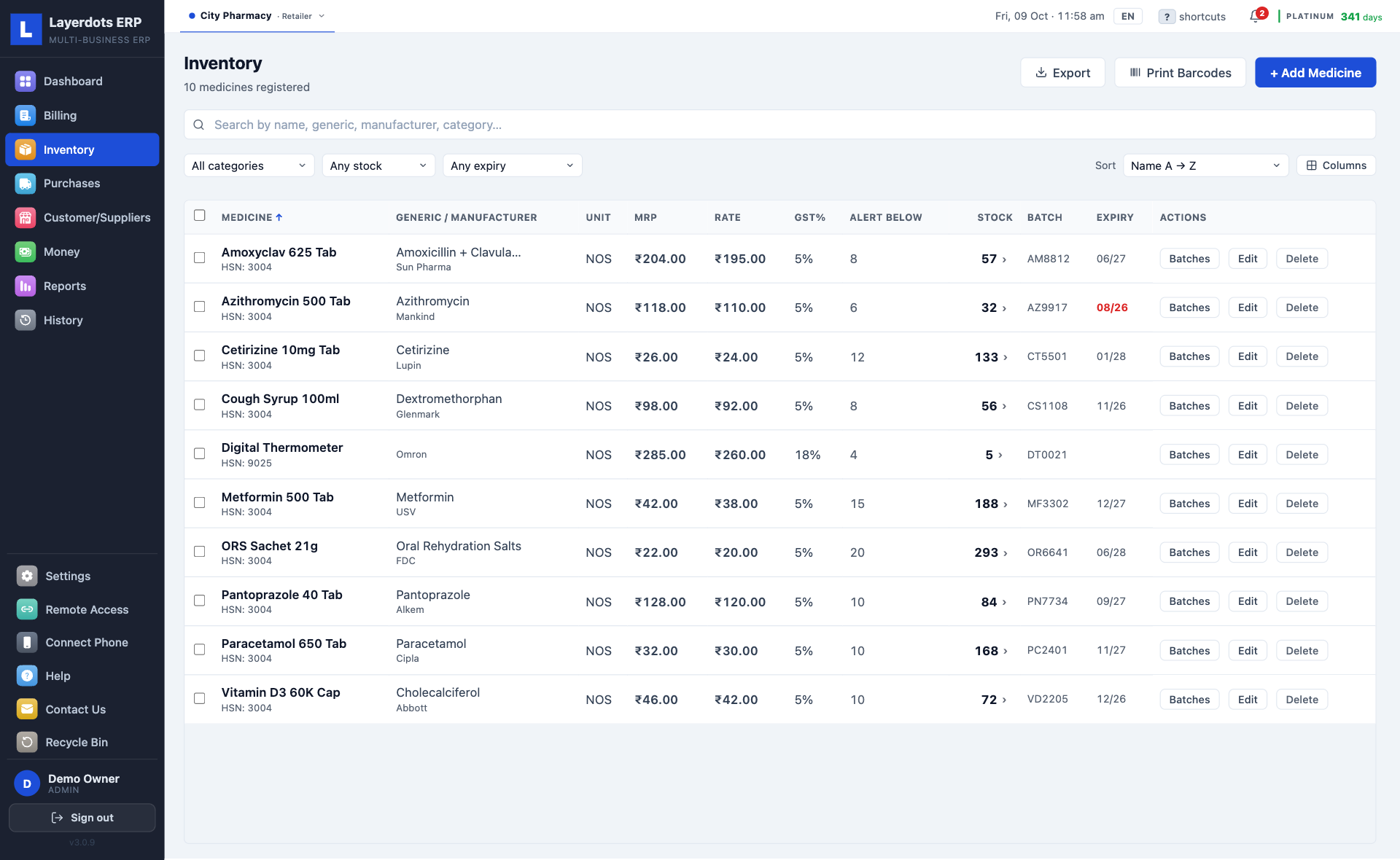
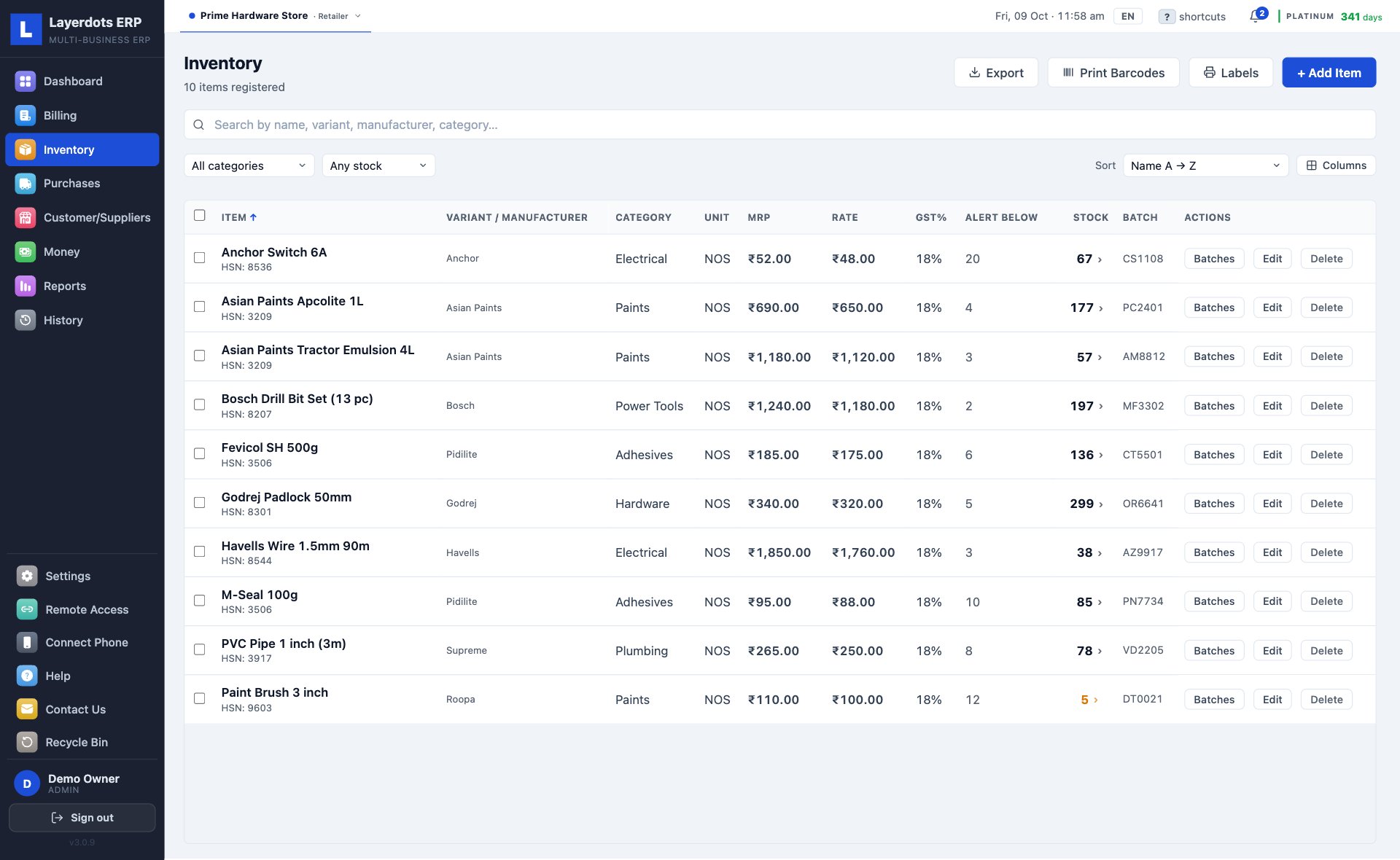
  • Batch-wise stock. Low-stock and expiry alerts come up on their own. Every sale and purchase moves the count.
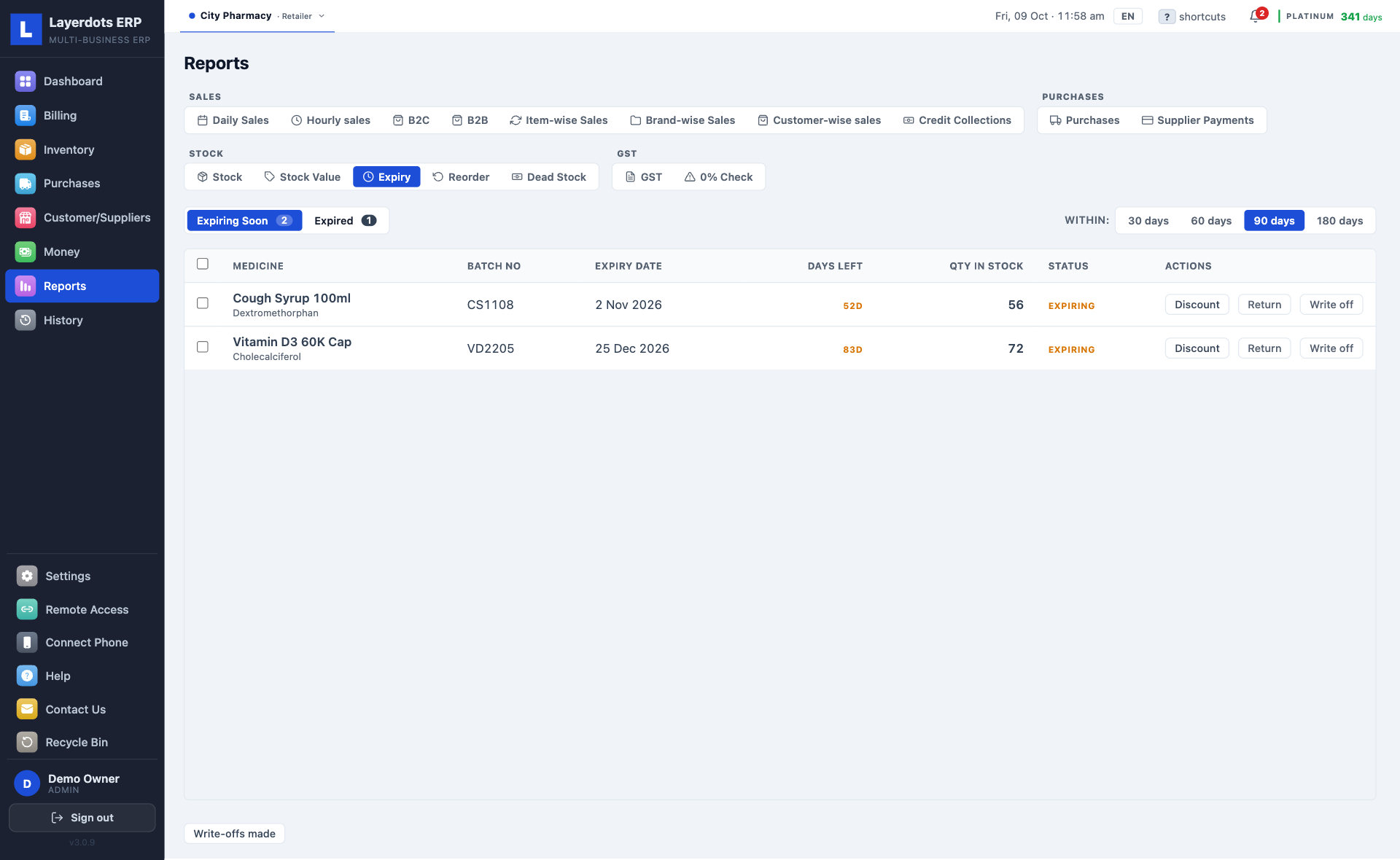
  • Near-expiry stock. Discount a batch to clear it, or send it back to the supplier; when they give a credit note, the debit note is written and the input credit reversed. What has expired is written off, and that reversal goes into GSTR-3B for you.
  • Dead stock. What has not sold in 90 days, or any number of days you set, and how much money is sitting in it, largest first.
  • Purchases. Enter the supplier's invoice; new products create themselves. Returns go to the supplier's ledger, in full or in part.
  • Orders to suppliers. Tick what is running low in the reorder report and an order is written for each supplier, ready to send on WhatsApp. When the goods arrive it becomes the purchase entry.
  • Import from Marg, Tally or Busy. Items, customers and suppliers from Excel, CSV or DBF, or Marg's Tally XML. The columns are matched for you, and you can correct them.
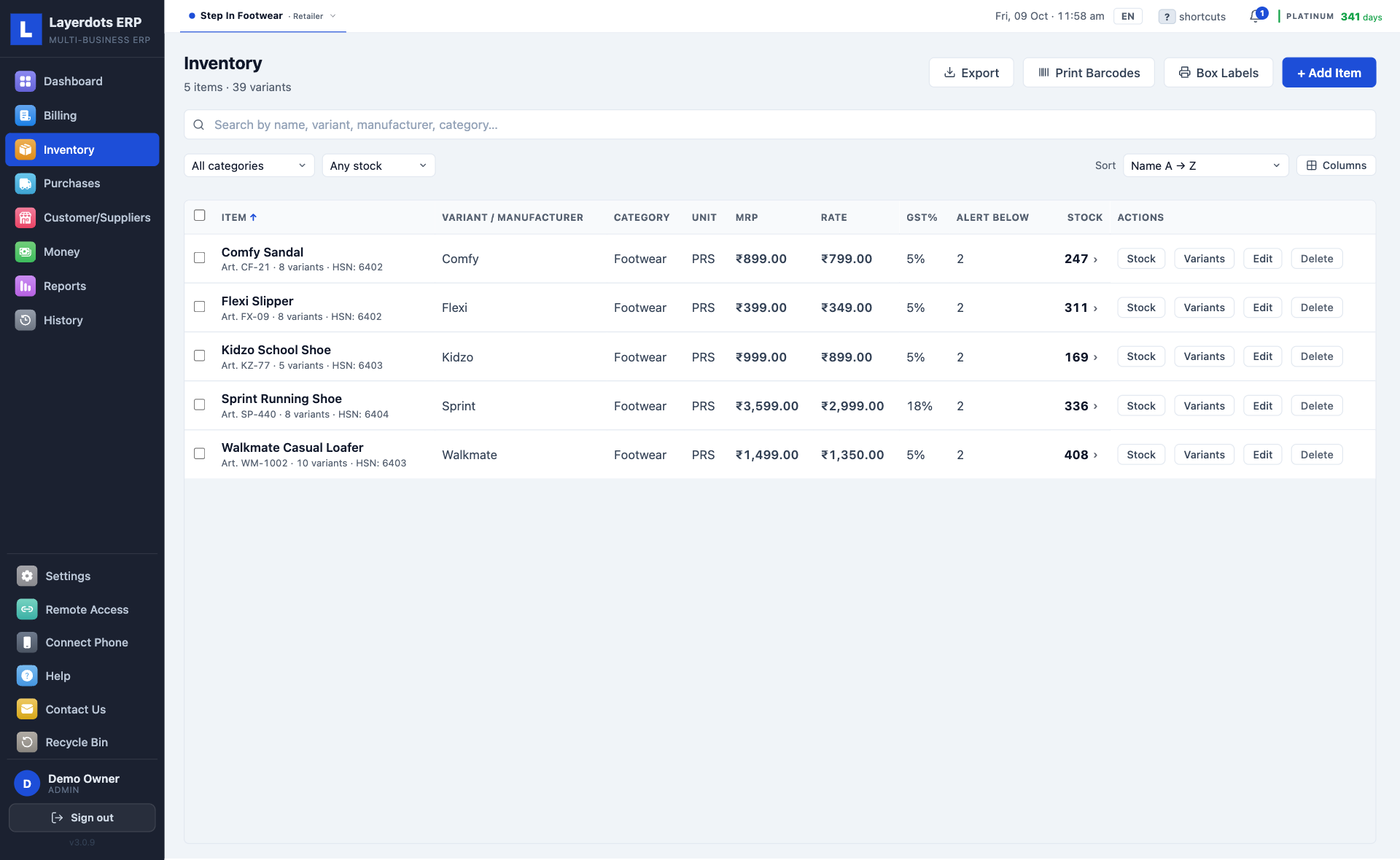
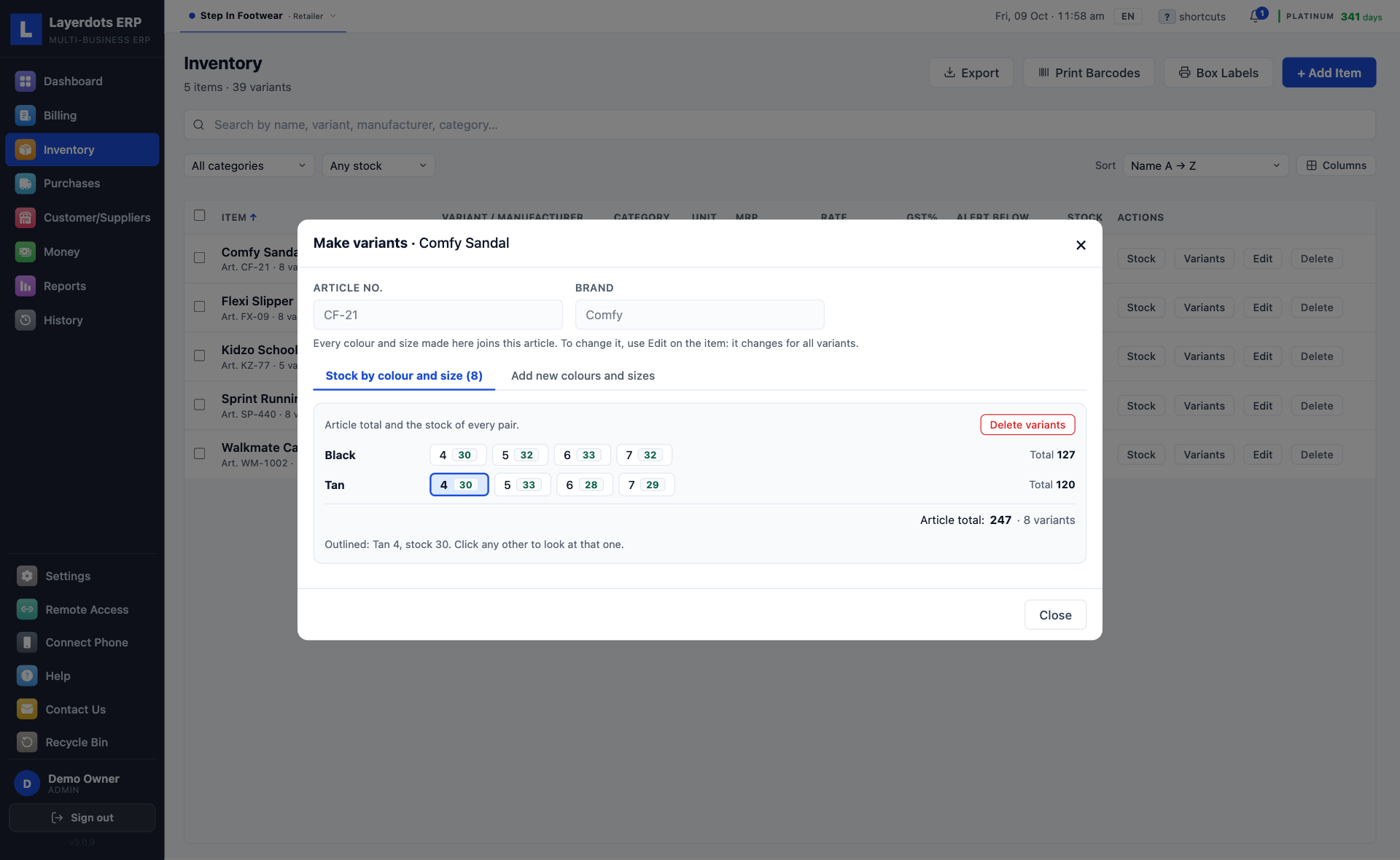
  • Shoe shops. One row per article with its colours and sizes inside it, each pair with its own count. Box labels print with the article number, brand, colour, size and MRP.
  • A picture on every item. Photograph it with the phone app and it shows in the stock list and on a restaurant's menu tiles.

Money & GST

  • Expenses and profit and loss. Profit after costs and spending, with a P&L PDF for the CA.
  • Margin per item. The cost is recorded at the moment of sale, so an old bill's margin does not move when the purchase price does.
  • Exports and SEZ. LUT or IGST, 22 foreign currencies at the exchange rate you enter, applied by invoice date, and IEC, shipping bill and AD code on the invoice.
  • Reminders. GSTR-1 and 3B due dates, QRMP, CMP-08, the registration limit for your trade (₹40 lakh for goods, ₹20 lakh for a restaurant), expiring stock and the udhaar outstanding.
  • Composition scheme. Bills print as a Bill of Supply, the CMP-08 tax is worked out at 1%, or 5% for a restaurant, and GSTR-4's Table 6 is laid out on screen by each item's own rate for the CA.
  • Price list. A PDF or Excel list by category or supplier. The PDF never shows your purchase cost.
  • Ticked as filed. Tick a month or a quarter as filed and the app tells you if a later edit moves the figures it was filed with. A late CMP-08's interest is estimated for the CA.

Customers & staff

  • Customers. Added from the bill itself, with a credit limit and a ledger you can hand over as a PDF statement.
  • Suppliers. GSTIN, a running ledger, and payments in both directions.
  • WhatsApp. A reminder for a due payment in one click, and the bill as a PDF from the phone app.
  • Staff logins. Admin and staff accounts, with access set per shop and per feature.
  • Sales by staff. Bills, value, discounts and refunds for each person at the counter. The admin sees it; the staff do not.
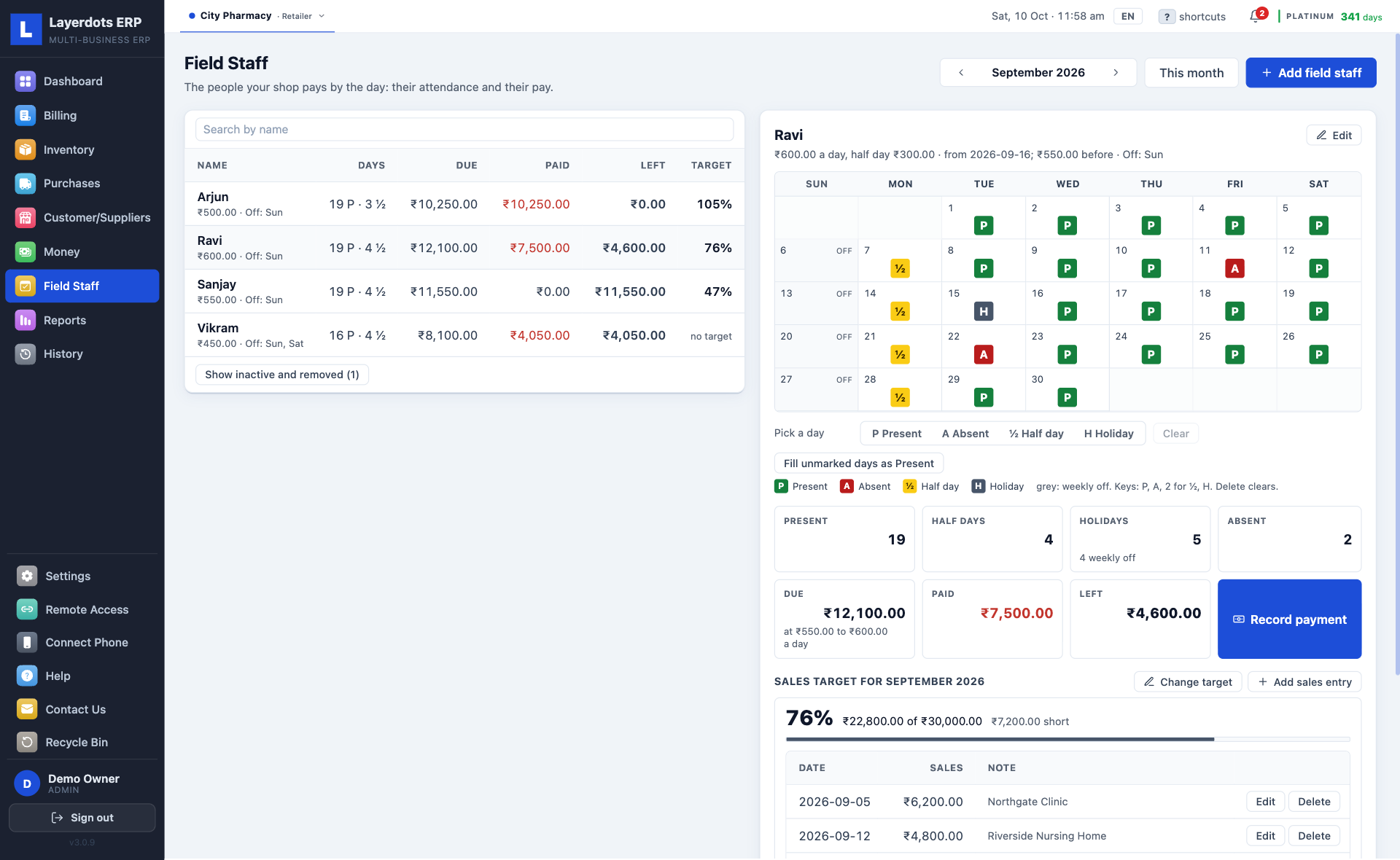
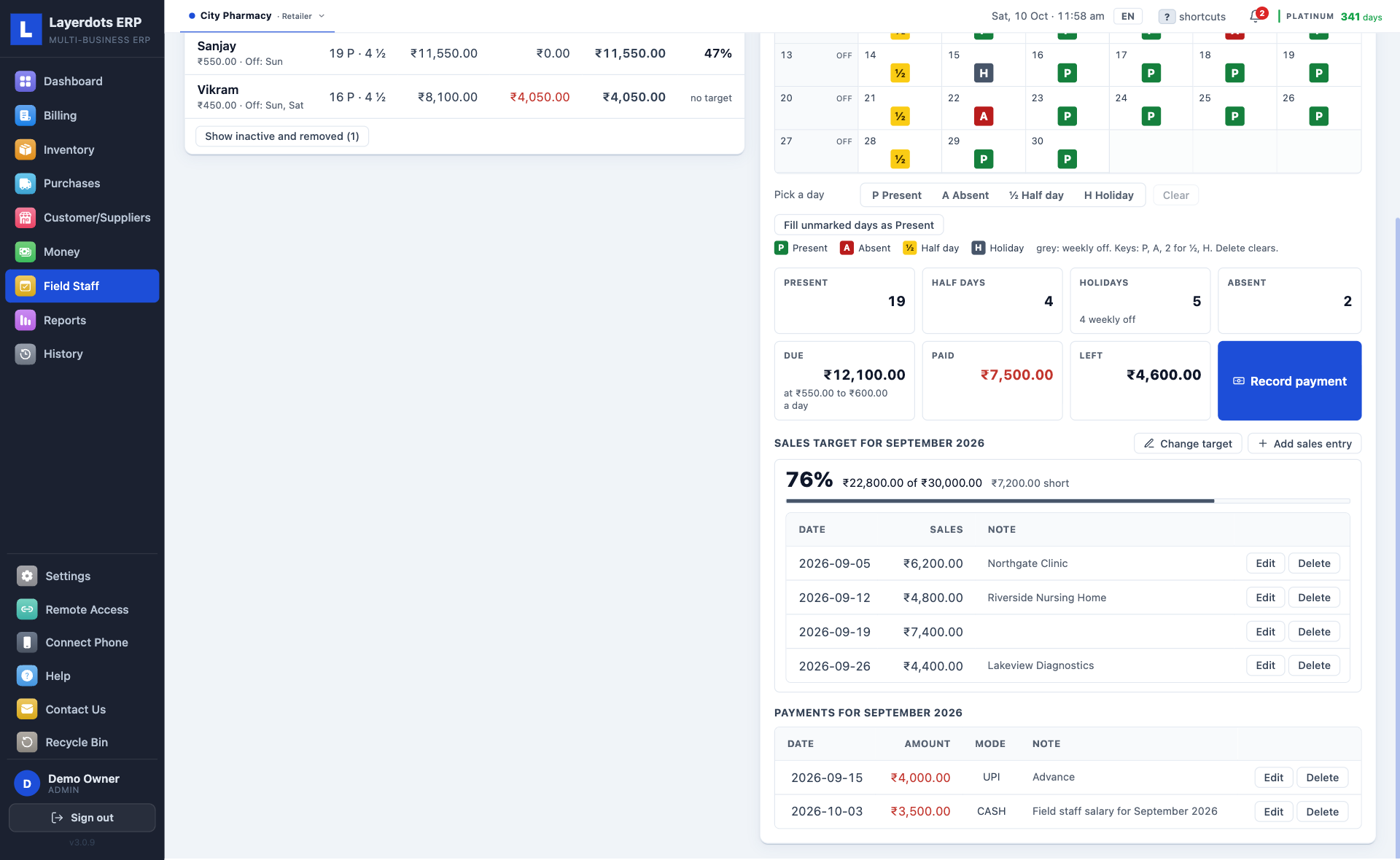
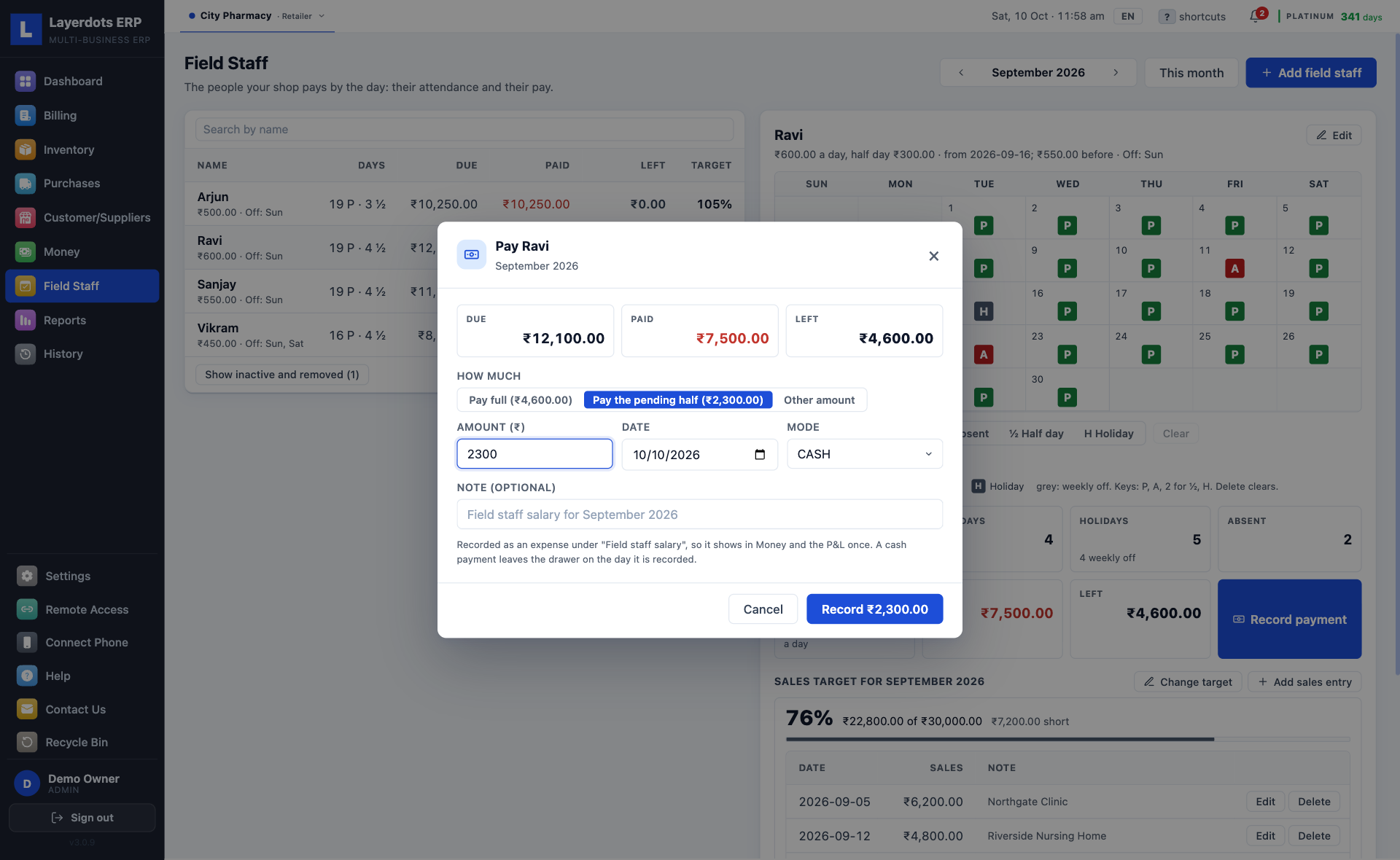
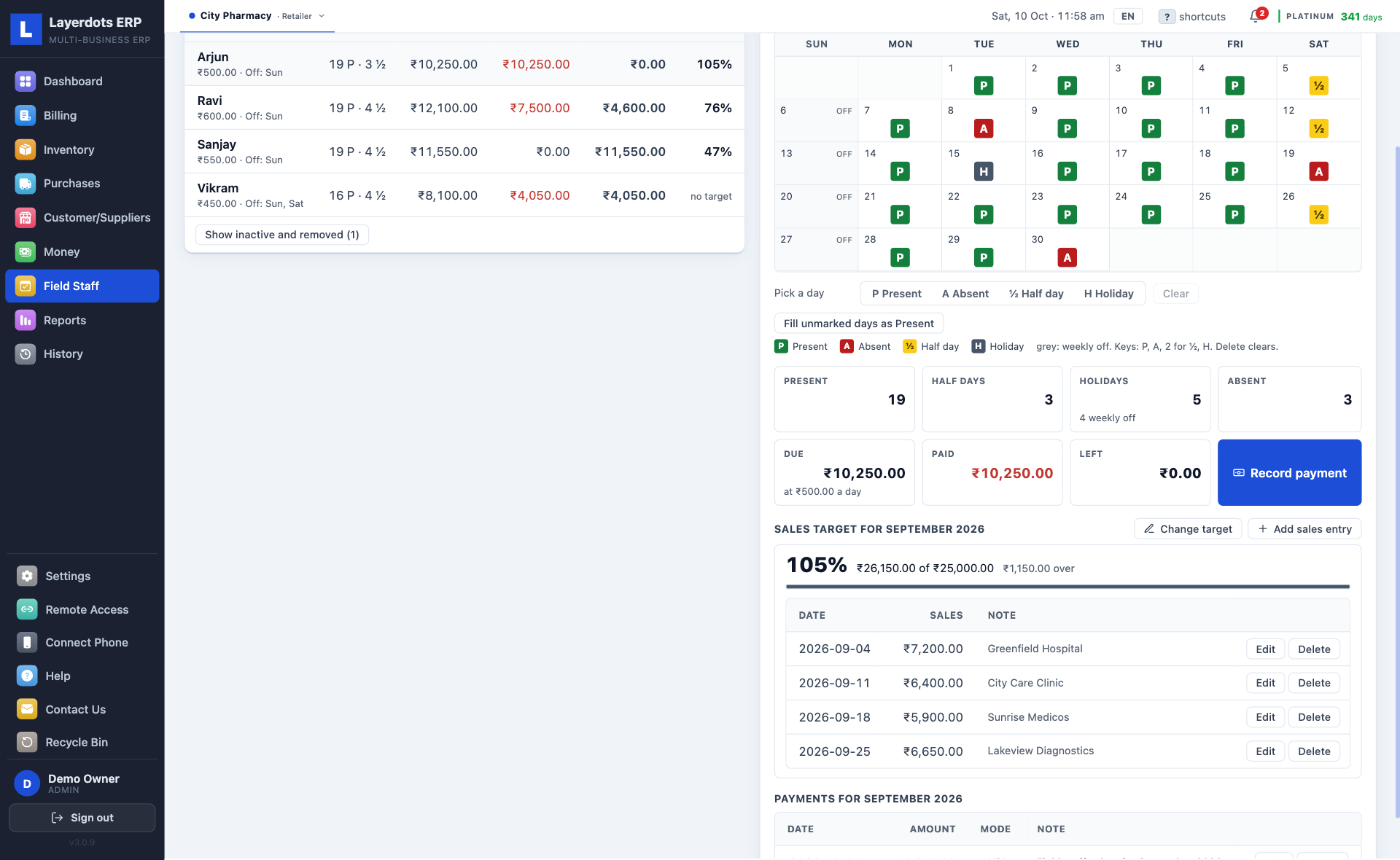
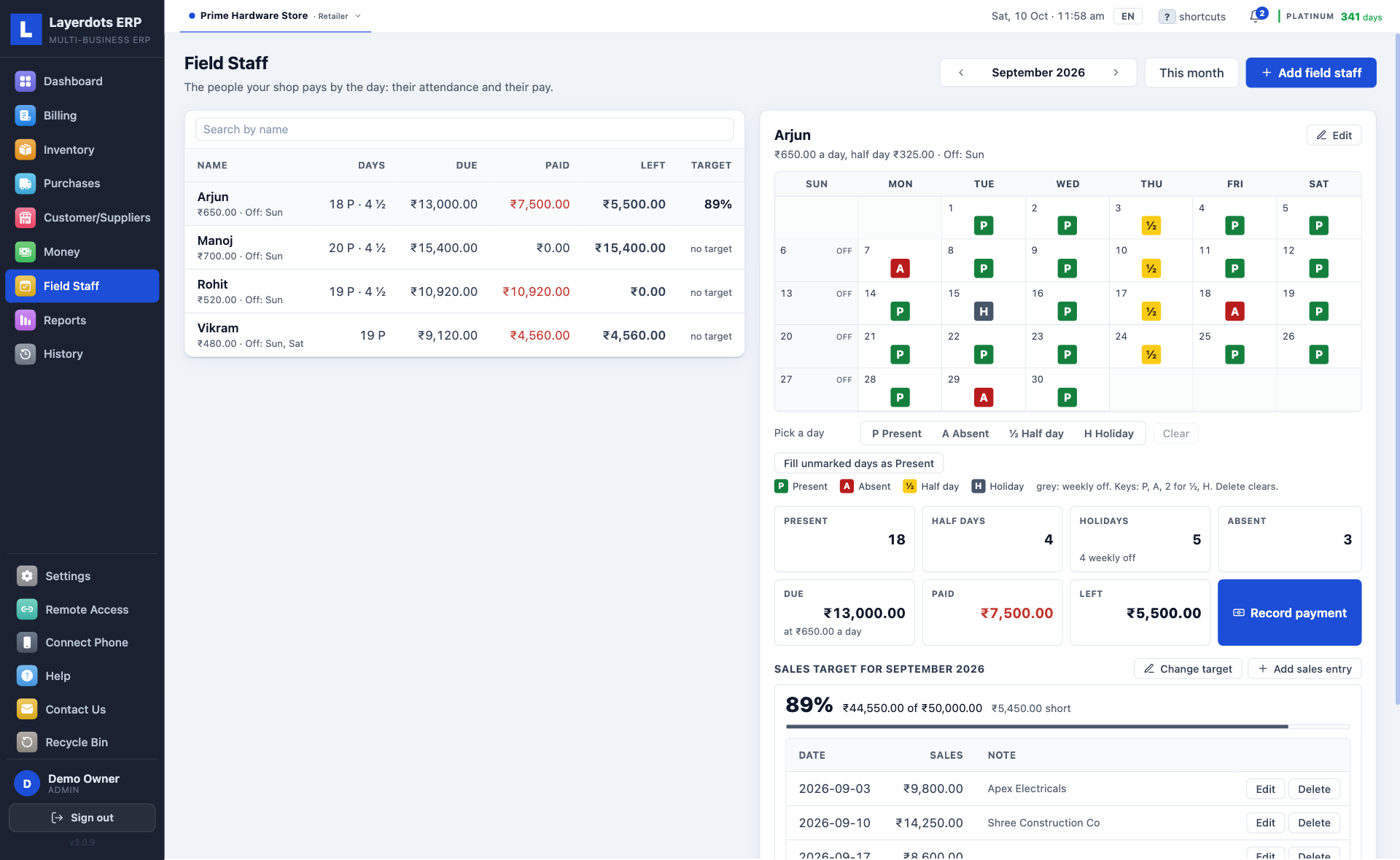
  • Field staff. For a pharmacy or a general shop that pays people by the day: a month calendar for each person, the pay worked out at the rate in force on each day, payments booked as expenses, a monthly sales target, and the phone app marking and paying with the PC off. Off until you switch it on in Settings. The screens are under Pharmacy, below.
  • Ctrl+K. One box searches every item, customer, supplier and bill (⌘K on a Mac).

Running the shop

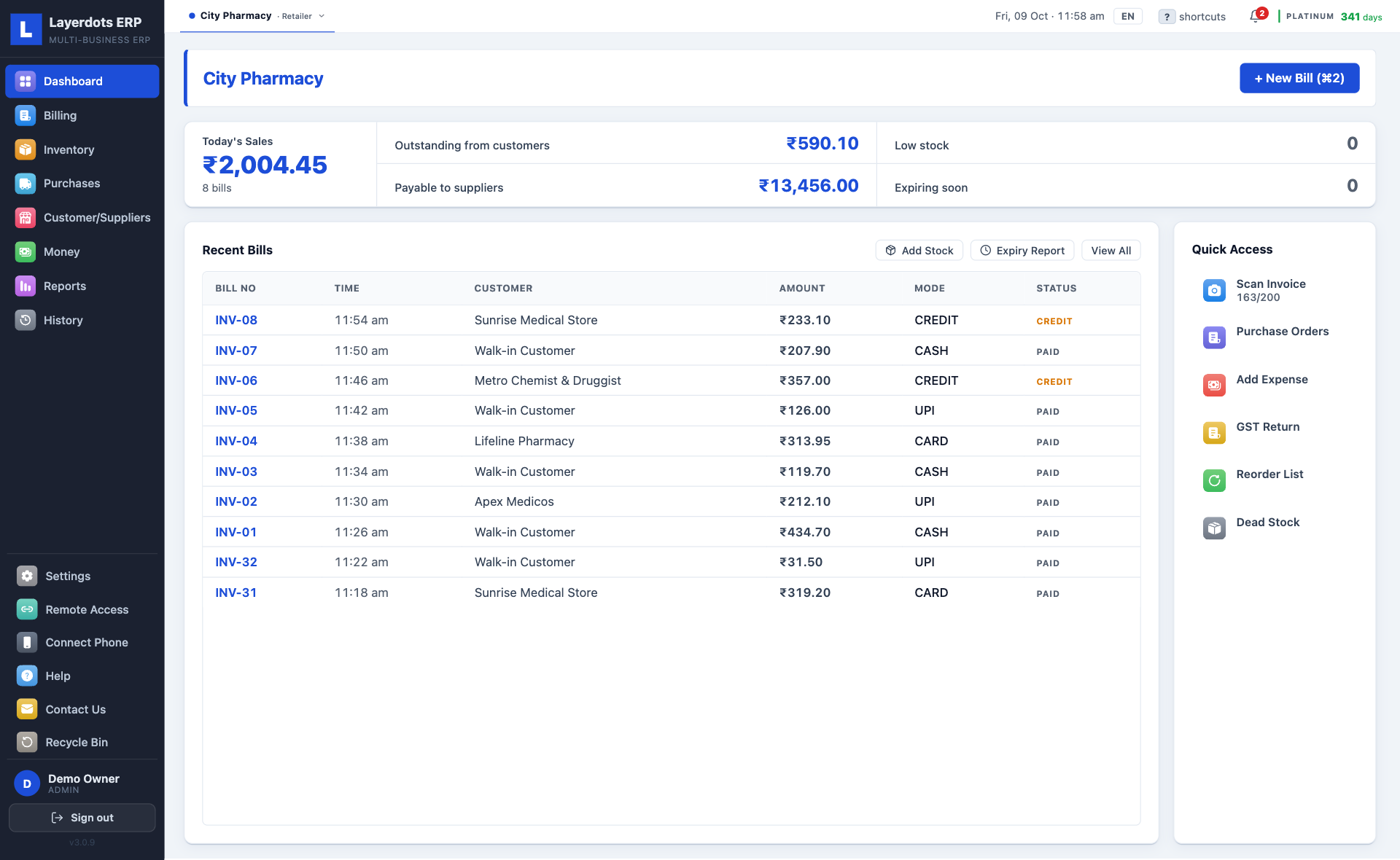
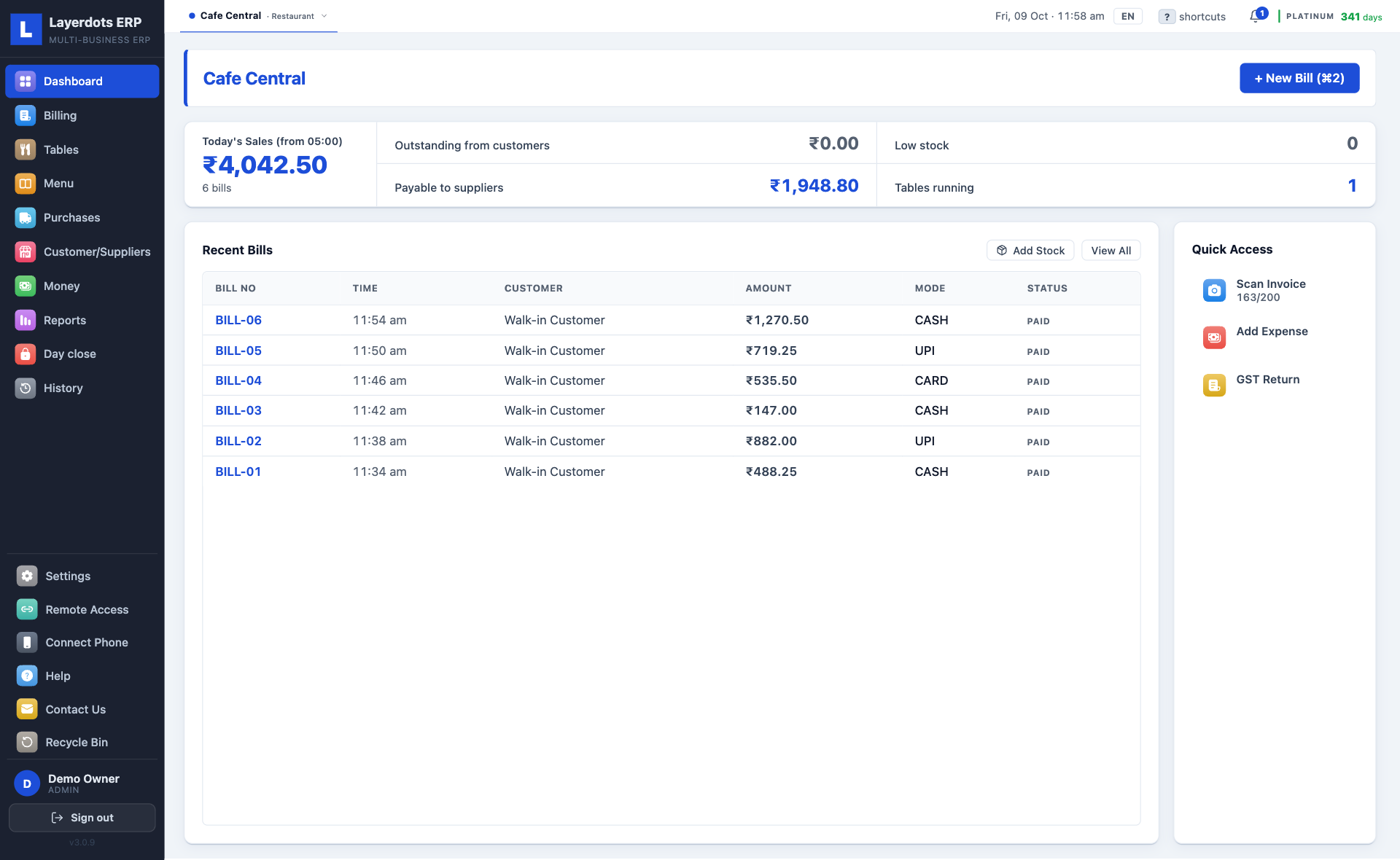
  • Dashboard. Today's sales, dues, low stock and expiring stock, as the app opens.
  • Sales by the hour. One day's sales hour by hour, and for a restaurant the dishes that sold in each hour.
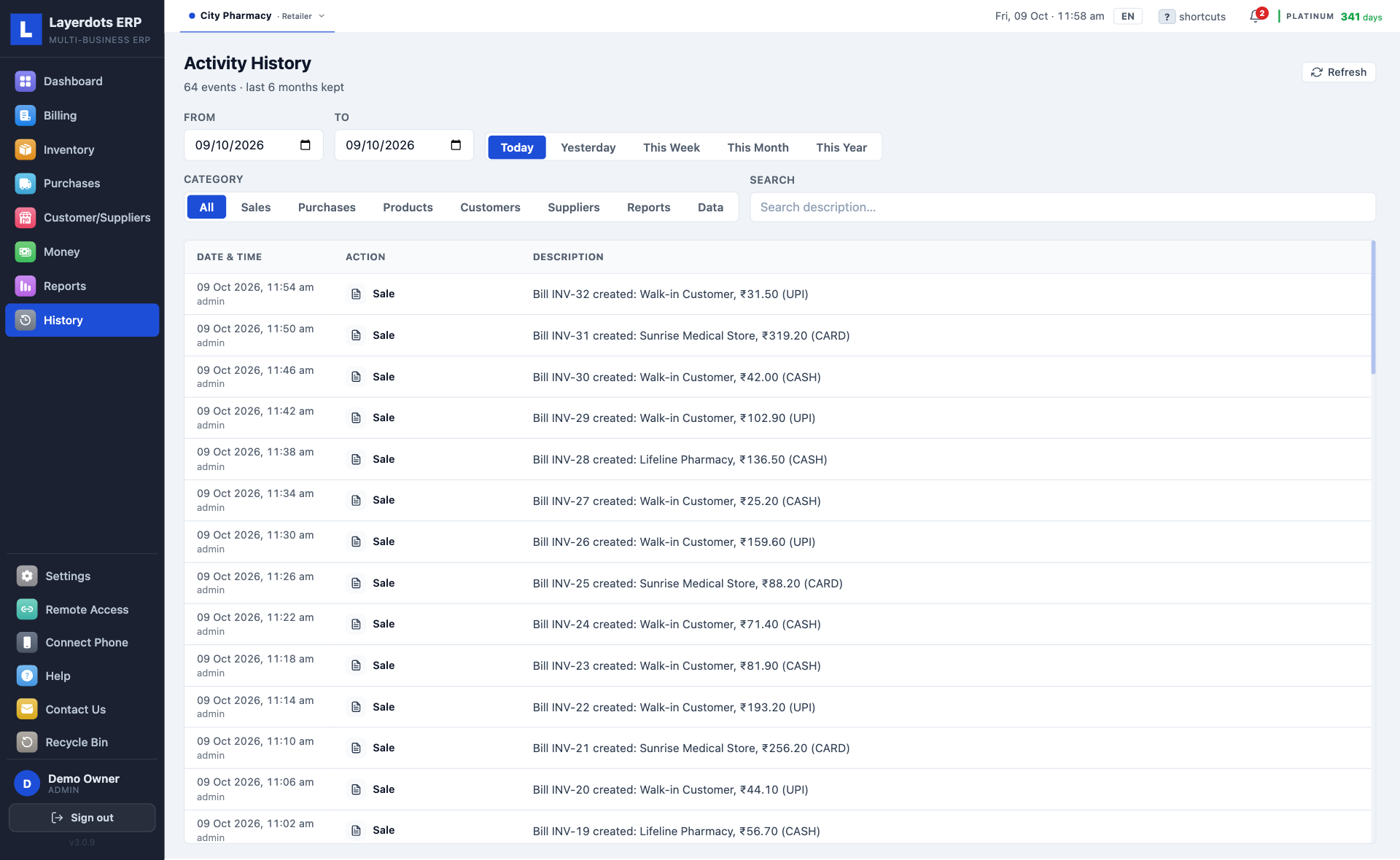
  • Activity history. Who did what and when: every sale, edit, cancellation and recovery, by staff member, kept for six months.
  • Recycle bin. Deleted items, bills, parties, purchases and expenses can be brought back for 30 days.
  • More than one shop. Up to six businesses in one install on Platinum, two on Gold, switched in a click.
  • English, हिंदी, Hinglish. The whole PC interface, switched from the top bar. The phone app is in English.
  • Paper. A5, A4, or a thermal roll of any width from 40 to 210 mm, in black and white or in colour, with the columns you choose, in the order you choose.
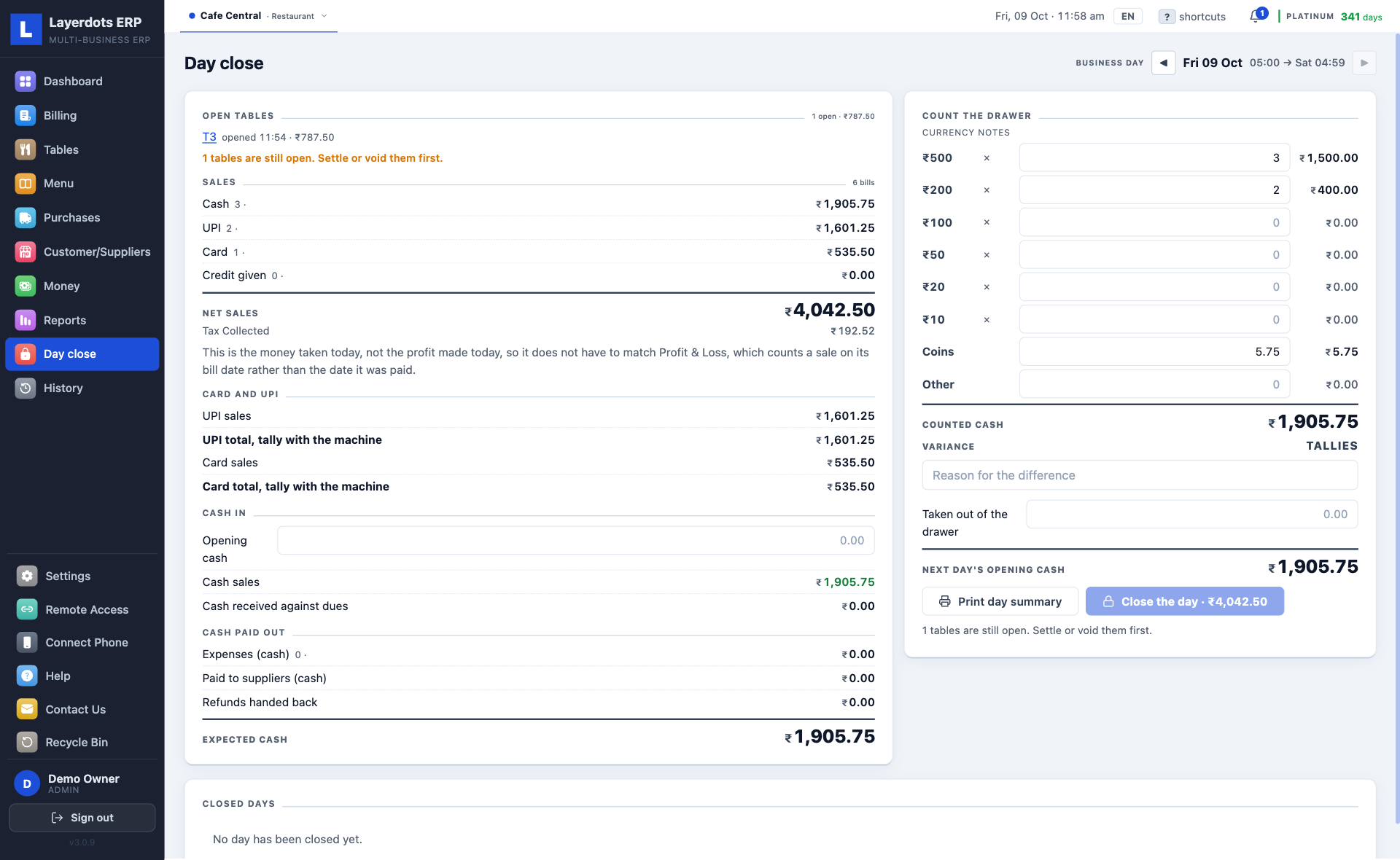
  • Day close. Count the drawer at closing and the app says short, over or tallies; a restaurant settles its tables first. What you leave in becomes tomorrow's opening cash. On for a restaurant, and a switch in Settings for every other shop.

Your data

  • Backup. A scheduled copy to any folder or drive, and a one-click copy whenever you like. Restore from either.
  • Off-site backup. With Cloud Sync on, or cloud backup switched on by itself, an encrypted copy leaves the PC daily, or weekly if you prefer. The newest three are kept, and only your licence key can open them.
  • Cloud Sync. Off until you switch it on. On, the phone app can work on the shop from anywhere, and on Gold and Platinum a second PC can too.
  • Remote access for the CA. A one-time code opens the shop from their own install, read-only or with editing. Revoke it whenever you like.
  • Updates. Fixes install themselves. Every Windows 10 and 11 release is signed by Layerdots Media Pvt Ltd, and every Mac release is notarised by Apple.
  • Shop setup. A short wizard asks the shop's name and phone, the GSTIN, the bill prefix and the trade: pharmacy, restaurant or café, footwear, or any other shop.

The phone bills when the PC is off

The phone app is free and works with the shop's PC: bills, purchases, dues, stock, reports and profit from the phone. On the shop's Wi-Fi it talks to the PC directly. With the PC off, Cloud Sync on and internet billing switched on for the phone, it bills through the cloud, where the bill gets its real invoice number, and the PC picks it up when it is next switched on. Staff sign in with their own logins with the PC off too, and a delete asks for the shop's delete password, as it does on the PC. With no connection at all, the order waits on the phone and reaches the PC as an estimate, to be made into a bill there.

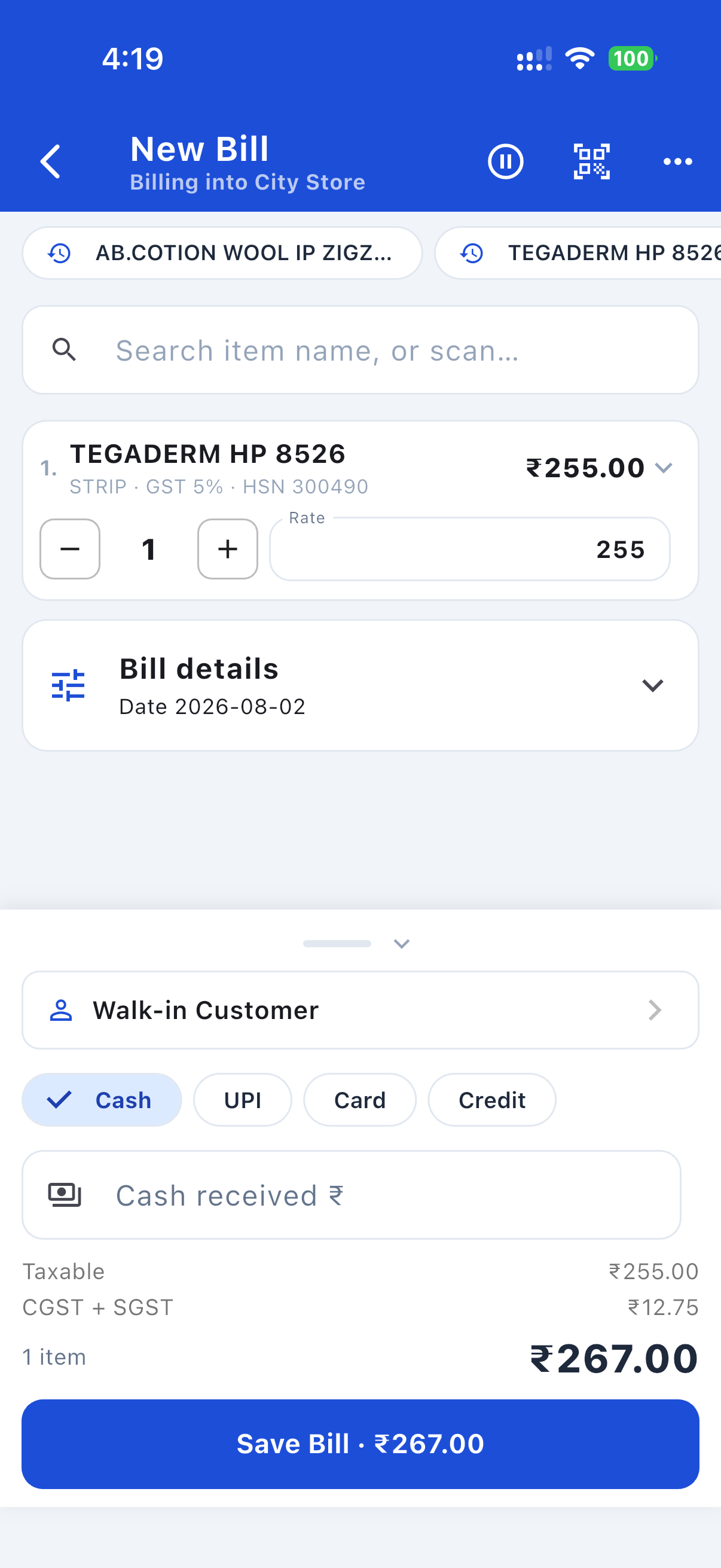
Making a bill on the Layerdots phone app: item, GST split and total

A bill, made on the phone

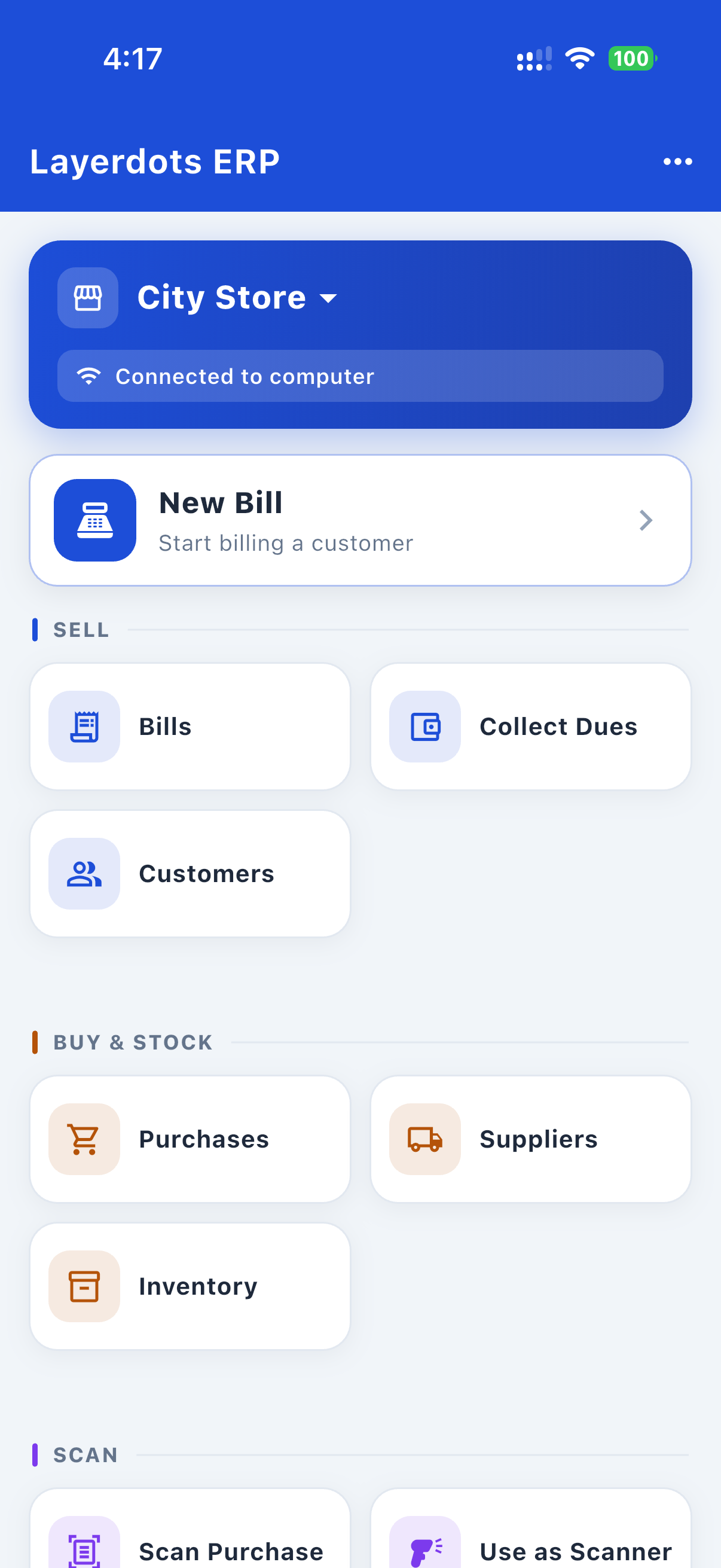
Layerdots phone app home screen, connected to the shop computer

The home screen, paired to the shop PC

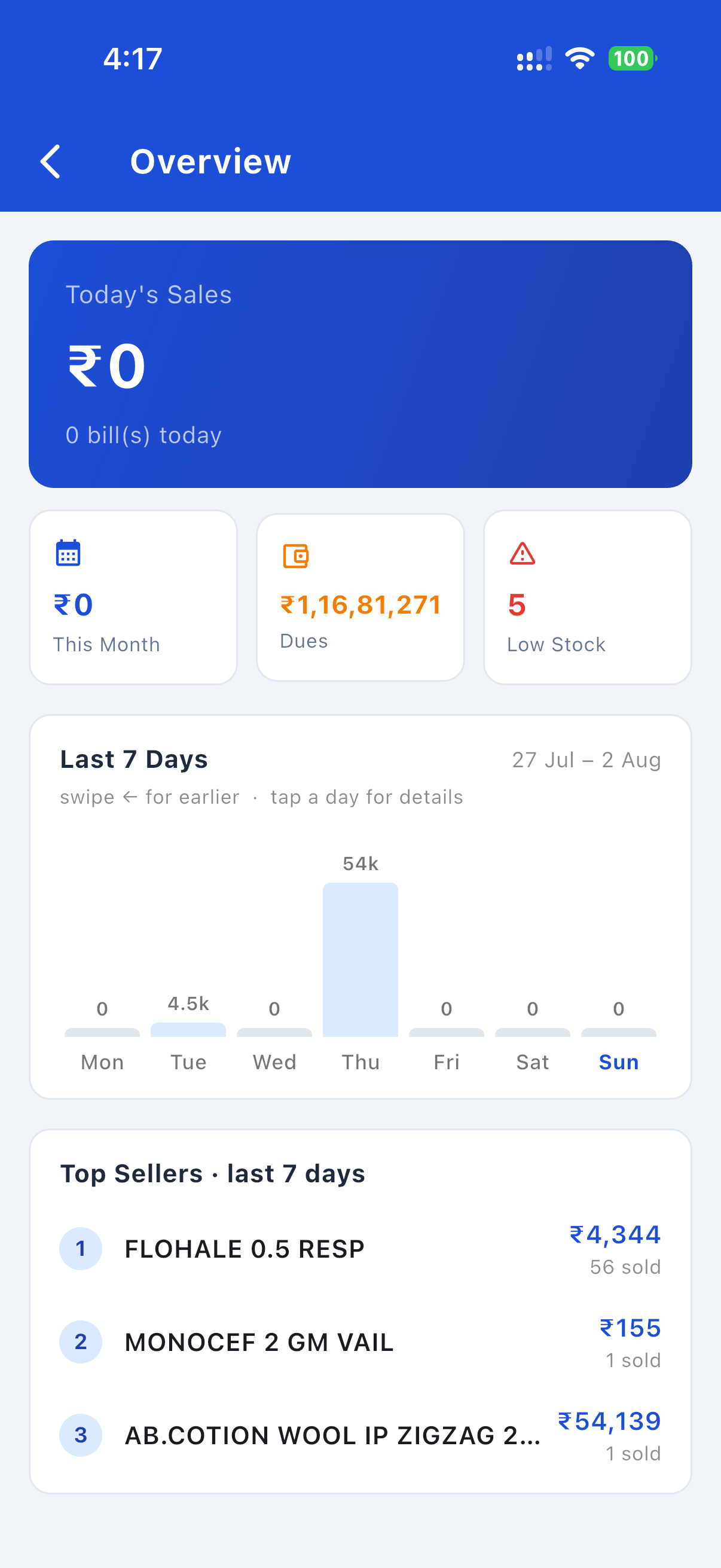
Sales overview, 7-day chart and top sellers on the Layerdots phone app

The week's sales and the top sellers

The screens your trade gets

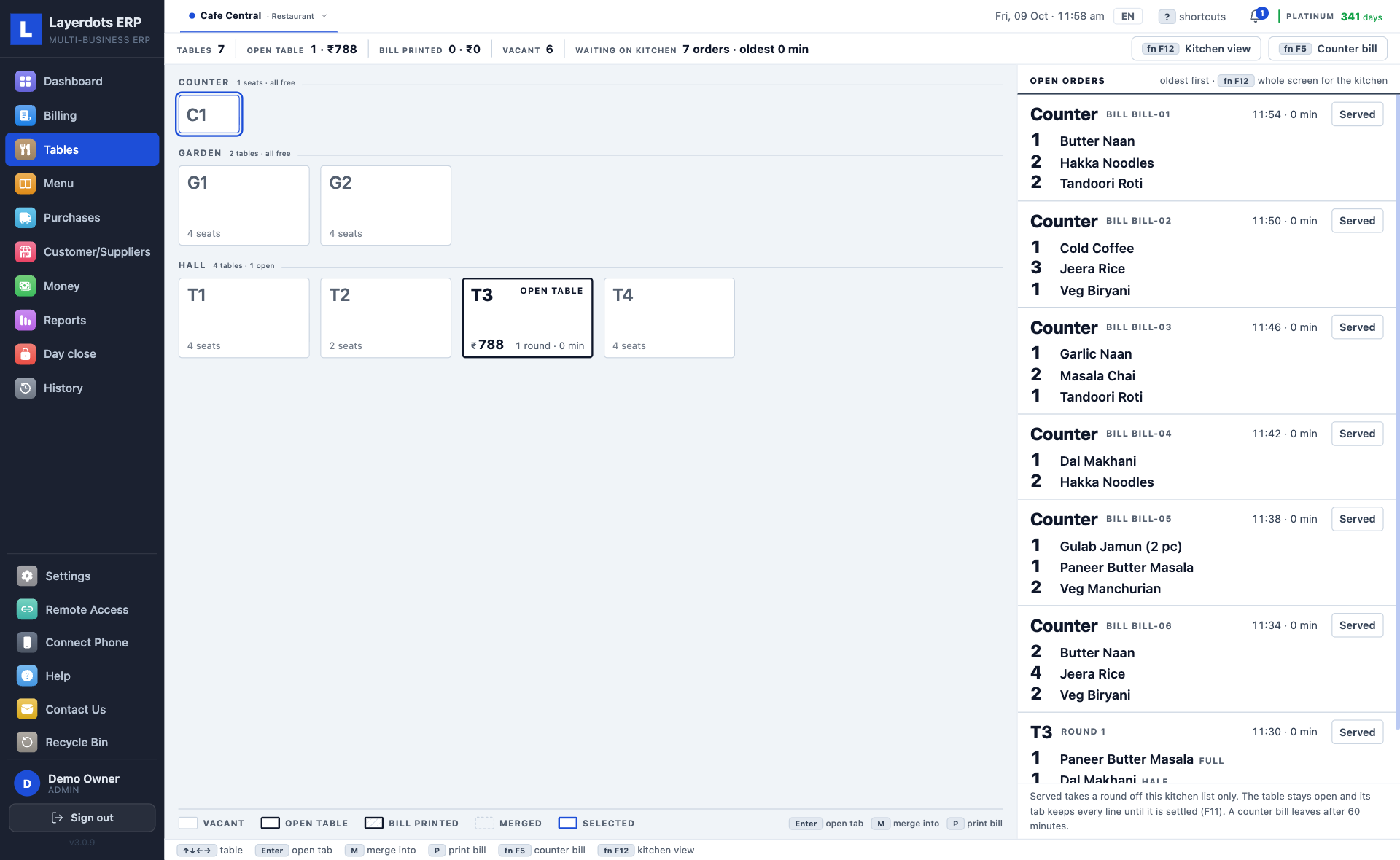
Pick the trade. The screens change to what that shop gets, because the app does: a chemist's bill carries a patient and a doctor, a café's counter is a floor of tables, a shoe shop's stock is a grid of sizes. Sample shops, made up for the pictures.

A pharmacy bills by batch and expiry, with the patient's and the doctor's names on the invoice and medicines searched by name, salt or maker. The expiry report says what to clear and what to send back, and the invoice comes out on A5 unless you choose otherwise. For the people a pharmacy pays by the day there is field staff, below.

Field staff

Attendance and pay for the people a pharmacy pays by the day. Off until you switch it on in Settings, under Billing; then it is in the sidebar on the PC and in the phone app.

One photo on the phone. The purchase entry on the PC.

1. Photograph the supplier's invoice with the phone.

2. The same lines appear on the PC as a purchase entry. Check them and save.

Four steps, and nobody has to visit the shop

There is no setup fee and no server to arrange. The longest of the four steps is deciding your bill prefix.

  1. Install it. Run the setup file on the Windows PC or the Mac. Nothing else is needed on the machine.
  2. Tell it about the shop. The trade, the shop's name, phone and GSTIN, and the prefix you want on invoice numbers.
  3. Get the stock in. Photograph a supplier's invoice and let it read the lines, or import the item list you already keep in Excel. Typing it in by hand is the last resort.
  4. Bill. Search, add, take the money, print.

Download for Windows, Mac and the phone

The trial runs seven days and needs no account or card. The phone app is free on Google Play and the App Store.

Windows app
The installer for the PC at the counter (.exe)
Which Windows do you have?
Mac app
macOS 12 or later, notarised by Apple (.dmg)
Which chip does your Mac have?
Android app
Bills, dues, stock and reports on the phone, with the PC on or off
Get it on Google Play
iPhone app
The same app, for iPhone
Download on the App Store

Reading this on your phone? Send yourself the link on WhatsApp and open it on the computer.

Windows 10 & 11
The signed installer (.exe). Run it. It is code-signed by Layerdots Media Pvt Ltd; if SmartScreen still warns the first time, choose More info, then Run anyway.
Windows 7, 8 & 8.1
A separate build for older PCs, because the current one needs Windows 10 or later to start. It is the same application with the same features and the same data, and one file installs on 32-bit and 64-bit machines. If Windows shows a warning, choose More info, then Run anyway (on Windows 7 the button says Run; in Internet Explorer choose Actions, then Run anyway). It needs Windows 7 with Service Pack 1, or 8 or 8.1; a processor without SSE3 (a Pentium 4 or Athlon XP) cannot run it. Not sure which Windows you have? Press the Windows key and Pause together, or right-click This PC and choose Properties.
Mac
Apple menu, then About This Mac. An M-series chip (M1 or later) takes the Apple-chip build, Intel takes the Intel one. Both are notarised by Apple, so there is no security warning: drag the app into Applications.
Android
From Google Play. It updates itself from there.
iPhone
From the App Store. It updates itself from there, and it is the same app as the Android one.
Most Indian billing programs do not run on a Mac. This one does.

A full shop system, billing through purchases, stock, GST returns and reports, is a Windows habit in India. The desktop packages most shops know publish Windows-only system requirements, and what they offer a Mac owner is a workaround: a Windows machine rented in the cloud, or a compatibility layer on your own hardware.

Layerdots installs on macOS directly, built for both Apple-chip and Intel Macs, signed by Layerdots and notarised by Apple. No Parallels, no Boot Camp, no rented Windows desktop. It is the same application as the Windows one, with the same data and the same plans.

Three plans, paid yearly

Billing, stock, purchases, reports and backup are in every plan. The plans differ on AI scans, shops, e-way bills, e-invoices and sharing. The trial has all of it for seven days.

Basic
₹3,800
+ 18% GST = ₹4,484/year
  • Billing, stock, purchases and GST reports
  • No limit on bills or products
  • 50 AI invoice scans/month (more can be bought)
  • One shop
  • Phone app, including billing when the PC is off
  • Can open a shop that someone shares with you
  • Backup and restore
  • One shop on two or more PCs (Gold and Platinum)
  • E-way bills (Gold and Platinum)
  • E-invoices, IRN (Gold and Platinum)
  • Sharing your own shop with others
  • Priority support
Buy Basic on WhatsApp
Gold
₹7,000
+ 18% GST = ₹8,260/year
  • Billing, stock, purchases and GST reports
  • No limit on bills or products
  • 80 AI invoice scans/month (more can be bought)
  • Up to 2 shops
  • Phone app, including billing when the PC is off
  • Can open a shop that someone shares with you
  • Backup and restore
  • One shop on two or more PCs
  • 20 e-way bills a month (more can be bought)
  • 20 e-invoices (IRN) a month (more can be bought)
  • Share your shop with 1 person
  • Priority support
Buy Gold on WhatsApp
Platinum
₹11,000
+ 18% GST = ₹12,980/year
  • Billing, stock, purchases and GST reports
  • No limit on bills or products
  • 200 AI invoice scans/month (more can be bought)
  • Up to 6 shops
  • Phone app, including billing when the PC is off
  • Can open a shop that someone shares with you
  • Backup and restore
  • One shop on two or more PCs
  • 50 e-way bills a month (more can be bought)
  • 50 e-invoices (IRN) a month (more can be bought)
  • Share your shop with as many people as you like
  • Priority support
Buy Platinum on WhatsApp

The 7-day trial has all of this, with 10 AI scans (Excel imports are not counted), and without e-way bills and e-invoices.

Need more than the month's allowance? Top up the wallet from inside the app: extra AI scans at ₹1.60 each on every plan; extra e-way bills and e-invoices at ₹2 each on Gold and Platinum. You pay us directly, on a call, WhatsApp or email, with no card, and the credits are added to the wallet.

To buy, message us on WhatsApp or call +91 93682 76704. The licence key activates at once. When the trial ends the data stays on the PC; activate any time and carry on.

Questions we get asked

What happens when the 7-day trial ends?

The data stays on the PC. Billing pauses until a licence key is activated, and you can buy one on WhatsApp at any time. Activate it and everything carries on where it stopped.

Does it work offline?

Yes. Billing, stock, reports and backups work with no internet. Internet is needed only for the extras: AI invoice scanning, e-way bills and e-invoices, Cloud Sync and app updates.

Can I move to a new PC?

Yes. Take a backup from Settings, copy it to the new PC and restore it there, or, if cloud backup was on, restore the newest cloud copy there with your licence key. On Gold and Platinum with Cloud Sync on, activate the new PC with the same key, connect it to the shop, and the data comes down on its own.

Can I bring my data from Marg, Tally, Busy or Excel?

Yes. Export items, customers and suppliers from the old software as Excel, CSV or DBF and import the file. The columns are matched for you, and you can correct them before saving.

How many shops can I run on one plan?

Basic runs one shop, Gold up to two and Platinum up to six, from one install, switched in a click.

Can I generate e-way bills?

Yes. A real e-way bill with its EWB number, from a saved invoice, after a one-time connection to your e-way portal account. Any trade that moves goods can use it; one is needed whenever goods worth more than ₹50,000 travel. Gold and Platinum; not in Basic or the trial.

Can I generate e-invoices (IRN)?

Yes. The app reports a B2B invoice to the government portal and prints the IRN and the signed QR code it sends back on the invoice, as the rules require on the buyer's copy. It can make the e-way bill in the same step, and cancel a reported invoice within 24 hours. You need this once your turnover crosses the government's limit. Gold and Platinum; not in Basic or the trial.

How does Remote Access work?

You send a one-time code to your CA or to our support. They enter it in their own Layerdots ERP and get that one shop over the internet, read-only or with editing, as you chose. Nothing starts until you approve it, and you can revoke it at any time. Cloud Sync has to be on for that shop. Gold shares with one person, Platinum with as many as you like.

Can I use it on two computers?

Yes, on Gold and Platinum. Activate the same licence key on both PCs and join the second one to the shop; the app offers this right after activation. Both then work on one shop, in sync both ways, with one invoice number series, so two bills can never get the same number. Both need internet to bill.

How do I buy?

Message us on WhatsApp or call +91 93682 76704. After payment we send the licence key, and you activate it inside the app. It takes under a minute.

The books stay in the shop

Sales, customers and stock live in a file on your own computer, in the Documents folder. There is no server of ours holding them. We cannot read them, and we have nothing to sell.

Cloud Sync exists, and it is off until you switch it on. On, that shop is copied to a private account only you can reach, on servers in Mumbai, so a second PC or the phone app can work on it. Off, the copying stops.

Measured on a shop far bigger than any real one

We filled a test shop with 25 lakh products, 20 lakh invoices and 60 lakh sale lines, then fixed whatever was slow. These are measurements on that shop, not estimates.

Measured on one ordinary desktop PC, on the test shop above.
What was measuredResult
Finding an item by name among 25 lakh products8 msby barcode, 0.2 ms
Saving a bill while a heavy report runs0.9 msthe counter does not wait for the report
The dead-stock report over 25 lakh items2.4 sit took over three minutes before the fix; the outstanding-balance check went from hours to 7 s

Try it at your own counter

Seven days, no account, no card. If it does not suit the shop, uninstall it; the data folder is yours to delete.

Download for Windows or Mac