A hard disk gives no notice. One morning the billing computer refuses to start, or it starts and cannot find its own drive, and everything the shop has typed for years is sitting on a piece of metal that no longer spins. Every bill, every credit balance, every stock figure. If a copy exists somewhere else, this is an annoying morning. If it does not, the shop's books are gone. This is a backup routine sized for a counter rather than a server room. None of it needs a technician.
What kills shop data
Four things, in the order we hear about them.
- Hardware failure. Disks wear out. An old spinning drive sometimes clicks for a few days first; an SSD usually dies with no warning at all. (If the machine itself is due for replacement, choosing a computer for shop billing covers that side.)
- Theft. A laptop is the easiest thing in the shop to carry away, and the thief takes your books along with the hardware.
- Deletion. A wrong click, a Windows reinstall that formats the disk, a well-meaning cleanup of old files. Sometimes it is not an accident, which is why staff logins and permissions are a separate subject.
- Ransomware. A virus encrypts every file it can reach and demands payment. The attacks are automated; they do not check your turnover first.
None of these are exotic. Every market has a shop that has lived through at least one of them.
A second folder on the same disk survives nothing
The most common "backup" we see is a copy of the data in a second folder, or on the D: partition of the same disk. When the disk dies, both copies die in the same second. When ransomware runs, it encrypts every drive letter it can see, including a pen drive that lives permanently plugged into the machine. When the laptop is stolen, the thief does not leave the D: partition behind.
A backup only counts if it survives the event that destroys the original. That is the whole test. A second folder survives nothing except deleting the first folder.
The 3-2-1 rule in shop terms
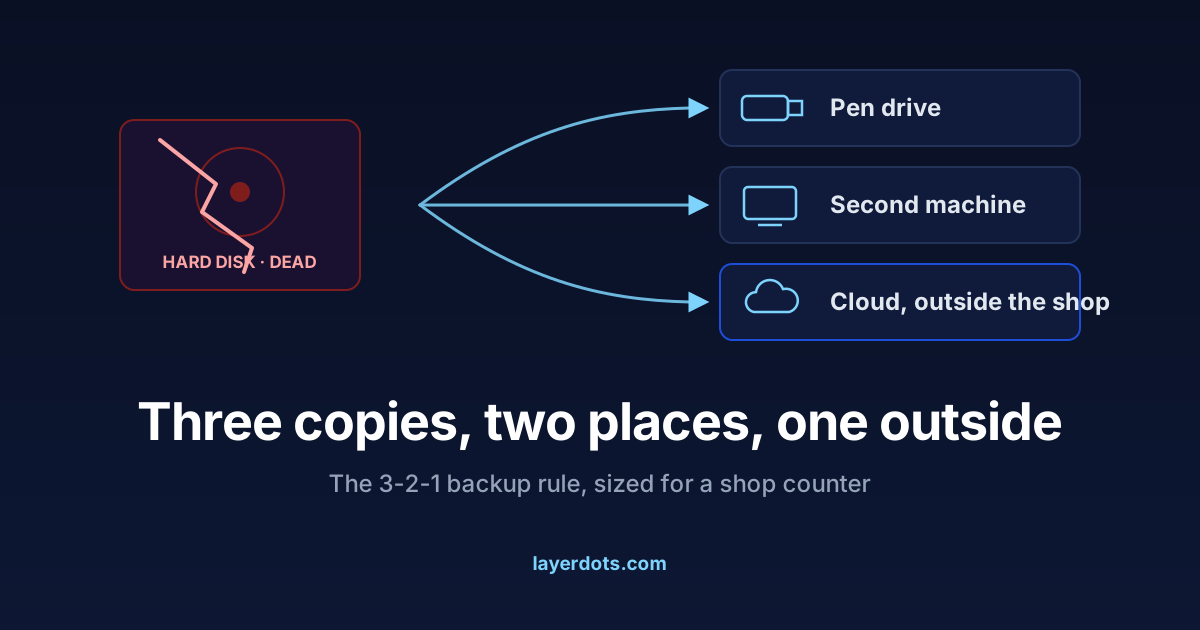
IT people compress all of this into the 3-2-1 rule: three copies of your data, on two different devices, with one copy outside the building. In shop terms:
- Copy one is the live data on the billing computer. It already exists.
- Copy two is a backup on a different device: a pen drive or an external disk that you update on a fixed day and then take home. Not the cash drawer, home. A fire or a burglary takes the whole shop at once, so a backup sleeping next to the computer fails the survival test.
- Copy three is a cloud copy, which is outside the building by nature and does not depend on you carrying anything.
Let the software remember
Every shopkeeper who has lost data swears they will back up weekly, and most keep the promise for about two weeks. Then the busy season arrives and the pen drive sits untouched for months. A routine that depends on remembering is exactly the routine a busy month deletes.
So invert it. Whatever billing software you use, if it can back up on its own, switch that on today and let the machine do the remembering. In Layerdots ERP both of the extra copies can be automatic. Automatic backup writes a snapshot to a folder you choose, daily by default or weekly, monthly or at every launch, and keeps the newest 15 in a "Layerdots ERP Backups" subfolder there; point it at an external drive and the carried-home copy makes itself, so all you do is carry it. Cloud backup, once switched on, sends a copy off-site once a day, or weekly if you prefer, and keeps the newest three. For anything that still depends on a person, tie it to something that already happens monthly, the day GSTR-3B is filed or rent day. A habit chained to an existing habit survives; a habit chained to good intentions does not.
Restore one this week
Backups fail silently. The folder turns out to be empty, the schedule stopped running in January, or the file is from two years ago. Nobody discovers this on a calm day. It is discovered on the worst day, when the backup turns out to be a decoration.
The only proof a backup works is a restore. Do one this week: take your latest backup file to another computer, or restore it on the same one, then check it like an auditor. Open yesterday's bill. Look up one customer's outstanding balance. Check the stock of one fast-moving item. Ten minutes, and now you know instead of hoping. Repeat twice a year.
One warning about hand-made copies. While a billing program is running, its database is often spread across more than one file, and a copy taken at the wrong moment can look complete yet silently miss the latest day of bills. Use the software's own backup button, which writes a complete snapshot, or close the program first. In Layerdots ERP, Backup in Settings produces a snapshot file that Restore reads back whole, with the product pictures and any e-invoice archives carried in a folder beside it.
What the cloud copy adds, and what it does not replace
A cloud copy solves the two hard parts of 3-2-1: it is outside the building, and it happens without anyone remembering. One distinction matters, though. A sync folder that mirrors your disk is not a backup: delete a file, and the deletion syncs upward obediently; let ransomware encrypt your disk, and the encrypted versions sync upward too. A backup keeps copies from before the damage.
In Layerdots ERP the cloud backup is encrypted on your own computer before it is uploaded, with a key derived from your licence key, so what sits on the server is unreadable without it. On a new PC you type the old computer's licence key, pick a dated backup, and restore. Which is also the reason to keep that key somewhere safe: it is the one thing that opens the off-site copy.
What the cloud does not replace is a copy you hold yourself. On the day you need to restore, the shop's internet may be down, or years of data may take hours to download. Layerdots ERP is built local first: the working data lives in a database file on your own machine, and cloud backup is the safety net above it, not the place your books live. We think that is the right order. You may weigh it differently, but weigh it knowingly.
Know where the file is, and that you can take it out
Whatever software runs your counter, you should be able to answer two questions: where is my data, and how do I take all of it out? If the answer to the first is "on the vendor's servers", the second question becomes the important one, because it decides what happens when the subscription lapses or the vendor has a bad year.
For Layerdots ERP the answers are short. Your data is a standard SQLite database file, by default in a Layerdots ERP folder inside Documents, and Settings lets you move it. The backup file is yours to copy, carry and keep. No permission from us is needed to leave with your own books.
One legal footnote makes all of this less optional than it feels. Section 36 of the CGST Act requires a registered business to keep its books and records for seventy-two months from the due date of the annual return for that year. The law does not carve out an exception for a dead hard disk. A backup habit is also a compliance habit.
Questions that come up
My billing software is online, in the browser. Do I still need backups?
The vendor's servers protect you from your disk dying, which is real protection. They do not
protect you from a lost account, a lapsed subscription, or trouble on the vendor's side.
Export your data regularly to a file you hold, and confirm the export opens. The two questions
above apply to every vendor, including us.
How often should I back up?
Ask it backwards: how many days of bills could you re-enter by hand from the printed copies?
For most counters the answer is one or two, which means the automatic copy should run daily.
The carried-home copy can be weekly or monthly, since its job is surviving fire and theft
rather than catching yesterday.
Is a pen drive enough?
As the only backup, no. Pen drives fail more often than hard disks, get lost, and go through
the wash in a shirt pocket. As one leg of the 3-2-1 routine, alongside an automatic cloud
copy, a pen drive that goes home weekly is perfectly respectable.