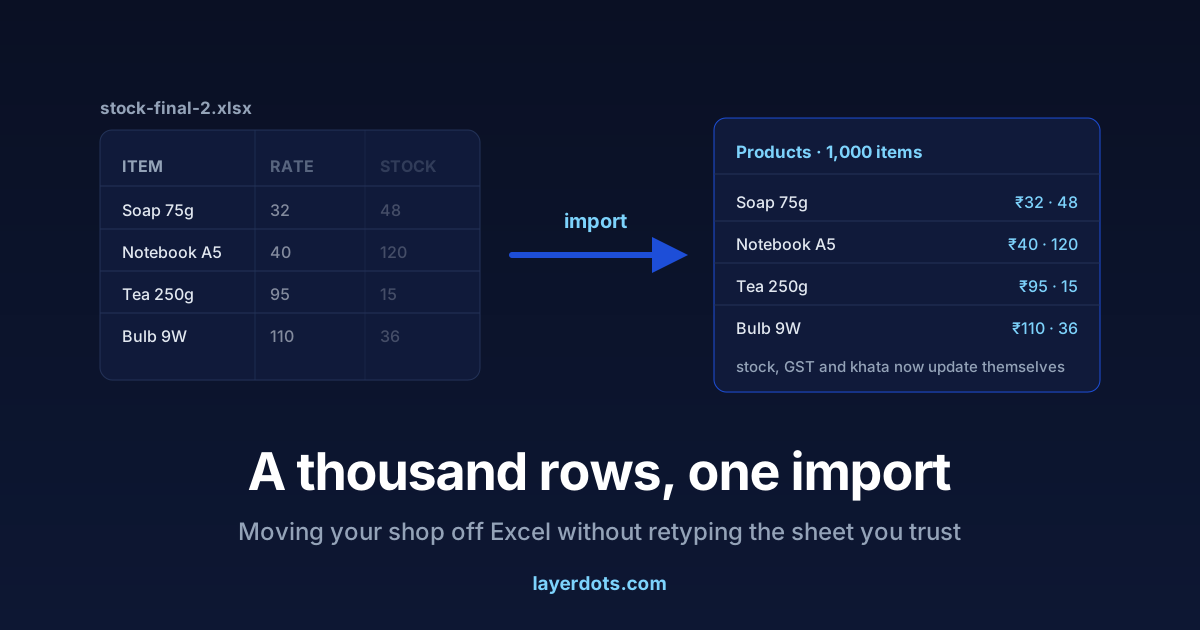
Somewhere on the shop computer there is a file called stock-final-2.xlsx. It holds every item you sell, rates adjusted by hand over years, and formulas exactly one person understands. It works, and it got the shop this far. That is precisely why billing software feels risky: the switch looks like a thousand rows typed again, in a week you do not have. The rows do not need retyping. The sheet can be imported in one sitting and kept on standby until the software has earned its place.
The sheet was the right tool for a while
Nobody should be embarrassed about running a shop on Excel. A spreadsheet costs nothing, bends to any shape, and half the family already knows it. For a new counter with two hundred items and one person billing it is the right tool: you see everything at once, you fix anything with a click, and no salesman is involved.
But a spreadsheet is a calculator with memory, not a record of the shop. It knows what someone typed, and only that. It does not know a sale happened, that a customer took goods on credit, or that a strip of tablets expires next month. Each of those facts reaches the sheet only if a person remembers to carry it there, and as the shop grows the gap between the sheet and the shelf grows with it. The signs that the gap has become expensive are familiar.
- The stock column and the shelf disagree, and nobody can say why or since when. The sheet stores a stock number but does not subtract when you sell; someone updates it weekly, and in between the figure is an estimate.
- Copies have appeared: one on the counter PC, one on a phone, one mailed to the accountant. They drift apart, and the filename sprouts suffixes (final, final-2, final-REAL) because nobody is sure which copy is the shop.
- The formulas live in one person's head. If that person is at a wedding, billing slows to guesswork.
- GSTR-1 season costs your accountant a day of rebuilding the tax figures from bill books, because the sheet never knew the tax split on each sale, and it costs you the fee for that day.
- Two people need to bill at the same time, and the file can only be open in one place.
- You hesitate before pressing Delete, because there is no undo you trust.
Two or three of these together mean the sheet has stopped saving you time and started charging for its own upkeep, in hours rather than rupees.
Tidy the sheet in Excel first: one row per item, one column per fact
The import goes exactly as well as the sheet is clean, so spend an afternoon tidying it in Excel itself, where you are fastest.
- One row per item. Remove merged headings, month-wise sections, blank spacer rows and the totals row at the bottom. Software reads a plain table, top to bottom.
- One column per fact. Item name, HSN code, GST rate, sale rate, purchase rate, current stock, unit, and barcode if you use one. Split anything mixed, such as "Soap 75g @32" sitting in a single cell.
- Consistent units. Decide whether you count strips or tablets, pieces or boxes, and make the whole column agree.
- HSN codes at the right length. Under CBIC Notification No. 78/2020-Central Tax, invoices need 4-digit HSN codes if aggregate turnover is up to ₹5 crore and 6-digit above that. The same codes later feed Table 12 of your GSTR-1, so every code fixed now is a filing problem you will not have in a few months.
Do not aim for a perfect sheet. Aim for a readable one. A missing purchase rate or barcode can be filled in later, one item at a time, inside the software. Only the structure has to be right on import day.
Import it in one sitting
Layerdots ERP has a bulk import built for this file. You point it at the sheet, it suggests which column is which, you confirm or correct the mapping, and you see a preview of the products before anything is written. A wrong mapping shows in the preview, before anything is saved. A thousand items is an afternoon's work including the tea break, and hand typing is left for rows so tangled that no tool could read them, which is usually a handful.
Mistakes afterwards are ordinary edits. A wrong rate is corrected in the product list like any other. A wrongly created item can be deleted, and deleted items sit in a recycle bin for 30 days, so a slip is recoverable. During the trial you can also clear out and import the corrected sheet again with nothing at stake. If your shop runs on Marg rather than Excel, the same idea works from its item-master export; we have written up that move separately.
Opening stock and opening dues
The import gives you products. The shop also has a present state: stock on the shelf and money in the khata, and both deserve a truthful start.
For opening stock, use the sheet's numbers. Some are estimates, but they are the estimates you were trusting yesterday, so nothing gets worse by importing them. Then correct item by item as real counts happen: when you receive a purchase, when a shelf is cleaned, when a customer asks for the last piece. You do not need a full stocktake before you start billing. Waiting for one is how switches get postponed for good.
For opening dues, every customer who owes you money gets an entry in the credit ledger with their current balance. From that day on, each credit sale and each payment is a dated entry, and the running balance is computed for you instead of maintained by you.
The opening numbers are not better than the sheet's. They are the same numbers. The difference is that everything after them is recorded at the moment it happens, with an activity history showing who did what, which matters once staff logins are involved.
Run both for a week before you retire the sheet
Do not switch on a festival weekend, and do not delete the sheet on day one. Pick an ordinary week. Bill in the software and keep the spreadsheet frozen as a reference. Each evening, compare the day's total in the software with whatever tally you usually trust. If they disagree, the software's side can be checked bill by bill, which is the property the sheet never had.
When the week ends and the totals have held, stop updating the sheet and keep the file as an archive. Nothing about ownership changes, and that is worth saying plainly. Like your spreadsheet, Layerdots ERP keeps its data in a local database file on your own computer, not in a browser account. You can move the data folder, take backups, and add cloud backup on top. The trial runs 7 days, which is roughly this same parallel week, so the test costs nothing. After it, the software starts at ₹3,800 plus GST a year for the Basic plan. Whether that beats the sheet depends on what the sheet is costing you in accountant hours and stock gaps, and we have set out what billing software costs in India, ours included.